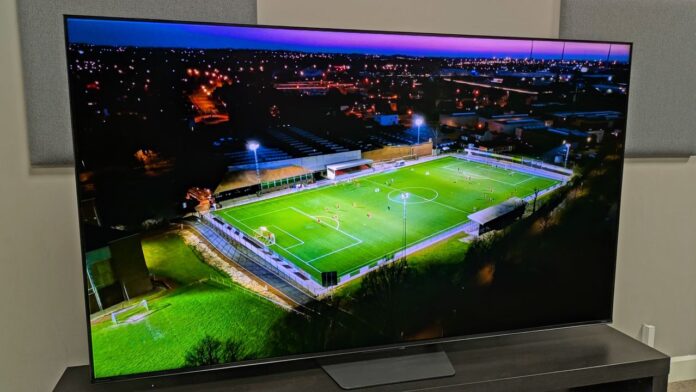

The 2026 World Cup is almost here, kicking off on June 11. As someone who obsesses over soccer virtually every waking moment, I’ve been thinking hard about how to get my TV ready for the biggest sporting event on the planet.
It pains me to say this, but I’ve started turning on a picture setting I usually hate — just to get my eyes fully adjusted before the balls start flying across Canada, Mexico, and the United States.
The feature in question is motion smoothing. And as someone who typically despises this setting, I admit I feel more than a little guilty. But the truth is, it genuinely makes watching soccer on even the best TVs look better.
For movies or streamed TV, I’d rather watch Tottenham for eternity than enable motion smoothing. For sports, though — and soccer especially — it’s an entirely different story.
How does motion smoothing on a TV work?
Motion smoothing is a video-processing technique that inserts artificial frames between the real video frames your TV displays. This method is commonly known as frame interpolation, and it works in a way that isn’t entirely unlike how frame generation operates in graphically demanding PC games.
Manufacturers call motion smoothing by different names. LG calls it TruMotion. Sony prefers Motionflow. Whatever label a TV brand uses, the underlying technology is essentially the same.
If you’re lucky enough to own a high-end TV with an advanced processor, motion smoothing will be handled far more effectively than on a budget model.
When this feature is enabled, your display’s processor analyzes whatever is happening on screen. It detects and tracks moving objects, makes an educated guess about where those objects would appear between frames based on their movement and direction, and then displays these extra frames live during playback.
Why does sport look better with motion smoothing enabled?
By accurately tracking ball movement and adding artificial frames to smooth out camera pans, motion-smoothing features make matches easier to follow. For sports with constant camera movement — like ice hockey, soccer, and NFL games — this technique makes on-field play look significantly smoother.
On-screen action appears smoother because your eye isn’t jumping across such a large gap in the ball’s position every time a new frame appears. Your brain fills in fewer gaps, and you perceive more detail.
This is why motion smoothing is particularly well suited for fast-paced soccer matches, which we’ll see plenty of during the tournament’s knockout stages. In elite-level clashes, the ball moves back and forth at incredible speed. If you want to determine whether your player was fouled or not, you need more detail than standard streaming quality provides.
Even though I usually use my LG G3 OLED’s Filmmaker Mode for daily viewing — a preset endorsed by directors like Christopher Nolan that blocks TruMotion — when it’s time to obsess over Arsenal, I switch to Sports mode and enable motion smoothing without hesitation.
Even the best OLED TVs handle fast-moving action well thanks to their near-instantaneous pixel response times, but judder can still occur during camera pans. There can be other visual issues with streaming sports too.
For subpar soccer streams, motion smoothing helps
When it comes to watching soccer on TV, the visual experience you typically get won’t be anywhere near the quality of streaming a Netflix Original.
Stream bitrates are lower, which makes it harder to track the ball in congested penalty areas — the amount of detail is directly tied to the amount of data being streamed.
Here in the UK, the only reliable way to watch high-quality 4K soccer on a weekly basis is with Sky Sports’ UHD offerings. When I had that subscription, I usually didn’t bother enabling motion smoothing because the clarity was excellent on its own.
Now that I’m using a Now TV subscription on my Amazon Fire TV Stick, I’m stuck with sub-1080p quality. When I watched Arsenal win the Premier League trophy recently, I could barely make out Martin Ødegaard’s face as he hoisted the trophy.
Poor image quality is even worse during matches. The times I experience distracting judder if I don’t enable motion smoothing on my OLED can be hugely frustrating. Without frame interpolation, all those frantic camera pans as the ball bounces from the halfway line to the edge of the box can sometimes make me feel queasy — especially on a 720p stream.
While motion smoothing can reduce motion blur and make it easier to follow the ball during intense matches, if your TV lets you adjust the level of smoothing, I’d recommend playing around with the settings.
On my LG OLED, I tweak TruMotion so that both De-Judder and De-Blur parameters are set at 5 out of 10. This gives me a nice balance between on-screen fluidity without making heated on-field action look overly artificial.
Motion smoothing is great for World Cup viewing, but…
Enabling motion smoothing for certain sports makes the action feel more immersive. Take it from someone who watched 61 Arsenal matches during the 25/26 season.
Once the World Cup kicks off on June 11, you better believe my LG’s TruMotion feature is getting switched on as soon as Mexico takes the pitch against South Africa.
But — and this is important — you definitely shouldn’t enable motion smoothing when watching movies or your favorite shows. Inserting artificial frames into content filmed at 24 frames per second makes blockbusters look about as cinematic as a Real Housewives marathon. That’s the dreaded soap opera effect.
When 48 teams square off for the privilege of lifting the trophy though, you should feel no shame in embracing your TV’s frame interpolation systems.


