
The Tangled Truth: Why Your Gadgets Charge Like Snails (And How to Fix It)
Ever plugged your phone into what should be a fast charger, only to watch the battery percentage crawl upwards with agonizing slowness? Or noticed your high-powered laptop charges sluggishly at your desk but speeds up with its original brick? You’re not alone. While USB charging offers incredible convenience – a far cry from the bin of incompatible chargers plaguing tech aficionados just a decade ago – its universality hides a complex web of standards, limitations, and quirks. Understanding USB charging speeds isn’t just tech trivia; it’s the key to unlocking efficient device use, avoiding frustration, and protecting your hardware investment. The snail-paced charging you experience often stems from a clash between outdated ports, misleading specifications, incompatible cables, or deliberate manufacturer restrictions.
The Power Playground: Deciphering USB Generations & Protocols
The foundational layer dictating potential charging speed is the USB specification itself. Think of these as generations in a family, each bringing advancements, especially in power delivery capabilities.
- The Legacy Holdouts (USB 2.0 and earlier): Offering a meager 2.5 watts (5V/0.5A), these ports are relics often found in older car dash chargers, ancient wall sockets in hotels or airports, and even some budget peripherals. Charging anything beyond a low-power Bluetooth earpiece here is an exercise in patience. A modern smartphone requiring upwards of 18W might take hours.
- The Stepping Stones (USB 3.x – The Non-PD Era): Generations like USB 3.0, 3.1 Gen 1, and Gen 2 brought significant data leaps but were less revolutionary for charging without Power Delivery. They often maxed out around 4.5W (5V/0.9A) for standard ports, making them barely adequate for tablets or modern phones. Some implementations implemented non-native tricks like Apple’s proprietary protocols used in pre-USB-C MacBooks to achieve higher wattage.
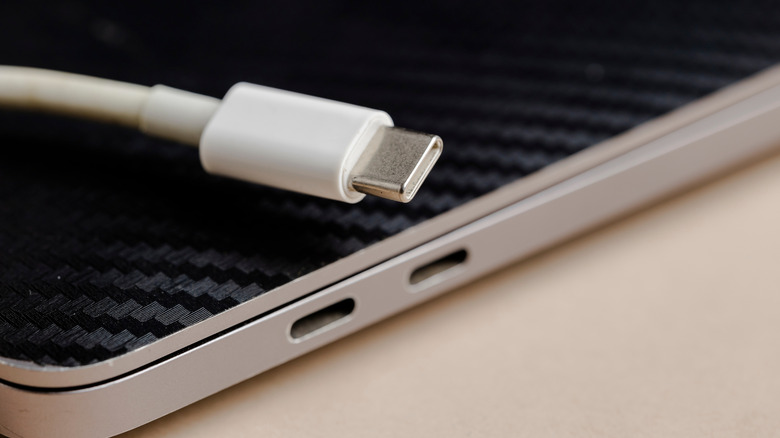
- The USB-C Revolution & USB4: The move to the reversible USB-C connector became a game-changer because it wasn’t just a new plug; it was designed from the outset to handle significantly more power. While USB-C can carry modest power (historically up to 15W via USB PD 1.0/Base Line), the latest generations unlock the ceiling:
- USB4 Version 2.0: Currently holds the crown, supporting a staggering 240 watts (48V/5A) via the Power Delivery (PD) 3.1 standard. This enables laptop charging that rivals traditional barrel plugs (e.g., newer gaming laptops).
- Thunderbolt 3/4 (Built on USB-C/USB4): While primarily known for blistering data and video speeds, Thunderbolt ports utilizing USB-C must support USB Power Delivery (often up to 100W via TB3/TB4).
- Future-Proofing: Standards continue evolving. Expect USB-C and USB4 to dominate higher wattage scenarios, pushing towards even greater power for larger devices as PD standards mature.
Beneath the Specification: Enter Power Delivery (PD) and Proprietary Players
Specifications set the framework, but USB Power Delivery (USB-PD) is the intelligent negotiator making high-speed charging safe and practical. It’s a sophisticated communication protocol layered on top of the USB physical connection.
- The Intelligent Handshake: Before pumping high wattages, a PD-supported charger and the device perform a momentary “handshake.” They exchange critical information:
- Offered power profiles (voltage/current combinations)
- Device requirements
- Maximum safe thresholds
- Cable capability (assessed via E-Markers)
- PD Version Matters: Not all PD is equal.
- PD 2.0: Became widely adopted, supporting profiles up to 100W (20V/5A). Often found on laptops charging blocks and phones from the late 2010s onward.
- PD 3.0: Enhances interoperability and safety protocols, laying groundwork for extended power range (EPR).
- PD 3.1: Unlocks the Extended Power Range (EPR). This is the magic behind USB4’s 240W potential. It introduces new voltage levels (28V, 36V, 48V) crucial for delivering massive wattages efficiently without needing a cable thick as an extension cord. Devices utilizing PD 3.1 EPR require specially certified cables rated for these higher voltages (Identifiable by labels like “EPR” or “240W”).
- The Proprietary Jungle: Major device makers often push their own fast-charging technologies alongside or layered on PD. These optimize charging curves specific to their battery chemistry and often rely on specialized chargers/cables:
- Qualcomm Quick Charge (QC): Pioneered fast charging. Versions evolved significantly: QC 1.0 (~10W), QC 2.0/3.0 (18W+, variable voltage), QC 4+ (integrates PD). Many Android phones utilize QC versions.
- Others: Samsung Adaptive Fast Charging, Oppo/Vivo’s SuperVOOC/FlashCharge, OnePlus Warp Charge, Huawei SuperCharge. These often achieve ultra-high wattages (100W+) using proprietary communication and higher voltage/higher amperage combinations, frequently requiring their ecosystem. (Sources: various tech publications covering manufacturer specifications).
The Manufacturer Factor: Artificial Limits and Safety Design
Just because a port uses a modern USB specification doesn’t guarantee it leverages its full charging potential. Manufacturers frequently impose limitations:
- Protecting the Host Device: A prime example is laptops. A laptop’s USB-C port might physically support PD 3.1 (240W). However, if you plugged a hungry power adapter demanding that wattage into the laptop, it could overload the host controller circuitry/battery. Therefore, manufacturers deliberately limit the USB charging input capability via the BIOS/controller firmware – perhaps to only 100W or lower. Concurrently, that same hardware-limited port could likely output closer to its theoretical limit (up to 100W typically for USB-C ports, potentially less) to charge your phone/tablet.
- Value Engineering: Lower-cost devices or ports designated as “data-only” prioritize other aspects over high-wattage charging circuitry. Providing sufficient power for syncing or low-power peripherals might be the goal.
- Product Segmentation: Manufacturers might reserve the highest charging speeds for premium tiers or specific product lines, artificially limiting it on budget devices even if the hardware could technically handle more.
The Weakest Link: Cables, Charging Bricks, and Power Meters
Even with the latest tech and certification, charging performance hinges on every component in the chain: Port -> Cable -> Charger -> Wall Outlet. The slowest component dictates the maximum flow – USB charging speed is a collaborative effort.
- The Cable Conundrum: USB-C cables look identical, but internally, they range wildly:
- Amperage Rating: Older or poorly made cables might only safely handle 3A. Vital for 15/27W via 5V/9V.
- Voltage Rating: Standard cables support up to 20V (max for PD 100W). EPR Certified Cables: Absolutely essential for PD 3.1 EPR (28-48V) to safely hit 140W, 180W, or 240W. They contain tiny E-Marker chips confirming their capability to the charger/device. Using a non-EPR cable for EPR charging will cap speeds at sub-100W levels.
- USB Specification: Avoid USB 2.0 data cables for charging demanding devices; they usually lack thicker power conductors.
- The Charging Brick (SMPS – Switch Mode Power Supply): This is the literal powerhouse. Key aspects:
- Output Rating: Its labeled wattage (W) and Voltage/Current (V/A) combinations (e.g., 65W: 5V/3A, 9V/3A, 15V/3A, 20V/3.25A). Your device selects its compatible profile.
- PD/QC Certification: Does it support the Power Delivery version (or proprietary QC tech) your device needs? A PD charger is likely needed regardless of a device’s proprietary tech aspirations.
- Multi-port Shared Power: Chargers with multiple ports share total power. Plugging in two devices might halve the available speed for each, especially under load. Only premium multi-port GaN chargers dynamically allocate higher power.
- Example: Using the puny 5W charger from your 2010 iPhone to charge a modern iPad Pro is futile. Conversely, using your powerful laptop charger (say, a USB-C PD 100W brick) to charge your phone will work fast, safely – but potentially waste energy as the brick isn’t optimized for low power demands.
- Diagnosing Bottlenecks: The Power Meter: Unsure why your super-fast phone charges sluggishly on a specific USB port? A USB power meter plugs in-line between the charger/cable and device. For under $20-$30, these gadgets provide crucial real-time data:


