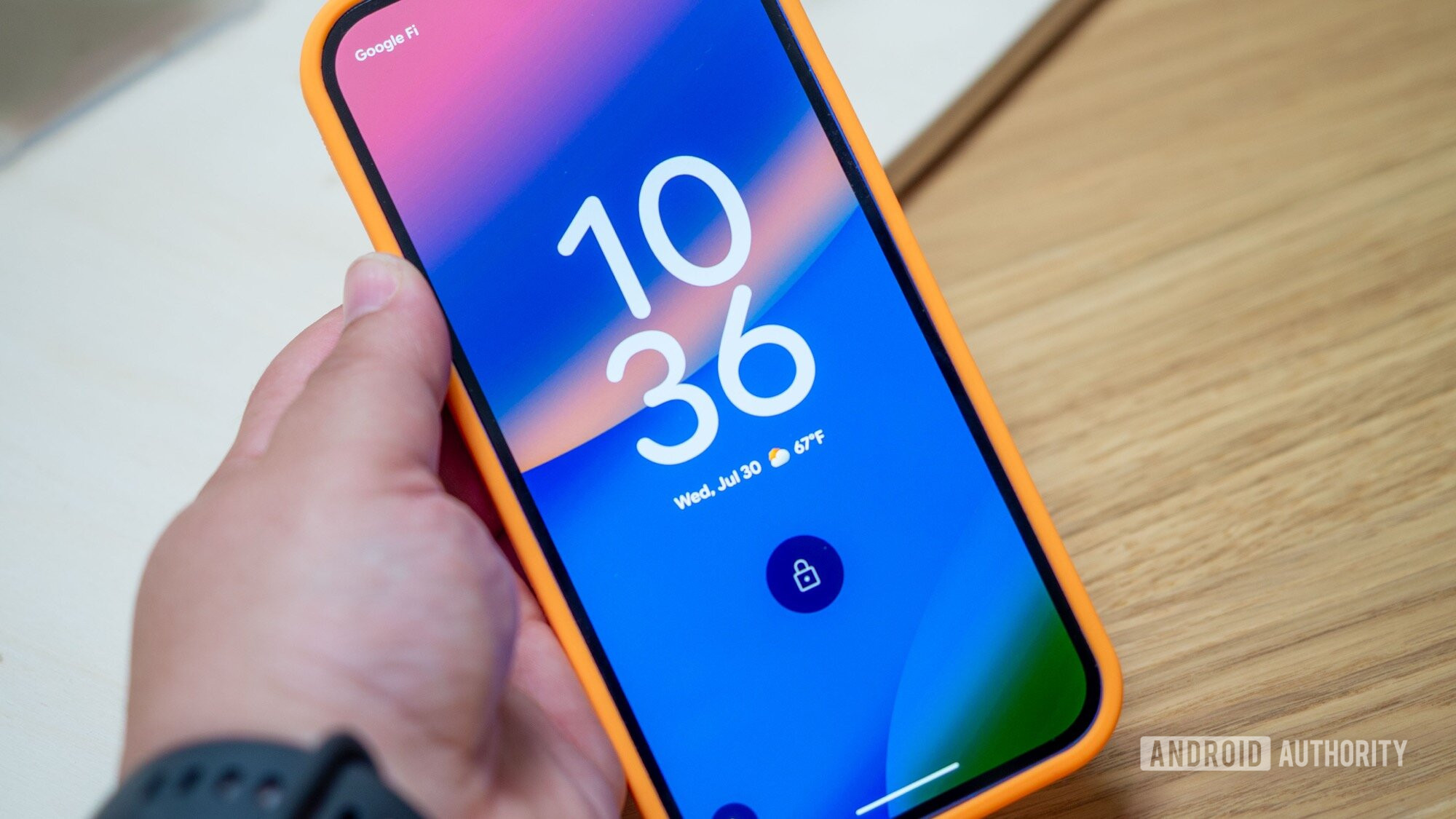

Is Your Phone Keeping You Awake? The Pixel 10’s Smart Screen Saver Solution
Are you tired of the bright glow of your phone screen disturbing your sleep while it charges overnight? Google aims to solve this problem with a clever new feature debuting on the Pixel 10 series. This innovative screen saver trick automatically adjusts to ambient lighting conditions, offering a more sleep-friendly charging experience. This article dives deep into this new functionality and explores its potential benefits for Pixel 10 users, examining how Google continues to improve the smartphone experience with thoughtful details.
The Pixel 10 Arrives with Smart Features
After much anticipation, the Google Pixel 10 has officially launched, bringing with it a suite of new and exciting features. Beyond the expected camera improvements like Voice Translate and Auto Best Take, Google has also focused on enhancing the user experience with smaller, but equally impactful, updates. One such update is a new screen saver functionality designed to improve sleep quality, addressing a common annoyance for smartphone users.
Say Goodbye to Distracting Light: The Adaptive Screen Saver
Many of us charge our phones overnight, often placing them on a bedside table. While a screen saver displaying the time can be convenient, the emitted light can be disruptive, potentially hindering sleep. Manually dimming the screen or disabling the screen saver entirely can be cumbersome, requiring adjustments every morning. Google recognized this issue and developed an elegant solution for the Pixel 10.
The Pixel 10 introduces an adaptive screen saver feature that automatically adjusts its brightness based on the ambient light in the room. This means the clock displayed on the screen saver will dim when the room gets dark, minimizing light pollution and promoting a more restful sleep environment.
How Does the New Pixel 10 Screen Saver Work?
The new screen saver functionality offers two distinct options:
-
Automatic Low-Light Mode: When enabled, the screen saver clock will automatically dim when the phone’s light sensor detects a darkened environment. This provides a subtle display of the time without being overly bright or distracting.
-
Complete Screen Turn-Off: For those who prefer complete darkness, the Pixel 10 allows the screen saver to turn off entirely when the room becomes dark. This ensures no light emanates from the phone, creating an ideal sleep environment.
This feature is particularly useful when the device is charging, even when using a charging dock, ensuring a consistent experience regardless of how the phone is positioned. This is a welcome addition to Google’s Pixel series, adding to their innovation and convenience.
A Look at the Pixel 10 Lineup
Along with this innovative screen saver feature, the Pixel 10 series offers a range of devices catering to different needs and preferences. Here’s a quick overview of the Pixel 10 lineup mentioned:
| Model | Key Features |
|---|---|
| Pixel 10 Pro | Top-tier specs, compact display, Satellite SOS, Powerful AI |
| Pixel 10 | Promising battery, 6.3-inch display, Google AI integration |
| Pixel 10 Pro XL | Largest non-folding Pixel, Best specs, AI features |
| Pixel 10 Pro Fold | Top-tier specs, IP68 rating, Foldable design |
Is This a Completely New Idea?
While the implementation on the Pixel 10 is polished and user-friendly, the concept of adaptive brightness isn’t entirely novel. Adaptive brightness has been a feature on smartphones for years, adjusting screen brightness based on ambient light to improve visibility and conserve battery life. However, applying this principle specifically to the screen saver during charging is a unique and welcomed refinement.
Furthermore, this feature first surfaced in a Canary build several months ago, indicating Google’s commitment to refining and testing features before their official release. This iterative approach ensures a stable and reliable user experience.
Benefits of the Pixel 10’s Adaptive Screen Saver
The advantages of this seemingly small feature are significant:
- Improved Sleep Quality: By minimizing light disruption, the adaptive screen saver can contribute to better sleep quality. Exposure to light, especially blue light emitted from screens, can suppress melatonin production, a hormone crucial for regulating sleep-wake cycles. (Source: National Sleep Foundation)
- Reduced Eye Strain: Even a dimmed screen can be too bright in a dark room. The ability to completely turn off the screen saver eliminates this potential source of eye strain.
- Convenience and Automation: Users no longer need to manually adjust screen brightness or disable the screen saver every night. The feature automates this process, providing a seamless and hassle-free experience.
- Energy Conservation: Turning off the screen completely can lead to marginal energy savings, contributing to overall battery life and reducing energy consumption.
Addressing Common Concerns: People Also Ask
Let’s address some common questions that users might have about this new feature:
- Will this feature drain my battery? The impact on battery life is expected to be minimal. The screen saver is already a low-power mode, and the automatic adjustments are triggered by ambient light, not constant processing.
- Can I customize the dimming level? While the initial implementation focuses on automatic dimming or complete shut-off, future updates might offer more granular control over the dimming level.
- Does this work with all charging docks? The feature is designed to work with various charging setups, including upright docks like the Pixelsnap Charger.
- Is this feature exclusive to the Pixel 10? It’s highly likely that this feature will eventually roll out to older Pixel devices through software updates, but its initial debut on the Pixel 10 serves as a key selling point.
The Future of Smart Sleep Features on Smartphones
The Pixel 10’s adaptive screen saver is a small but significant step towards integrating smart sleep features into smartphones. As technology continues to evolve, we can expect to see even more innovative solutions that promote better sleep hygiene. This could include features like:
- Ambient Sound Adjustment: Automatically lowering the volume of notifications or switching to do-not-disturb mode based on sleep patterns.
- Blue Light Filtering Optimization: Dynamically adjusting blue light filters throughout the day to minimize its impact on sleep.
- Sleep Tracking Integration: Seamlessly integrating with sleep tracking apps to provide personalized recommendations for improving sleep quality.
Conclusion: A Brighter Future for Bedtime
The Pixel 10’s adaptive screen saver is a clever and practical feature that addresses a common annoyance for smartphone users. By automatically adjusting screen brightness based on ambient light, it promotes better sleep quality, reduces eye strain, and provides a more convenient charging experience. This feature highlights Google’s commitment to improving the user experience with thoughtful details, reinforcing the Pixel series’ reputation for innovation and practicality.
What do you think about this new Pixel 10 feature? Will it actually help you sleep better? Share your thoughts and opinions in the comments below!
Sources & Further Reading:
Original article at www.androidauthority.com


