
Are You Tired of Nextcloud’s Sluggish Performance? Why I Switched to OpenCloud
Have you ever felt like your self-hosted cloud solution was more of a burden than a benefit? For years, Nextcloud was my go-to choice, promising data privacy and control. However, over time, I found myself battling sluggish performance, a bloated interface, and persistent bugs. I finally made the leap to OpenCloud, and the experience has been transformative. If you’re experiencing similar frustrations with Nextcloud, keep reading to discover why I made the permanent switch and why you should consider it too. This article will explore the key differences and advantages of OpenCloud, focusing on performance, stability, and overall user experience.
Understanding the Shift: From Nextcloud to OpenCloud
The self-hosting landscape is constantly evolving. While Nextcloud remains a popular choice for its extensive features and app ecosystem, many users are finding that its resource demands and complexity can be a significant drawback, especially on limited hardware. OpenCloud offers an alternative, prioritizing efficiency and stability without sacrificing core functionality.
Why the Nextcloud Struggle?
Nextcloud’s expansive feature set, while appealing on paper, often leads to performance bottlenecks. The architecture, coupled with numerous third-party apps, can result in:
- High RAM usage
- CPU spikes during file indexing and syncing
- Slow UI rendering
- Maintenance overhead
These issues can be particularly problematic for users with low-power servers or those who prioritize a smooth, responsive experience. The trade-off between control and usability becomes a frustrating reality.
The OpenCloud Advantage: A Performance-Focused Approach
OpenCloud takes a different philosophy. It focuses on providing a streamlined experience with essential features, optimized for performance and resource efficiency.
Faster UI and Reduced Resource Consumption
One of the first and most noticeable benefits of switching to OpenCloud was the dramatically improved UI speed.
H3: Drastic Improvement in UI Responsiveness
Nextcloud’s UI often felt sluggish, with noticeable delays when navigating folders or performing simple actions. OpenCloud, on the other hand, felt significantly snappier. This is primarily due to:
- Lighter Front-End Code: OpenCloud’s front-end is designed to be leaner, reducing the amount of data that needs to be loaded and rendered by the browser.
- Efficient Resource Management: OpenCloud minimizes background processes and unnecessary resource consumption, resulting in a more responsive user experience.
H3: Leaner on Your Server Resources
This translates to tangible benefits for server resources. Nextcloud, especially with several apps enabled, can easily consume 1GB to 2GB of RAM just to operate smoothly. OpenCloud, being fundamentally leaner, significantly reduced my server’s idle RAM usage. It’s perfectly suitable for budget setups.
Consider this comparison:
| Feature | Nextcloud | OpenCloud |
|---|---|---|
| RAM Usage (Idle) | 1GB – 2GB (with apps) | Significantly lower, under 1GB is common |
| CPU Usage | Spikes during indexing and sync | Lower and more consistent |
| UI Performance | Often sluggish and unresponsive | Snappy and responsive |
| Architecture | Monolithic, can be complex and resource intensive | Modular, designed for speed and efficiency |
Superior Sync Speeds and Reliability
Syncing files is a core function of any cloud storage solution. In my experience, Nextcloud’s sync performance was a recurring source of frustration.
H3: Overcoming Nextcloud Sync Issues
The Nextcloud client often struggled with syncing large numbers of small files or large folders containing photos. This resulted in slow transfer speeds, frequent freezes, and the need for restarts.
H3: OpenCloud’s Efficient Syncing Techniques
OpenCloud addresses these issues with more modern sync techniques:
- Delta Sync: This technique only transfers the changed portions of a file, rather than the entire file, significantly reducing bandwidth usage and sync times.
- File Bundling: OpenCloud groups multiple small files into a single, efficient request, minimizing overhead and improving transfer speeds.
These improvements translate to a much smoother and faster syncing experience. I can now confidently sync large amounts of data without experiencing the slowdowns and freezes that plagued my Nextcloud setup. The OpenCloud client feels noticeably more stable and reliable, handling large file transfers and network interruptions with ease.
Stability of Core Features: Focus on Essentials
Nextcloud’s “everything to everyone” approach, while admirable, can lead to instability and bloat. The extensive app store, while offering a wide range of functionality, also introduces potential security risks and maintenance overhead.
H3: Nextcloud’s App Ecosystem: A Double-Edged Sword
While the app store provides access to features like email clients, media streamers, and note-taking apps, many of these apps are unmaintained or poorly optimized, leading to performance issues and security vulnerabilities.
H3: OpenCloud’s Streamlined Approach: Prioritizing Core Functionality
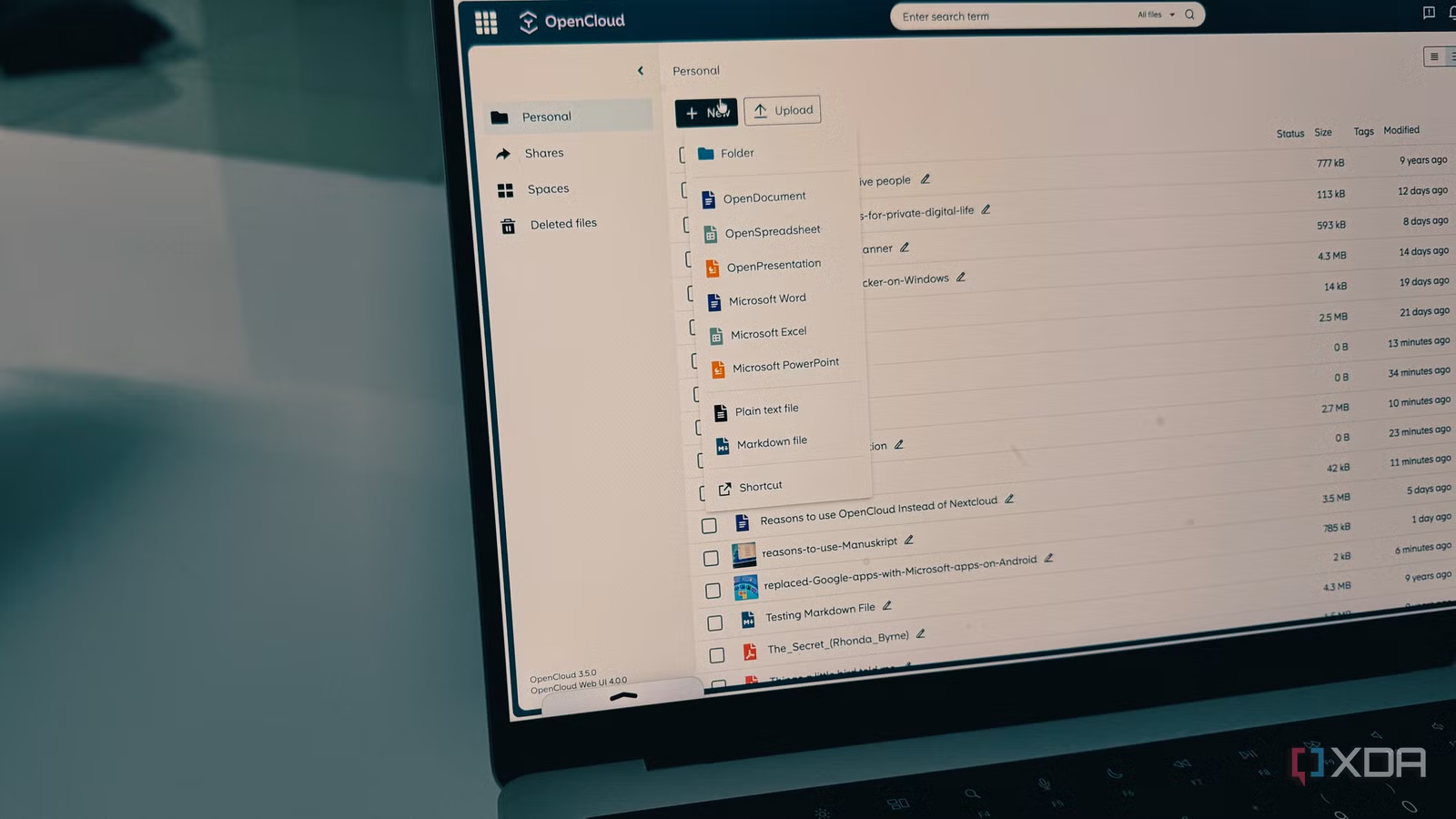
OpenCloud takes a more focused approach, concentrating on providing a stable and reliable platform for file storage, syncing, and collaboration. It seamlessly integrates essential features such as:
- Office Suite: Create and edit documents, spreadsheets, and presentations directly in the browser.
- Markdown Files: Supports Markdown for note-taking and documentation.
- PDF Reader: View and annotate PDF files.
- Spaces: Create dedicated environments for teams with specific access controls.
This focus on core functionality results in a more stable and reliable platform. I no longer have to worry about compatibility issues or security vulnerabilities caused by third-party apps. I can also share files and set expiration dates to prevent any security threats.
OpenCloud also offers native apps on all major platforms, ensuring seamless access to your files from any device.
Making the Switch: Is OpenCloud Right for You?
Switching from a platform you’ve invested time and effort into, like Nextcloud, is a significant decision. Nextcloud is perfectly functional for those who prioritize maximum configurability and a vast app ecosystem above all else. However, its performance limitations, complex maintenance, and resource demands can be frustrating for users seeking a more streamlined and efficient experience.
H3: When to Consider OpenCloud
- You’re experiencing performance issues with Nextcloud.
- Your server has limited resources.
- You value stability and reliability over a vast array of features.
- You want a simpler and more intuitive user experience.
OpenCloud simplifies self-hosting without sacrificing the control and privacy you expect. If you’re seeking a more modern and efficient private cloud solution, OpenCloud is worth considering.
Conclusion: Embrace the Freedom, Speed, and Reliability of OpenCloud
In conclusion, the decision to switch from Nextcloud to OpenCloud was driven by a desire for improved performance, stability, and a more streamlined user experience. The faster UI, superior sync speeds, and focus on core features have made OpenCloud a more reliable and efficient solution for my needs.
The performance bottlenecks and complex maintenance associated with Nextcloud were simply no longer sustainable. OpenCloud offers a compelling alternative for those who prioritize speed, reliability, and ease of use.
What do you think about OpenCloud? Have you made the switch, or are you considering it? Share your thoughts and experiences in the comments below!
Sources & Further Reading:
Original article at www.xda-developers.com


