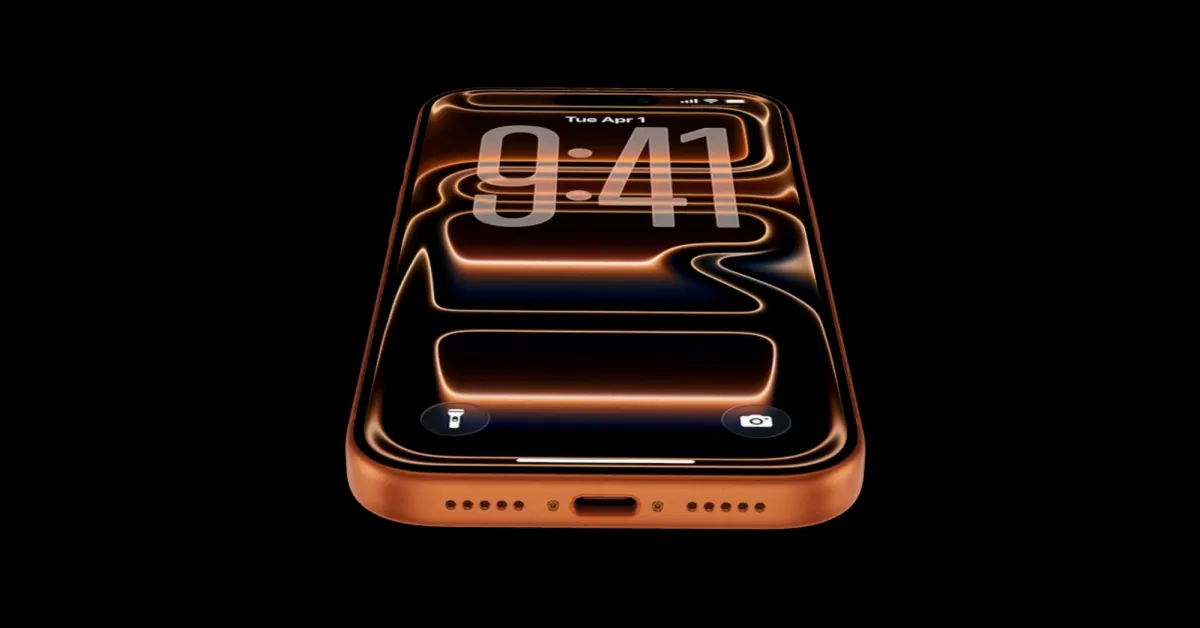

Unlock the Power of USB-C on Your New iPhone 17
Tired of having a drawer full of different charging cables for all your devices? The iPhone has finally embraced USB-C, but what does that really mean for you? The iPhone 17, iPhone 17 Pro, and the iPhone Air are equipped with a USB-C port, offering a world of new possibilities. This isn’t just about charging; it’s about expanding the functionality of your phone in ways you might not have imagined. This article will delve into everything you can do with the new iPhone 17 USB-C port, from faster charging to connecting a range of accessories.
The Versatile World of iPhone 17 USB-C Connectivity
The move to USB-C on the iPhone 17 lineup signals a significant shift, offering users a more versatile and standardized connection. While it does mean saying goodbye to your old Lightning accessories, the benefits far outweigh the inconvenience. Let’s explore the numerous ways you can leverage the new USB-C port.
Faster and More Efficient Charging
One of the most immediate benefits of the iPhone 17 USB-C port is faster charging. With a USB-C cable and a compatible power adapter, you can significantly reduce the time it takes to charge your iPhone.
- Charging Speeds: To achieve maximum charging speed, it’s recommended to use a 40-watt power adapter. While Apple sells its own dynamic charger, third-party options like Anker offer equally effective solutions.
- Universal Compatibility: The beauty of USB-C lies in its universality. You can use the same charger for your iPhone 17, AirPods, MacBook Pro, iPad, and other USB-C devices, reducing cable clutter.
USB-C Cables: Know the Difference
While USB-C is a standard, not all cables are created equal. It’s crucial to understand the distinctions to maximize the potential of your iPhone 17.
- Charging vs. Data Cables: Some USB-C cables are designed for charging only, while others support both charging and data transfer.
- USB 3 for Pro Models: The iPhone 17 Pro and Pro Max can transfer data at speeds up to 10Gbps over a USB-3 rated cable. This requires a compatible cable to unlock the full potential. Using the wrong cable will severely limit data transfer speeds.
Power Up: Charging Other Devices from Your iPhone
The iPhone 17 boasts larger batteries, and the USB-C port unlocks a unique capability: using your iPhone as a portable power bank.
- Charging AirPods: If your AirPods case is running low on battery, simply plug it into your iPhone 17 using a USB-C cable to provide a charge.
- Charging Other iPhones: In a pinch, you can even charge another iPhone by connecting it to your iPhone 17 via a USB-C cable. The phone with the higher battery percentage will automatically begin charging the other. This feature can be a lifesaver when someone is running low on battery.
Expanding Your iPhone 17 Experience: Accessories and Connectivity
Beyond charging, the USB-C port on the iPhone 17 opens up a range of possibilities for connecting external devices and accessories.
Connecting to External Displays with USB-C
The iPhone 17’s USB-C port simplifies connecting to external displays, offering a seamless screen mirroring experience.
- USB-C to HDMI: Use a USB-C to HDMI cable to connect your iPhone 17 to a 4K TV or monitor for screen mirroring, eliminating the need for dongles.
- Apple USB-C Digital AV Adapter: For extended use, consider the Apple USB-C Digital AV Adapter, which provides HDMI output, a power input for continuous charging, and a passthrough USB-C port.
Portable Storage and File Management
The USB-C port enables direct connection to external storage devices, transforming your iPhone 17 into a mobile workstation.
- USB-C Hard Drives and SD Card Readers: Connect a USB-C hard drive or SD card reader to browse files directly within the Files app on your iPhone. This is incredibly useful for photographers and videographers who need to quickly access and manage their files on the go.
- ProRes Video Recording: The iPhone 17 Pro Camera app can record ProRes 4K video at up to 120 FPS when connected to USB-3 storage. Given the large file sizes of ProRes video, connecting a 1TB portable SSD is essential for extended recording sessions.
Enhanced Productivity: Keyboards, Microphones, and Ethernet
The iPhone 17’s USB-C port enables plug-and-play compatibility with a variety of productivity-enhancing accessories.
- Wired Keyboards: Connect a wired keyboard for a more comfortable and efficient typing experience.
- USB-C Microphones: Enhance audio quality for podcasting or voice recording by using a USB-C microphone.
- Ethernet Connectivity: For reliable and fast internet access, use a USB-C to Ethernet adapter to connect to a wired network.
Audio Solutions: USB-C Headphones
While many have embraced wireless audio, the USB-C port on the iPhone 17 provides a convenient option for wired headphone users.
- Universal Compatibility: The iPhone 17 supports any USB-C headphones, including Apple’s USB-C EarPods. This allows you to use the same headphones with your iPhone, Mac, and iPad.
Multi-Port Hubs: Expand Your Connectivity
To maximize the potential of the USB-C port, consider using a multi-port hub.
- Anker 5-in-1 Hub: A hub like the Anker 5-in-1 allows you to connect to external displays, power sources, USB accessories, and more, all through a single USB-C connection.
- Power Considerations: Keep in mind that the iPhone can only supply a maximum of 4.5 watts of power to the hub. If you’re using power-hungry accessories, you may need to connect an external power source to the hub.
The Future is USB-C: A Universal Standard
The introduction of USB-C on the iPhone 17 marks a significant step towards a more unified and versatile mobile experience. By understanding the capabilities of the USB-C port and investing in compatible accessories, you can unlock the full potential of your new iPhone. This move aligns the iPhone with the broader tech ecosystem, simplifying connectivity and enhancing productivity.
In summary, the iPhone 17 USB-C port is a game-changer, offering faster charging, expanded connectivity, and enhanced productivity. From charging other devices to connecting external displays and storage, the possibilities are endless.
What are your thoughts on the transition to USB-C? Share your opinions and experiences in the comments below!
Sources & Further Reading:
Original article at 9to5mac.com


