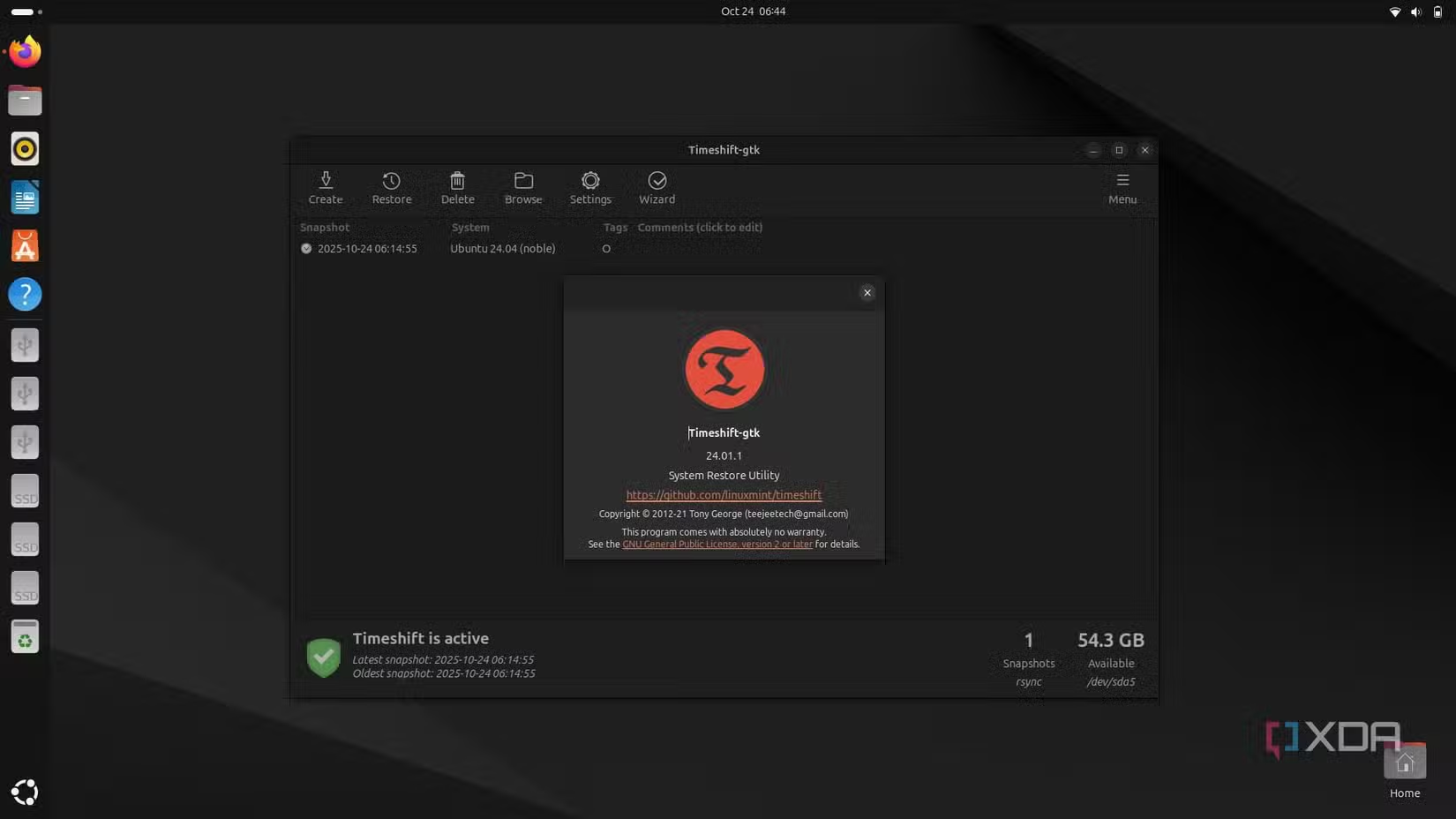

If you’ve ever used a Mac, you’re probably familiar with its Time Machine feature. It’s a system restore tool that lets you roll back to a saved point if something goes wrong while experimenting. Windows also offers a similar system restore feature. On Linux, however, such a safety net is absent by default. That’s where Timeshift comes into play. Even for avid Linux users, things can go sideways quickly—especially when experimenting with new kernels, distros, or system updates. Timeshift gives your Linux system a capability akin to Time Machine on macOS, creating system snapshots that act as restore points. It’s easy to install and get started with. In this guide, we’ll walk through what Timeshift is, how to set it up, and its key features—updated for April 2026.
What Is Timeshift?
Timeshift is a powerful, free, open-source tool designed to protect your system by taking incremental snapshots of essential system files and configurations. These snapshots can be easily restored if something goes wrong. Unlike typical backup tools, Timeshift focuses entirely on system-level files and, by default, doesn’t include personal files in its snapshots. This makes system recovery faster and more efficient. Timeshift supports two snapshot methods: RSYNC (which copies individual files) and BTRFS (which uses filesystem-level snapshots if you’re on a BTRFS partition). It supports all major Linux distributions, including Linux Mint, Ubuntu, Debian, Arch, and more. As of 2026, Timeshift remains a top choice for system-level backup on Linux.
How to Set Up Timeshift on Linux
Setting up Timeshift is straightforward. You can install it via a package manager with a single command. Before that, ensure your system has the following prerequisites: meson, help2man, gettext, valac, libvte-2.91-dev, libgee-0.8-dev, libjson-glib-dev, and libxapp-dev. On Ubuntu, use: sudo apt install meson help2man gettext valac libvte-2.91-dev libgee-0.8-dev libjson-glib-dev libxapp-dev. Then install Timeshift: sudo apt install timeshift. After installation, launch it from the App menu or via terminal: sudo timeshift-gtk. You’ll be prompted to choose snapshot type (RSYNC or BTRFS), location (external drive or internal partition), snapshot schedule (Hourly, Daily, Weekly, Monthly, or At Boot), and whether to include personal files. Once configured, click Create to generate your first snapshot. The restore button is adjacent to the create button for quick recovery.
Key Features of Timeshift
Timeshift offers several powerful features. It supports both RSYNC and BTRFS snapshot methods, allowing flexibility based on your filesystem. The tool provides automated scheduling, so you can set snapshots to occur at boot, hourly, daily, weekly, or monthly. It also allows exclusion of personal files to keep snapshots lean. The restore process is straightforward, enabling users to roll back to a previous state with minimal downtime. Timeshift integrates well with major Linux distros and is actively maintained as of 2026.
Why Use Timeshift in 2026?
In 2026, system stability remains critical for Linux users. Timeshift provides a reliable safety net, especially for those who frequently update kernels or experiment with new software. Unlike traditional backup tools, Timeshift focuses on system files, making recovery faster. It’s also free and open-source, with no hidden costs. For users on BTRFS, the BTRFS method offers near-instant snapshots. Timeshift’s simplicity and effectiveness make it an essential tool for any Linux setup.
Conclusion
Timeshift is a must-have tool for Linux users seeking a Time Machine-like backup solution. Its focus on system-level snapshots, ease of use, and robust scheduling make it ideal for maintaining system stability. Whether you’re a beginner or an advanced user, Timeshift provides peace of mind. Install it today to protect your Linux system from unexpected issues.


