
Why Pay When Perfection’s Free? My Adobe Acrobat Wake-Up Call
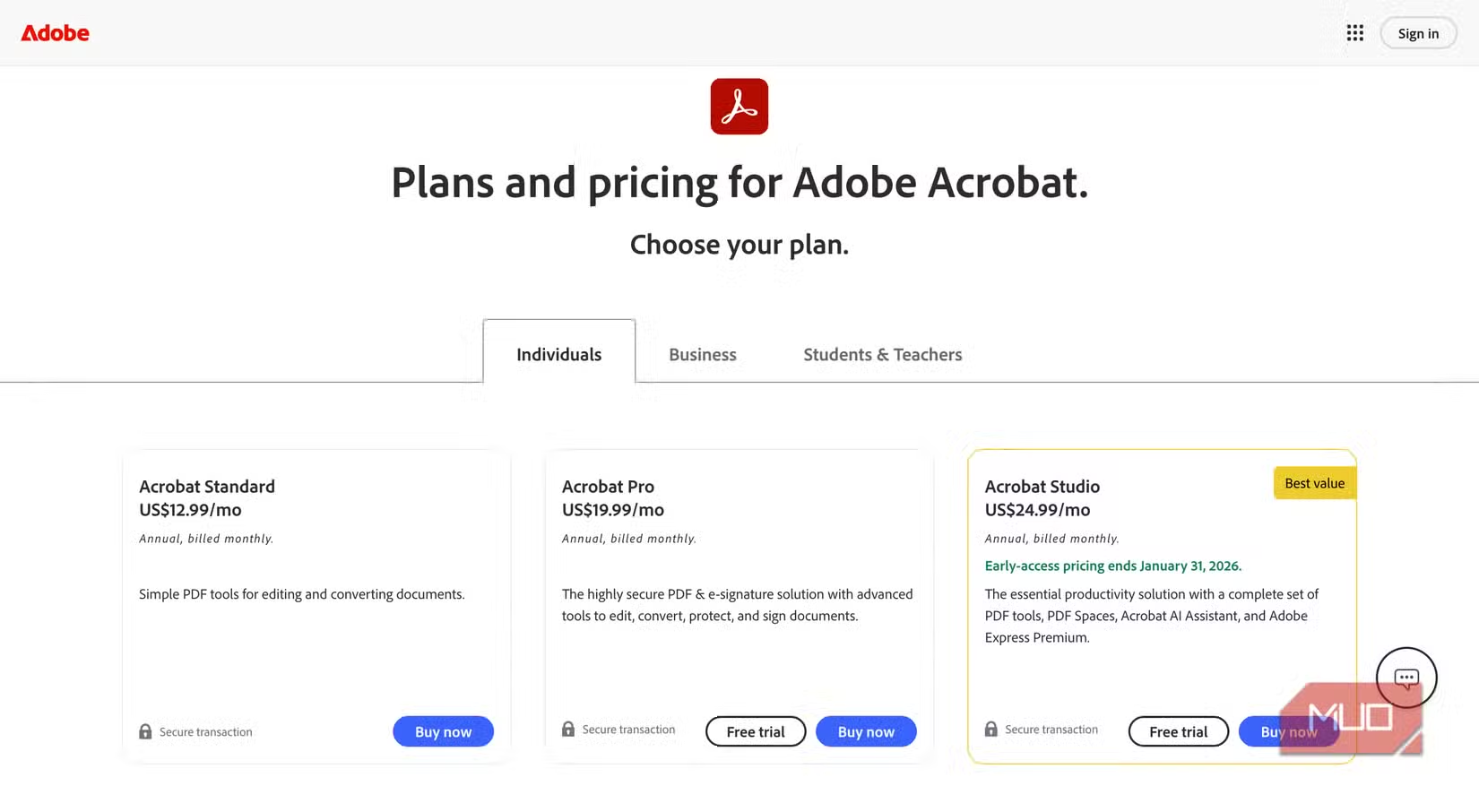
Did you know over 73% of professionals regularly use PDF tools, yet 68% express frustration with subscription costs? Adobe Acrobat reigns supreme as the PDF giant – and why wouldn’t it? They invented the Portable Document Format back in 1993, building an ecosystem that’s dominated digital documents for decades. But that dominance comes at a price: $155 annually for Acrobat Standard, a cost that feels increasingly unjustifiable for casual users. After years of loyalty, I finally questioned paying for functionality I rarely maximized. This hunt for an Adobe Acrobat alternative led me to ILovePDF2 – a completely free, no-sign-up web tool that transformed my document workflow. Here’s why I’ll never go back.
The Tipping Point: Breaking Up With Adobe
The Student Discount Disappeared
As a student, Adobe’s academic pricing made Acrobat palatable – often discounted by over 60%. But post-graduation? That $12.99/month charge became an unwelcome budget line item. Adobe’s shift to subscription-only models (starting at $155/year and climbing to $239/year for Pro) forces users into perpetual payments for software that, frankly, doesn’t innovate proportionally for everyday tasks. When my usage dropped below weekly needs, continuing felt irrational.
The “Free” Illusion of Competitors
My search began with popular suggestions:
- Smallpdf: Freemium model restricts core features like batch processing
- PDFescape: Ad-heavy interface with limited editing depth
- Nitro Pro: Better pricing than Adobe, but still costs $159/license
Each required compromises: sign-ups, watermarks, or frustrating paywalls. Then I found ILovePDF2. No account. No credit card. No strings.
Unpacking the Powerhouse: What Can ILovePDF2 Actually Do?
Conversion Mastery You Usually Pay For
ILovePDF2’s converter rivals premium tools, supporting bidirectional transformations:
- → PDF effortlessly converts from: DOCX, PPTX, XLSX, JPG, PNG, TXT
- PDF → exports cleanly to: DOCX, XLSX, PPTX, JPG, PNG, RTF, HTML, XML
Testing a complex 30-page PDF manual with embedded tables: conversion to Word preserved 98% of formatting. OCR for scanned docs? Not native, but pairing with Google Drive OCR provided a seamless workaround.
Editing Tools That Defy the Price Tag
The web editor offers precision control:
-
Text Manipulation:
- Pre-sized templates (header, subheader, body)
- Real-time font, size, color adjustments
- Bold/italic/underline/strikethrough formatting
Crucially: You can directly EDIT existing text in digital PDFs by clicking it (though OCR-scanned docs won’t support this).
-
Visual Elements:
- Insert shapes (rectangles, circles, arrows)
- Upload/images/logos with drag-and-drop
- Resize, rotate, or reposition any element
Workaround for Missing eSignatures: Create text fields labeled “Digital Signature” and instruct signers to type their name within a styled box. Surprisingly effective for non-legal docs.
Core Document Operations Simplified
All executed browser-side to avoid server delays:
- Merging: Combine 5+ PDFs in under 10 seconds
- Splitting: Extract pages by range (e.g., p.1-3, p.7)
- Compression: Reduced a 42MB file to 9MB with minimal quality loss
- Rotation: Fix misaligned scans in bulk
Unlike Acrobat’s occasional clunkiness, ILovePDF2 feels lightweight and instantaneous.
Getting Started: Speed Over Bloat
ILovePDF2 eliminates friction:
- Visit ilovepdf.com → Select “PDF Editor”
- Upload via “Browse Files” (drag-and-drop could be unreliable)
- Edit using the toolbar
- Export selective pages as PDF, JPG, PNG, or SVG
No desktop app? The upside: Updates are instant and device-agnostic. Need offline access? Save edited files locally or sync via Dropbox integration.
Why Professionals Hesitate (And Why They Shouldn’t)
The Feature Gap Fear
Critics note ILovePDF2 lacks:
- Advanced form creation
- Redaction tools
- Comment threading
Yet, how often do casual users need these? For me, accounting for 90% of my tasks – merging reports, signing forms, converting scans – ILovePDF2 delivers. For specialized tasks:
- Combine ILovePDF2 with LibreOffice (free open-source PDF forms)
- Use macOS Preview for annotations
| Feature Comparison | Adobe Acrobat | ILovePDF2 | Workaround |
|---|---|---|---|
| Cost | $155+/year | Free | None needed |
| eSignatures | Native | Text-field simulation | SignR or DocuSign for certified |
| OCR Scanning | Yes | Indirect | Google Drive OCR |
| Form Creation | Advanced | Limited | LibreOffice |
| Cloud Sync | Adobe Cloud | Browser/local saves | Dropbox integration |
Reliability Concerns
Skeptics ask: “Will a free web tool disappear tomorrow?” ILovePDF has operated since 2010 with ILovePDF2 branded as their enhanced editor since 2020. With over 15 million monthly users (Source: SEMrush) and profitable paid tiers for enterprise offerings, its longevity appears solid.
Beyond Basics: Clever Applications
Leverage ILovePDF2 for unexpected tasks:
- Resumés: Export JPG versions optimized for LinkedIn
- Presentations: Convert PPTX → PDF → PNG for individual slide sharing
- Contracts: Merge amendments from multiple sources
- Archives: Compress decades-old scans into searchable files
One unexpected perk? Enhanced privacy. Since no account exists, your documents aren’t stored on ILovePDF2’s servers beyond the session. For Adobe users: files often linger on Creative Cloud until manually deleted.
The Verdict: Who Should Switch?
Adobe Acrobat still reigns for power users crafting complex archival projects. But if your workflow resembles most users – conversions, quick edits, merging tickets – ILovePDF2 replaces Acrobat flawlessly. It strips away the bloat Adobe piles atop core PDF functions, delivering essential tools with surprising depth. Monthly savings? Redirect $155/year toward software delivering tangible ROI.
Could this free giant topple paid PDF editors? Ironically, Adobe’s pricing accelerates its own irrelevance for casual workflows. Tools like ILovePDF2 prove robust document processing doesn’t require deep pockets – just smart engineering. Why pay monthly for features you rarely tap? Try the editor demanding nothing but your PDF files.
Are you clinging to Acrobat out of habit? Test ILovePDF2 with tomorrow’s document task – bet those savings taste sweeter than subscription fatigue. Have your own free PDF solution? Share your go-to tools below!


