
How to Clean Your TV or Computer Screen Without Damaging It
Have you ever looked at your TV or computer monitor and cringed at the greasy fingerprints, dust, or splatters marring its surface? We’ve all been there. In today’s world, where we spend countless hours in front of screens, knowing how to clean your screen properly is essential. Using the wrong methods can damage the delicate displays of modern TVs and monitors. This comprehensive guide provides expert tips on safely and effectively cleaning your screen, ensuring optimal viewing pleasure and prolonging the life of your valuable electronics.
The Importance of Proper Screen Cleaning
Modern TVs and computer monitors utilize sensitive display technologies like LED, OLED, and LCD. Unlike older, glass-fronted screens, these are vulnerable to scratches and damage from harsh chemicals and abrasive cleaning methods. A seemingly harmless cleaning solution can etch the screen coating, leading to permanent image degradation. Therefore, understanding the right way to approach screen cleaning is crucial.
Why You Can’t Use Just Any Cleaner on Your TV or Monitor
The primary reason you can’t use generic household cleaners on your screen is due to the presence of aggressive chemicals like ammonia, alcohol, and harsh solvents. These substances can strip away the anti-glare or anti-reflective coatings that are specifically applied to modern displays. This is why it is very important to only use proper methods to clean your screen.
Essential Tools for Safe Screen Cleaning
Before diving into the cleaning process, gather the necessary tools. This will ensure a safe and effective cleaning experience.
- Microfiber Cloths: These are your best friends. A high-quality microfiber cloth is soft, lint-free, and designed to gently lift dirt and grease without scratching the screen. Avoid using paper towels or ordinary cloths, as they can leave behind fibers or cause micro-scratches. You can often buy them in bulk really cheaply, or a glasses cleaner cloth works just as well.
- Distilled or Deionized Water: Tap water contains minerals and impurities that can leave unsightly streaks or even damage the screen over time. Distilled or deionized water is free of these contaminants.
- Spray Bottle (Optional): A small, clean spray bottle is helpful for applying water or diluted cleaning solution.
- Mild Dish Soap (Optional): For stubborn stains, a tiny amount of mild dish soap, like Dawn, can be used. However, it’s essential to dilute it properly and rinse thoroughly.
Step-by-Step Guide to Cleaning Your Screen
Follow these steps for a safe and effective screen cleaning process:
1. Power Down and Unplug
Before you start cleaning, turn off your TV or monitor and unplug it from the power outlet. This is important for two reasons:
- Safety: Prevents electric shock.
- Visibility: It’s easier to see dust, smudges, and streaks on a dark screen.
2. Dust with a Dry Microfiber Cloth
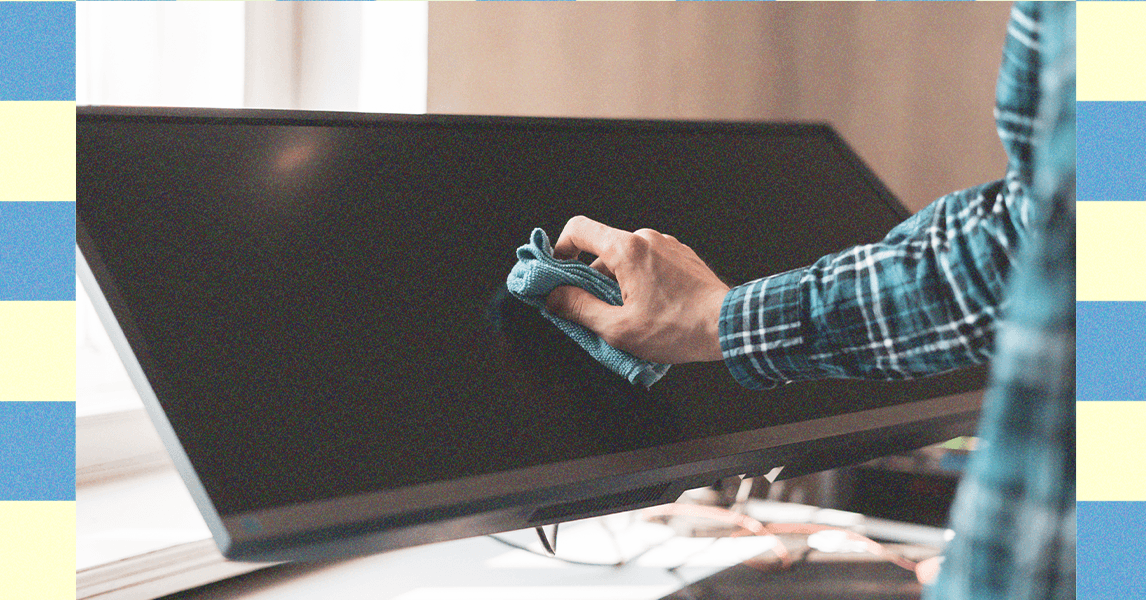
Begin by gently dusting the screen with a dry microfiber cloth. Use circular motions to loosen and lift dust particles. Avoid applying excessive pressure, as this can damage the screen.
3. Address Stubborn Smudges with Damp Microfiber Cloth
If dry dusting doesn’t remove all the smudges, slightly dampen a clean microfiber cloth with distilled or deionized water. Ensure the cloth is only damp, not wet. Gently wipe the screen in circular motions, paying attention to stubborn areas.
4. For Heavily Soiled Screens: Diluted Soap Solution
For particularly dirty screens, prepare a very dilute solution of mild dish soap and distilled water. Add one drop of soap to an entire spray bottle filled with water. Lightly mist the cloth with the solution (never spray directly on the screen) and gently wipe the screen.
Caution: This step should be used sparingly and only when necessary.
5. Rinse with Distilled Water
After using the soap solution, rinse the screen with a clean microfiber cloth dampened with distilled water to remove any soap residue.
6. Dry Thoroughly
Finally, use a clean, dry microfiber cloth to thoroughly dry the screen. This will prevent water spots and streaks. Again, use gentle, circular motions.
7. Let it Air Dry
Allow the screen to completely air dry before turning it back on. This will ensure that any remaining moisture evaporates.
Common Screen Cleaning Mistakes to Avoid
- Using harsh chemicals: Avoid cleaners containing ammonia, alcohol, bleach, or abrasives.
- Spraying directly onto the screen: This can cause liquid to seep into the edges and damage the internal components.
- Using paper towels or abrasive cloths: These can scratch the screen.
- Applying excessive pressure: Use a gentle touch to avoid damaging the delicate display.
- Cleaning a hot screen: Let the screen cool down before cleaning to prevent streaks.
Specialized Screen Cleaning Products: Are They Worth It?
Many specialized screen cleaning products are available on the market. While some are effective, they are not always necessary. The simple method of using a microfiber cloth and distilled water is often sufficient. If you choose to use a specialized cleaner, ensure it is specifically designed for the type of screen you are cleaning (e.g., LCD, LED, OLED).
Screen Care Tips to Minimize Cleaning Frequency
- Keep your hands clean: Wash your hands before using your TV or computer.
- Avoid eating or drinking near the screen: This will prevent splatters and spills.
- Dust regularly: Use a soft brush or duster to remove dust particles from the screen surface.
- Consider a screen protector: A screen protector can provide an extra layer of protection against scratches and smudges.
Troubleshooting Common Screen Issues
| Issue | Possible Cause | Solution |
|---|---|---|
| Streaks | Hard water, excessive cleaning solution | Use distilled water, ensure cloth is damp but not wet, dry thoroughly with a clean microfiber cloth. |
| Scratches | Abrasive cloth, excessive pressure | Prevention is key. Use only microfiber cloths and gentle pressure. Minor scratches may be unnoticeable during normal viewing. |
| Water damage | Liquid seeping into the edges | Disconnect power immediately. Let the device dry completely before turning it back on. Consider professional repair if the damage is severe. |
| Discoloration | Harsh chemicals, prolonged exposure to sun | Avoid using harsh chemicals. Position the screen away from direct sunlight. Discoloration may be irreversible. |
Conclusion
Keeping your TV or computer screen clean enhances your viewing experience and extends the life of your device. By following these simple guidelines and avoiding common mistakes, you can safely and effectively clean your screen without causing damage. Remember, a little preventative care goes a long way in maintaining the pristine condition of your valuable screens. What are your favorite screen cleaning tips? Comment below and share your experiences!
Sources & Further Reading:
Original article at www.wired.com


