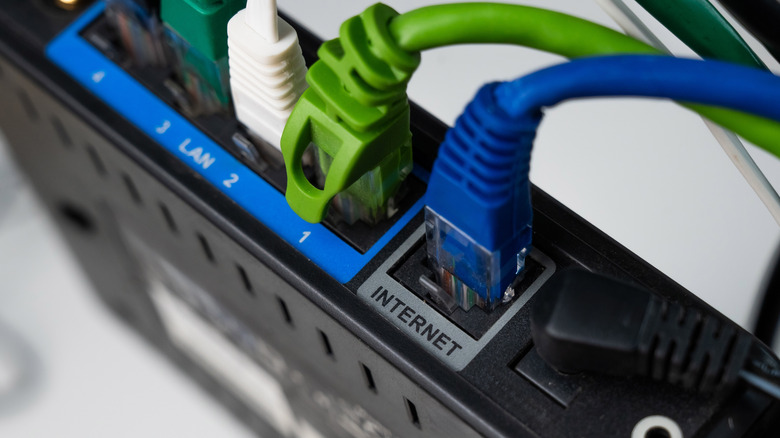

Is Your Ethernet Cable Bottlenecking Your Speeds?
It’s easy to blame your router or ISP when your internet feels sluggish. You’ve likely checked Wi-Fi signals and device usage already. But what if the culprit is literally lurking in your walls or under your desk? Older Ethernet cables, often overlooked during diagnostics, can cripple even the fastest broadband connections, acting as a frustrating bottleneck on your digital experience. Understanding how these aging workhorses limit performance and knowing when an upgrade is overdue is crucial. This guide unpacks the hidden impacts of dated cabling.
The Technical Ceiling: Outdated Standards
The specifications defining Ethernet cable performance, standardized by the Institute of Electrical and Electronics Engineers (IEEE) and the Telecommunications Industry Association (TIA), have evolved dramatically. Older categories simply weren’t designed for today’s bandwidth demands.
- Cat5 & Older: These cables are fundamentally limited to speeds of 100 Mbps (Fast Ethernet). While capable enough for basic tasks, they fall drastically short in modern contexts. As noted in the source, this includes relegating these cables to a relatively slow performance ceiling.
- Cat5e (Enhanced Cat5): Introduced some improvements, supporting Gigabit Ethernet (1,000 Mbps or 1 Gbps) over short distances with minimal crosstalk, and became widely adopted.
- Cat6: Designed to reliably support Gigabit speeds over longer distances (up to 100 meters) and even handle 10 Gigabit Ethernet (10 Gbps) over shorter distances (up to 55 meters).
- Cat6a (Augmented Cat6): The current mainstream standard effectively supporting full 10 Gbps speeds over the full 100-meter channel. Offers better shielding against external interference (ANSI/TIA-568-C.2 Industry Standard).
Why the Gap Matters Now More Than Ever
Many households possess ISP plans offering speeds far exceeding 100 Mbps:
- Widespread Gigabit & Multi-Gig Plans: Providers widely offer 500 Mbps, 1 Gbps, 2 Gbps, and even up to 10 Gbps plans.
- Bandwidth-Hungry Applications: UHD/4K streaming (requiring ~25 Mbps per stream), competitive online gaming demanding low latency, cloud backups, video conferencing, and smart home ecosystems with dozens of interconnected devices. All these activities compete for bandwidth.
Imagine paying for a 1 Gbps connection but bottlenecking it down to 100 Mbps because of an old Cat5 cable running from your router to your PC or smart TV. Streaming suddenly buffers, downloads crawl, and online games stutter – a direct consequence of that cable’s hard speed ceiling.
Beyond Specs: The Degradation Effect
Older cables aren’t just technologically outdated; physical wear and tear compound the performance issues:
- Loosened Connectors: RJ-45 plugs can become slightly stretched or oxidized over repeated insertions/removals or environmental exposure (especially basements, attics). This disrupts the contact integrity, leading to intermittent connections, packet loss, and increased latency. A plug that fits loosely might cause the entire connection to drop periodically.
- Internal Damage: Physics takes its toll. Copper wires inside the cable are thin (typically AWG 24-26). Untenable bends, kinks, crushing (e.g., under heavy furniture), nibbling pets, exposure to moisture, or even just the natural brittleness of aging PVC insulation can cause issues:
- Broken strands compromise signal integrity.
- Shield degradation increases susceptibility to electromagnetic interference (crossed power lines, appliances).
- Degraded insulation allows signal pairs to interfere with each other (crosstalk).
- Combined Impact: A cable already operating at its absolute max (like Cat5) that’s also physically compromised might struggle to maintain even its rated 100 Mbps, causing unstable connections and persistent slowdowns that feel like network-wide issues.
| Ethernet Cable Categories – Performance Summary |
|:———————-|:———————-|:———————–|
| Category | Max Speed (Up To) | Use Cases/Future-Proofing |
| Cat5 (or older) | 100 Mbps | Severely outdated; replace ASAP |
| Cat5e | 1 Gbps | Still functional for Gigabit plans |
| Cat6 | 1 Gbps (100m)
10 Gbps (55m) | Secure Gigabit
Ready for near-term upgrades |
| Cat6a | 10 Gbps (100m) | Ideal for multi-gig internet today |
Identifying and Upgrading Your Network Arteries: A Practical Path Forward
Confront potential culprits lurking under desks or inside walls:
- The Skip Inspection: Grab that dusty cable behind your desk. Every Ethernet cable manufactured to standards within the last two decades must have its category printed directly on the outer jacket. Look for labeling like Category 5, Cat 5e, Cat 6, or Cat 6a. This is the quickest way to identify potential limitations.
- The Missing Label Warning: If your cable inexplicably lacks any category markings, treat it with extreme suspicion. Without this fundamental labeling, you cannot verify its capabilities. It’s highly likely an outdated or sub-standard cable. Replace it proactively as a prime suspect.
- Assess Your ISP Plan: Does your plan exceed 100 Mbps? Compare your cable’s rating to your subscribed speeds. Cat5 bottlenecks Gigabit plans massively and cripples multi-gigability.
Selecting Your Modern Replacement Cable: Beyond Just the Category
Moving beyond Cat5 (or worse)? Excellent choice. Key factors beyond Cat6 vs Cat6a:
- Solid Core vs. Stranded Core: Understanding construction is vital.
- Solid Core: Single-conductor wire per pin. Superior electrical performance over longer runs, essential for structured cabling running permanently inside walls, ceilings, conduits (in-wall rated). Less flexible – easily damaged if bent too much.
- Stranded Core: Multiple thin wires per pin. Far more flexible and resistant to damage from repeated flexing – ideal for patch cords connecting devices near the jack (desk to wall, router to NAS).
- Avoid Copper-Clad Aluminum (CCA): Beware of cheap substitutes!
- Pure Copper (Cu): Industry-standard conductor: efficient conductivity dissipates heat well, handling higher power.
- Copper-Clad Aluminum (CCA): Aluminum core coated thinly with copper. Significantly higher resistance (~60% more than pure copper), poorer heat dissipation, much more susceptible to damage from crimping/bending.
- Shielding (STP vs. UTP): For most home environments, Unshielded Twisted Pair (UTP – Cat6/6a) suffices. Shielded Twisted Pair (STP/FTP) adds metal foil or braid around pairs/the entire cable. Beneficial in high-EMI environments (running parallel to power lines, industrial settings) but generally overkill and harder to terminate properly for residential use.
Signs It’s Time to Rethink Your Ethernet Setup:
| Symptom | Cable Likelihood Rating | Recommended Actions |
|---|---|---|
| Label missing entirely | ⭐⭐⭐⭐⭐ (High) | Replace cable |
| Cat5 cable visible | ⭐⭐⭐⭐ (Moderate-High) | Replace for multi-device/gaming |
| Experiencing physical damage/deterioration | ⭐⭐⭐⭐⭐ (High) | Replace cable |
| Connectors feel loose | ⭐⭐⭐⭐ (Moderate-High) | Replace cable |
| Unexplained drops/latency | ⭐⭐⭐ (Moderate) | Suspect cable; inspect visible ports |
Beyond Speed: Latency Stability Matters
Upgrading isn’t just about raw download/upload megabit counts. A modern, well-made cable provides exceptionally stable signaling, crucial for reducing latency:
- Lower latency translates to quicker response times in online gaming and smoother VoIP/video conferencing.
- Reduced packet loss means smoother streaming without skips or buffering interruptions.
- Improved resilience to interference minimizes those mysterious “network blips.”
Buying Smart: The Quest for Quality
Steer clear of the pitfalls lurking online:
- Price Isn’t Enough: Excessively cheap cables are red flags. Shunning counterfeit eBay listings pays off.
- Seek Trusted Sources: Stick with dedicated network hardware distributors or established electronics retailers. Small sellers offering generic “Ethernet” cables without clear specs deserve skepticism (Avoid generics lacking schematics)!
- Prioritize Quality Brands: Belden, Cable Matters, Monoprice, and Tripp Lite hit the sweet spot of certified performance without premium pricing.
- Verify Specifications: Confirm Cat6 Cat8 options available relative to your requirements.
- Minnesota Mining Lectures: Third-party lab testing recommendations prevail ([research.gov connectivity reports]).
Why Wait?
Troubleshooting connectivity and seeking wireless router fixes without addressing aging cabling ignores a fundamental truth: Ethernet cables serve as the backbone of your network. If configured optimally with Cat5e Cat6a connections properlly alongside potential Wi-Fi tuning obstacles vanish. Diagnosing packet loss origins concludes an evolution from aged Cat5 cables’ limitation whether primary ISP router connections installations (dual band router placement) justifiably necessitate upgrades essential:
Given the affordability of higher-grade cables compatible with exotic speeds punctuated amazingly by hardware constraints highlighted earlier, why settle for anything less? Quest after the emerging information economy thrives thanks to beefier backbones capable of delivering sophisticated transfers multitasking slickly provided bandwidth gets distributed liberally (upgraded Cat cables make possible).
Stop settling for snail-paced connections! Replacing outdated cables with modern standards designed for today’s internet demands eliminates unnecessary bottlenecks, unlocking the full speed you’re paying for and delivering reliable, seamless connectivity across all your devices. Noticeably faster internet built upon superior pathways awaits just a clever cable swap away. Share your upgrade story in the comments! What bottlenecks impossible before did resolve once cables switched? Discussion encouraged.


