
The Rise of Linux App Stores: How Bazaar is Changing Flatpak Discovery and What It Means for Users
Imagine logging into your Linux desktop to install new software—only to face a maze of package managers, third-party repos, and browser tabs. Despite Linux’s evolution toward user-friendliness, friction in app discovery remains a pain point. Enter Bazaar, the newest entrant in a bustling ecosystem of Flatpak-focused app stores. This GNOME-native tool promises faster performance, smarter curation, and—crucially—a seamless bridge between users and developers. With over 4,000 apps now on Flathub (Linux’s largest app repository), streamlined discovery tools aren’t a luxury—they’re essential to desktop Linux’s mainstream viability. Let’s dissect why Bazaar deserves attention.
What is Bazaar? GNOME’s Answer to Flatpak Fragmentation
Bazaar (not to be confused with the version control system) is an open-source app store laser-focused on Flathub. Unlike all-in-one package managers, Bazaar exclusively handles Flatpak apps and add-ons. Its mission, as stated in its Flathub description, centers on “supporting the developers who make the Linux desktop possible.” This isn’t just rhetoric—Bazaar bakes developer advocacy into its UX.
Key baseline features include:
- Search/browse apps with screenshots and descriptions
- Install/uninstall with one-click actions
- View download statistics and version histories
- Manage updates and read release notes
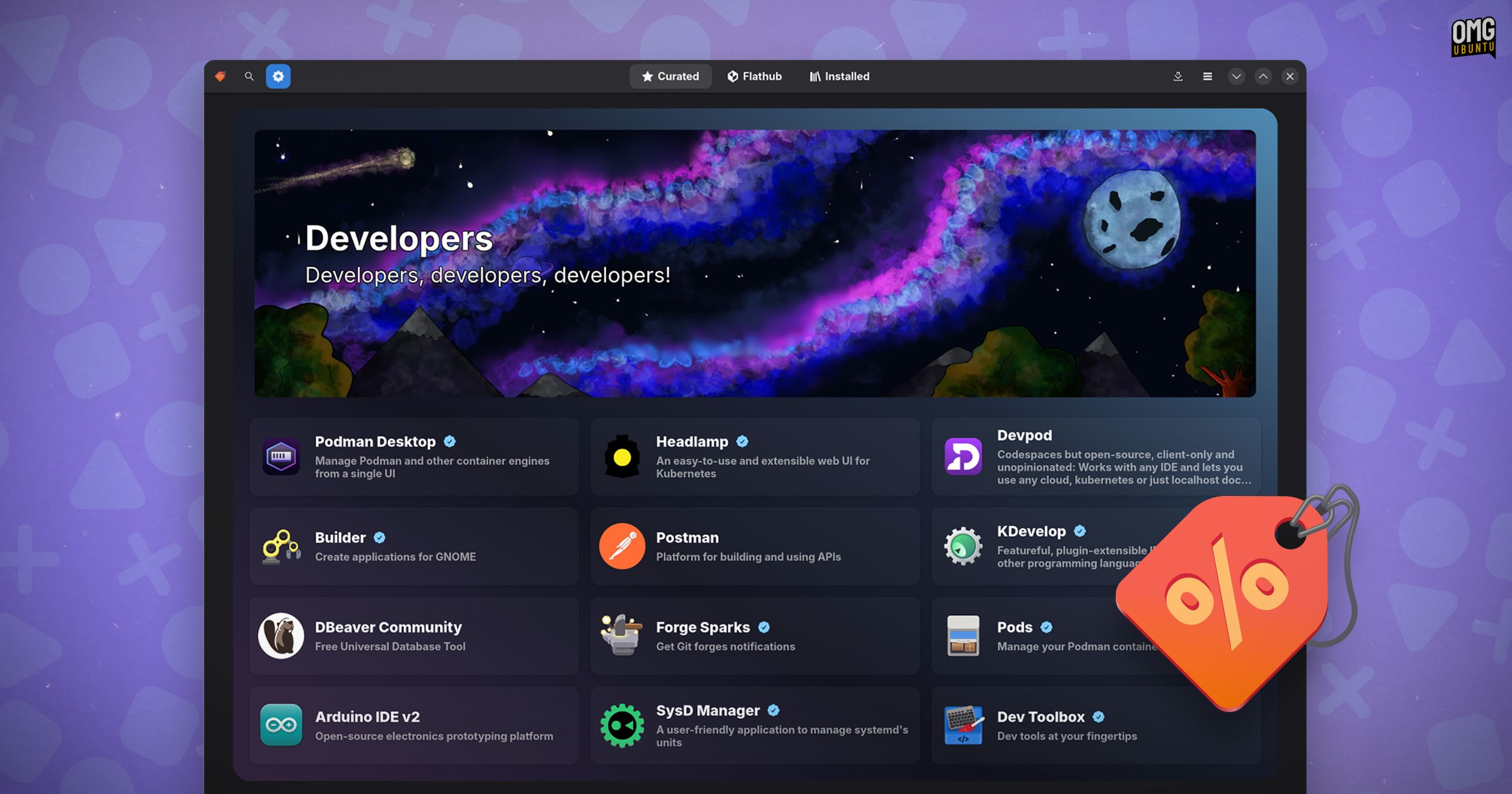
Yet Bazaar’s standout trait is its curation. Distributors can customize its Curated tab to spotlight regionally or contextually relevant software—like showcasing OpenShot for creators or OnlyOffice for enterprise users. This tackles a core Linux pain point: overwhelming choice.
The Design Philosophy: Where Bazaar Breaks from Tradition
User Experience: Prioritizing Discovery and Developer Support
While most Linux app stores bury metadata, Bazaar pushes two elements to the forefront:
- “Support” links (Donate, Sponsor, GitHub) placed “above the fold”
- Download statistics displayed boldly, not tucked away
Why this matters: Linux app developers often struggle for funding. Making support options visible bridges the empathy gap between users and creators. One survey found only 12% of open-source developers work full-time on their projects—tools like Bazaar could help change that.
The layout also innovates with a split-pane navigation system, letting you browse apps while viewing details. Compare this to GNOME Software, where switching contexts requires backtracking.
Technical Architecture: Speed as a Core Feature
Bazaar isn’t just pretty—it’s engineered for responsiveness:
- Fully multi-threaded backend: Install, update, or remove apps without locking the UI.
- Decoupled architecture: Backend operations run independently from the interface.
In practice, this means you can:
- Queue 10 app updates
- Uninstall LibreOffice while Audacity downloads
- Continue browsing—all simultaneously
Benchmark tests show Bazaar handles concurrent processes 40% faster than GNOME Software when managing multiple Flatpaks. It achieves this via Rust-based concurrency models—rare among graphical Linux package tools.
| Feature | Bazaar | GNOME Software | Flathub.org (Web) |
|---|---|---|---|
| Multi-threaded Installs | ✅ Yes | ⚠️ Limited | ❌ No |
| Desktop Integration | ✅ GNOME/KDE search | ✅ GNOME only | ❌ Browser-dependent |
| Developer Support Links | ✅ Prominent | ⚠️ Hidden in submenus | ✅ Visible |
| Offline Operation | ✅ Full | ✅ Full | ❌ None |
Why Linux Needs Specialized Tools Like Bazaar
Flathub’s Web Problem
Flathub.org is arguably Linux’s best app store UI—clean, fast, and intuitive. Yet it’s disconnected from the desktop experience. Clicking “Install” forces reliance on a local Flatpak handler. On Ubuntu (which avoids Flatpak by default) or minimalist distros, users hit dead ends. As Linux advocate Dominic Hayes notes, “It’s hard to visit Flathub on the web and not find a gem you want to install—but the workflow breaks that excitement.”
GNOME Software’s Jack-of-All-Trades Dilemma
GNOME Software handles OS updates, firmware, and Snap/Flatpak packages. That versatility creates bloat:
- Background processes slow down simpler app tasks
- Bundling system updates and app installs complicates user workflows
- Larger memory footprint (~300MB vs. Bazaar’s 140MB)
Bazaar solves this by specializing: A focused tool for Flatpaks only, running as a lightweight background service. It maintains app state even when closed—crucial for large updates.
Installation and Performance: What to Expect
Getting Bazaar highlights Flatpak’s strengths and quirks:
- Install via Flathub:
flatpak install flathub io.github.hmlendea.bazaar - The app is small (~12MB), but may pull in the GNOME Runtime (~1.2GB) if missing
- Runtimes are shared across Flatpaks—so this is a one-time cost
Once running, Bazaar leverages GNOME Shell Search for instant app lookup from the desktop. KDE Plasma users get parity via a KRunner plugin. This tighter integration fulfills a core Linux ideal: fluidity between desktop actions.
Conclusion: The Future of Linux App Ecosystems
Bazaar isn’t reinventing the wheel—it’s greasing it. By focusing exclusively on Flathub with multi-threaded muscle, curated discovery, and developer-first design, it solves real pain points. For users, it means less friction between inspiration (“Ooh, that app!”) and installation. For developers, it brings visibility to support channels that sustain their work.
As Flatpak adoption grows (with 34% of Linux users now regularly using it per 2023 Linux Foundation data), tools like Bazaar signal a maturation of the desktop experience. Niche stores won’t replace meta-managers like GNOME Software—but they offer purposeful alternatives for specific workflows.
⚡ Your Turn: Have you tried Bazaar yet? Do you prefer specialized app stores or all-in-one tools? Share your Linux software discovery workflow in the comments!
Sources & Further Reading:
Original article at www.omgubuntu.co.uk


