
The Promise of Android Desktop Mode
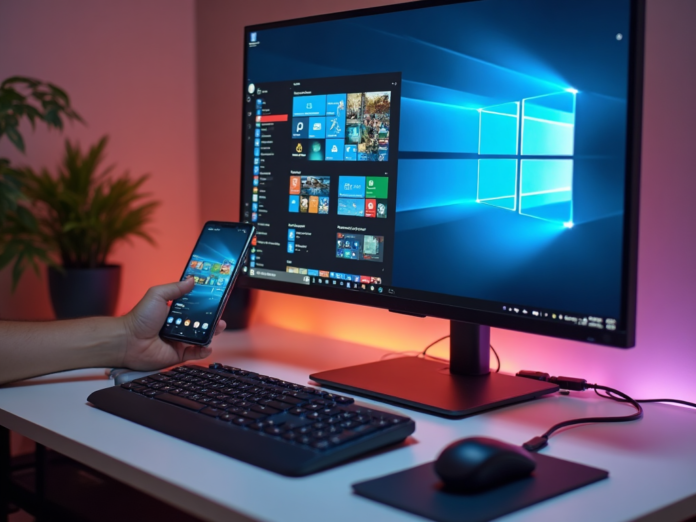
Android 17’s desktop mode has a disarmingly simple pitch: plug your phone into a monitor, add a keyboard and mouse, and watch the slab in your pocket pretend to be a computer. It’s the dream we’ve been hearing about for years — a single device that serves as both your pocket companion and your workstation. I decided to put that promise to a real test: not a quick demo, not a YouTube unboxing, but an actual workday where my phone would be my only computer.
The goal was straightforward: write an article, edit it, build the page in WordPress, upload required media, and publish — all without retreating to my laptop like a coward. For a brief time, the illusion held together. And that’s exactly where the trouble begins.
When “Almost” Starts to Feel Convincing
The first hour wasn’t a problem, which somehow made the whole thing more suspicious. With a monitor, keyboard, mouse, and USB-C hub connected, Android desktop mode looked close enough to the real deal. I had browser tabs open. I could type in a document. I could jump into messaging apps. For a few minutes, I could even buy into the neat little delusion people have been promising since phones became more powerful than the laptops many of us used in college.
The catch is that desktop mode only feels convenient once you’ve rebuilt half a desk around it. My phone needed a hub so the monitor, charger, keyboard, mouse, and HDMI connection could all behave like members of the same household. Bluetooth can reduce the cable mess, but then you’re juggling pairing, batteries, and the quiet uncertainty of whether everything will reconnect before your patience files a complaint.
When “Portable” Stops Meaning Portable
The portability argument is where things started falling apart. In theory, I could use a hotel TV as a monitor and turn my phone into a little newsroom. In practice, that means carrying a tiny nest of accessories and pretending that still counts as traveling light. Desktop mode solves the problem of not having a laptop by asking me to recreate everything around a laptop except the laptop.
At that point, the obvious question becomes hard to dodge: why didn’t I just bring the machine with the screen, keyboard, trackpad, ports, battery management, and operating system already built around this exact job?
The frustrating answer is that Android desktop mode can still get the job done. I was able to write. I was able to build the page in WordPress. I was able to navigate through the web tools that make up too much of modern work these days. That’s partly because everything is browser-based anyway, so the phone mostly just needs to render a pile of web services without giving up.
The Productivity Tax You Don’t Notice Until You Pay It
That sounds like a win — until you actually sit down with it. WordPress loaded, but page building came with a patience tax. Switching between tabs, managing images, waiting for menus, and treating the browser as my main workspace made every small task feel noticeably more deliberate than it should. The setup didn’t give way. It just kept reminding me that I was using a workaround with a monitor attached.
Multi-tasking that feels fluid on a laptop becomes a series of小幅 friction points on desktop mode. Window management isn’t as snappy. Notifications from your phone interrupt your flow. Certain web apps detect your mobile user agent and serve stripped-down interfaces. It works — but “works” isn’t the same as “works well.”
The Battery Reality Check
Another overlooked issue: battery life. When your phone is running the desktop mode, it’s driving a high-resolution external display, managing Bluetooth connections, keeping Wi-Fi active, and running background processes — all while charging through the same USB-C port that’s handling data. The phone gets hot. The charging slows down. And if you unplug to take a call or step out, your entire desktop session goes with you.
A laptop handles this gracefully because it was designed for it. The battery is bigger. The thermal management is better. The power delivery doesn’t conflict with data transfer. Android desktop mode asks your phone to be something it was never designed to be, and the hardware limitations show quickly.
When the Dream Outpaces the Desk
That’s perhaps the most confusing part of Android desktop mode. It’s capable enough to make the dream feel affordable, then rough enough to make the current version feel faintly absurd. Phones are already powerful. They’re already everywhere.
The sci-fi version of this is easy to imagine: drop the phone onto a dock like a wireless charger, watch a full desktop environment wake up, and pretend the holograms aren’t deeply unnecessary but emotionally essential. That future still sounds great to me. I’d love a world where the phone becomes the computer, not a compromised laptop impersonator surrounded by dongles.
Android desktop mode feels like a step toward that, but a step isn’t the destination — no matter how many cables are involved.
Verdict: Great for Emergencies, Not for Everyday
So yes, I wrote and built an article from my phone. I could even do it again, which might be the most annoying admission here. The harder question is why I’d want to, unless something had already gone wrong. If the most honest use case remains some version of “in an emergency,” who is Android desktop mode actually for?
Right now, it’s for the enthusiast who enjoys pushing boundaries, the traveler caught without a laptop, and the curious user who wants to peek at the future. But for anyone who needs to get real work done reliably, your laptop is still the better tool. Android desktop mode is a fascinating glimpse of what’s coming — but it’s not here yet.
Frequently Asked Questions
Is Android desktop mode available on all phones?
Android desktop mode is available on Android 17 and later, but support varies by manufacturer. Google Pixel devices and select Samsung Galaxy models with DeX offer the best implementations.
What do you need for Android desktop mode?
You’ll need a USB-C hub or USB-C to HDMI cable, an external monitor, a keyboard, and a mouse. Bluetooth peripherals reduce cable clutter but require pairing.
Can Android desktop mode replace a laptop?
For light productivity tasks like writing, email, and web browsing, it can work. For heavy multi-tasking, media editing, or software development, a laptop remains significantly more capable.
Does Android desktop mode drain the battery faster?
Yes. Driving an external display while charging through the same USB-C port creates thermal and power delivery challenges that can impact battery health over time.


