
Untapped Potential on Your Wrist: Elevate Your Apple Watch Mastery
Ever wondered if your Apple Watch is secretly holding out on you? Studies suggest most users utilize less than half their smartwatch’s capabilities. Beneath the familiar fitness tracking and notifications lie incredible tools designed for convenience, accessibility, and even safety – often tucked away in menus. These hidden Apple Watch features transform it from a notification hub into a powerful, intuitive companion. Understanding them unlocks significant value, boosting productivity and peace of mind directly from your wrist.
Beyond Talkie: Understanding Walkie-Talkie Constraints
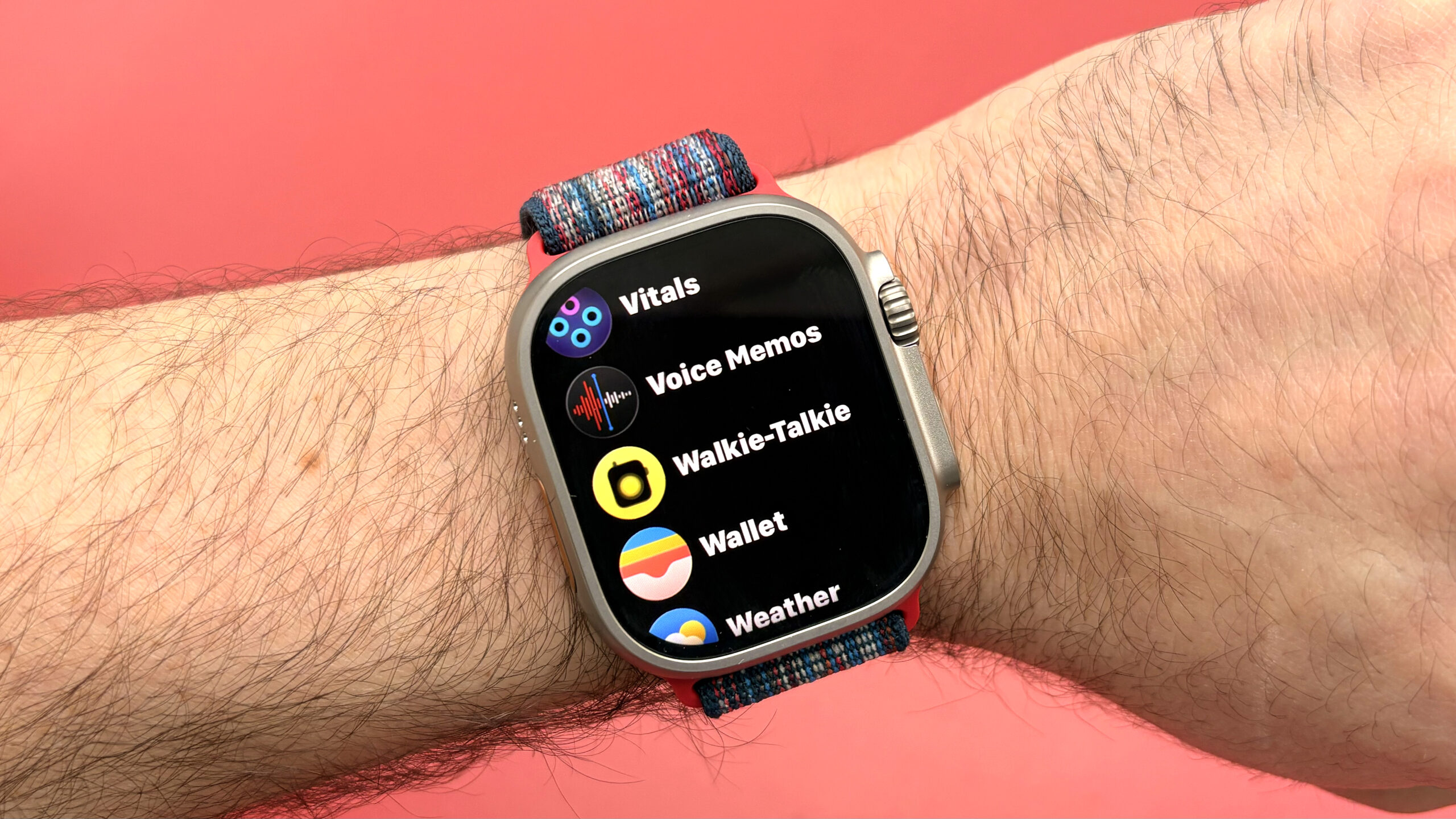
The Walkie-Talkie app taps right into nostalgia, offering instant push-to-talk communication. However, its exclusivity is a major caveat.
- Core Functionality: Initiate brief, direct audio messages to another Apple Watch user. It requires:
- Recipient acceptance of your invitation.
- Both parties having active Wi-Fi or cellular connections.
- The Ecosystem Lock: This feature epitomizes Apple’s walled garden. Your Android-wearing friend? Out of luck. While seamless within Apple’s ecosystem, it highlights interoperability limitations compared to standard voice messaging apps. (Source: Apple Support)
- Need-to-Know Tip: If inexplicably absent, check Settings > Accessibility to ensure it’s enabled. This placement hints at its roots in simplifying communication.
Mastering Discretion: Silencing Alerts Effortlessly
Constant buzzing can disrupt focus or social situations. Apple provides elegant, near-invisible dismissal methods.
- Wrist Flick: Introduced recently, this allows you to dismiss incoming alerts with a swift downward flick of your wrist. Minimal movement, maximum discretion. Setup involves navigating to Settings > Accessibility > Quick Actions.
- Cover to Mute: Often enabled by default (check Settings > Sounds & Haptics), this intuitive gesture is perfect for quiet settings. Simply place your palm flat over the watch face for ~3 seconds until you feel the confirming haptic buzz. The alert silences without needing screen interaction. This exemplifies Apple’s focus on subtlety.
Capturing Moments Remotely with Double Tap
Using your Apple Watch as a remote shutter for your iPhone camera elevates group photos and creative shots significantly.
- The Power: Position your iPhone, frame the shot via the Camera Remote app’s live preview, and discreetly double-pinch thumb and index finger (
Double Tapgesture) to take the picture. No need to rush back into position! - Contextual Functionality: Remember,
Double Tapbehavior varies per app. In Mail, it might archive, in Podcasts, it might pause. The Camera Remote app assigns the shutter function contextually – arguably its most impactful use imaginable outside accessibility controls. Great for tripod shots or ensuring everyone is included.
Expanding Control: Triple-Click the Crown
This hidden shortcut transforms your Apple Watch into a remote control center for other nearby Apple devices.
- Capability: Triple-press the Digital Crown to access controls for a nearby iPhone, iPad, or Apple TV. Navigate apps, adjust volume, control playback, or even launch the iPhone camera app directly from your wrist.
- Critical Limitation: Activation requires disabling other Accessibility Shortcuts (Accessibility > Accessibility Shortcuts), as they also utilize the triple-press gesture. You must choose either Device Control or features like VoiceOver/Reduce Motion.
- Setup Pathway: It’s buried: Watch App on iPhone > Accessibility > Accessibility Shortcuts > Control Nearby Devices.
Guardian Wrist: Sound Recognition Alerts
Moving beyond simple noise level monitoring (via the Noise app), Sound Recognition leverages advanced algorithms to identify specific environmental sounds and alert you – incredibly useful for safety and accessibility.
- Functionality: Detects sounds like doorbells, sirens, smoke alarms, cats, babies crying, knocks, and running water. Alerts appear directly on your watch face.
- Setup Hub: Primarily managed on the paired iPhone (Settings > Accessibility > Sound Recognition). Ensure sound detection is enabled and notifications are allowed. Then select exactly which sounds trigger alerts.
- Significance: This feature offers peace of mind for parents (baby/cry detection), individuals who are hard of hearing (doorbell/alarm alerts), or even pet owners (specific animal sounds). Apple positions it firmly as an accessibility tool with broad practical applications. (Source: Apple Accessibility)
Instant Music Sleuth: Built-In Shazam Magic
Since acquiring Shazam, Apple has deeply integrated music identification, making it effortlessly accessible on your wrist.
- Seamless Access: Tap the Music Recognition complication or icon (still using the Shazam logo!) near instantly identifies songs within range. Results show artist/title and link directly to Apple Music.
- Integration Smarts: Add it to your Smart Stack for super-quick access:
- Swipe up from watch face bottom to access Smart Stack.
- Scroll down, tap
Edit. - Tap the large
+. - Find and select
Music Recognition. - Tap
Done(checkmark).
- Convenience Factor: Eliminates pulling out your phone in noisy environments or social settings. Pure convenience powered by deep OS integration.
Adaptive Light Source: Flashlight Modes
Every Apple Watch doubles as an instant light source, offering versatility beyond basic illumination.
- Access: Control Center (press side button) > Flashlight icon.
- Three Practical Modes:
- Solid White: Standard flashlight for navigating dark spaces.
- Flashing White: Emergency strobe to attract attention.
- Solid Red: Preserves night vision (useful for astronomers, camping) or acts as a discreet signal light with less disruption than white light.
- Dimmer Control: Tap the screen once to dim the light significantly; tap again to return to full brightness – perfect when maximum output isn’t necessary or is distracting.
Unlocking Everyday Excellence
These hidden Apple Watch features illustrate how much potential resides beneath the surface of your device. Leveraging them transforms your smartwatch from a fitness tracker into a multifaceted tool for seamless communication (Walkie-Talkie), discreet interactions (Wrist Flick, Cover to Mute), creative control (Double Tap Camera), broader ecosystem management (Triple-Click Crown), vital safety awareness (Sound Recognition), effortless music discovery (Music Recognition), and adaptive illumination (Flashlight Modes). Understanding accessibility settings unlocks many possibilities. Which hidden gem will seamlessly integrate into your daily routine, enhancing convenience or safety with minimal effort? Explore these tools – your smartwatch experience just got significantly more powerful. What’s your essential hidden feature? Share your thoughts below!


