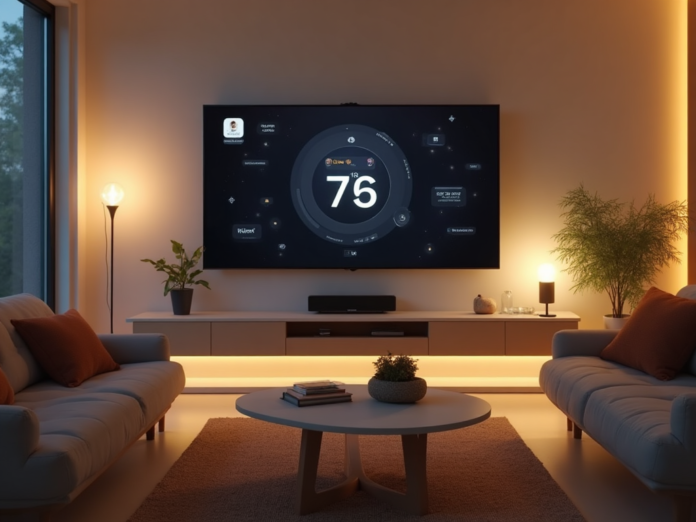

Stepping into the world of smart home technology can feel like learning a new language. With voice assistants, Wi-Fi bulbs, smart thermostats, security sensors, and a dizzying alphabet soup of protocols — Zigbee, Z-Wave, Matter, Thread — it’s easy to feel paralyzed before you even buy your first gadget. But here’s the truth: building a smart home doesn’t have to be expensive, complicated, or overwhelming. Whether you’re renting an apartment or settling into your first house, these five beginner-friendly tips will help you build a connected home that genuinely makes life easier — without the headaches.
1. Solve One Annoyance at a Time
The single most common mistake new smart home adopters make is buying a cart full of gadgets before they have a plan. Smart plugs, light strips, cameras, sensors — they all look exciting on the shelf, but without a clear purpose, they end up collecting digital dust in a drawer. Instead, take a different approach.
Identify a daily frustration and solve it with exactly one device. Do you constantly wonder whether you left the garage door open? A simple smart garage controller fixes that. Tired of fumbling for light switches with your hands full? A smart bulb or plug with a voice assistant solves it. Do you come home to a freezing or sweltering house? A single smart thermostat pays for itself in comfort and energy savings. The key is to buy intentionally. Live with that first device for a week or two, get comfortable with the app and the routine, then consider expanding.
2. Pick Your Platform Before You Pick Your Products
Not all smart home devices speak the same language. If you buy an Alexa-compatible plug and a Google Home-compatible bulb, you’ll end up juggling multiple apps and voice commands — which defeats the purpose of making your life simpler. That’s why your first real decision shouldn’t be which light bulb to buy, but which ecosystem to build around.
Amazon Alexa offers the broadest device compatibility and the most third-party skills. Google Home excels at natural voice search and integrates tightly with Google services. Apple HomeKit prioritizes privacy and works beautifully if you’re already an iPhone household. Pick one and commit to it for your first few purchases. Most platforms now support Matter, the new universal smart home standard, which means cross-platform compatibility is getting easier over time — but for now, staying within one ecosystem will save you countless hours of frustration.
3. Lock Down Your Network From the Get-Go
Every internet-connected device you add to your home is a potential door into your network. Smart plugs, cameras, and sensors may not seem like security risks, but they’re small computers with network access — and they’re frequent targets for bad actors. The good news? A few simple precautions make a world of difference.
- Change default passwords immediately. Many devices ship with generic credentials. Never leave them as-is.
- Create a dedicated IoT Wi-Fi network. Most modern routers let you set up a guest network. Put all your smart devices on it so they’re isolated from your main computers and phones.
- Enable two-factor authentication on your smart home accounts (Amazon, Google, Apple, and any device manufacturer accounts).
- Turn off features you don’t use. If a smart camera has a built-in microphone and you don’t need it, disable it. Fewer open features means fewer attack surfaces.
- Keep firmware updated. Enable automatic updates whenever possible. Manufacturers patch vulnerabilities regularly, but only if you let them.
4. Give Your Wi-Fi a Reality Check
Here’s a fact that surprises most beginners: your smart home is only as reliable as your Wi-Fi network. Budget-friendly smart devices almost exclusively use 2.4 GHz Wi-Fi, which has excellent range but is prone to interference from neighbors, microwaves, and cordless phones. If devices keep dropping offline or responding sluggishly, your router — not the gadget — is probably the problem.
Start by evaluating your current setup. Is your router more than three years old? Is it tucked away in a corner of the basement or behind a TV cabinet? If you’re planning to connect more than a dozen devices (and trust us, it adds up fast), consider upgrading to a mesh Wi-Fi system. Brands like Eero, TP-Link Deco, and Google Nest Wi-Fi blanket your home in seamless coverage and handle 50+ devices without breaking a sweat. A strong network is the invisible foundation of every great smart home.
5. Automations Are Where the Magic Lives
Using your phone to turn off a light is convenient — but having that light turn itself off when you leave the room? That’s the real magic. The difference between a smart home that feels like a gimmick and one that feels genuinely helpful comes down to one thing: automation.
Once you have two or three devices, start exploring routines and automations in your ecosystem’s app. Here are some powerful places to begin:
- Time-based triggers: Set your porch lights to turn on at sunset and off at sunrise. Program your thermostat to lower the temperature overnight while you sleep.
- Presence-based triggers: Use your phone’s location to trigger a “Goodbye” routine that locks doors, arms your security system, and turns off all lights when you leave.
- Voice shortcuts: Create a single voice command — “Alexa, goodnight” — that turns off every light, locks the front door, and sets the thermostat to your preferred sleeping temperature.
- Sensor-based triggers: Add a motion sensor to your hallway or bathroom so lights come on automatically when someone walks in and turn off shortly after they leave.
Start with one or two simple schedules. Once you feel the satisfaction of a well-timed automation, you’ll be hooked — in the best possible way.
Your Smart Home Journey Starts Here
Building a smart home isn’t about having the most gadgets or the flashiest setup. It’s about making your daily life smoother, more comfortable, and more efficient. Start with a single device that solves a genuine problem. Pick one ecosystem and stick with it. Take security seriously from day one. Make sure your Wi-Fi network is up to the task. And above all, focus on automation — let your home work for you, not the other way around.
Follow these five tips, and you’ll skip the common beginner pitfalls and build a smart home that actually delivers on its promise. Got a tip we missed? Drop it in the comments — we’d love to hear what worked for you.


