
Is Your Laptop Ready for the Windows 10 End of Life? Here’s How to Upgrade on a Budget
With the official end of support for Windows 10 looming, are you wondering if your current machine is up to the task of running newer operating systems, or if it’s time to upgrade? You’re definitely not alone. The good news is that you don’t have to break the bank to get a solid new laptop. Several retailers are offering fantastic deals on highly-rated models, making it easier than ever to transition to a more modern and secure computing experience. Let’s explore some of the best laptop deals currently available to ensure you’re prepared for the future of computing.
Navigating the End of Windows 10 Support: A Guide to Affordable Laptop Upgrades
The end of support for an operating system like Windows 10 signifies that Microsoft will no longer provide security updates, non-security updates, or assisted support. Continuing to use an unsupported operating system exposes your device to potential security risks, as vulnerabilities will no longer be patched. This makes upgrading to a newer operating system or a new device a crucial step for maintaining your online safety and overall system performance. Fortunately, upgrading your laptop doesn’t have to be an expensive undertaking.
Budget-Friendly Options: The Dell 15 Laptop
For users on a tight budget, the Dell 15 laptop presents an attractive option. Currently priced at $329.99 / £349.99 at the official Dell Store, this entry-level machine is perfect for casual use. While it may not boast high-end specifications, it offers a reliable and functional computing experience for everyday tasks. What kind of tasks is the dell 15 laptop capable of?
- Web browsing: Easily navigate the internet, check emails, and access online services.
- Document creation: Use word processors, spreadsheets, and presentation software for basic productivity tasks.
- Media consumption: Enjoy streaming videos, listening to music, and viewing photos.
- Simple games: Play casual games and run basic applications.
While this laptop might not be ideal for demanding tasks like video editing or high-end gaming, it provides a solid foundation for users who primarily need a device for basic computing needs.
Stepping Up the Power: Dell 14 Plus and Dell 16 Plus
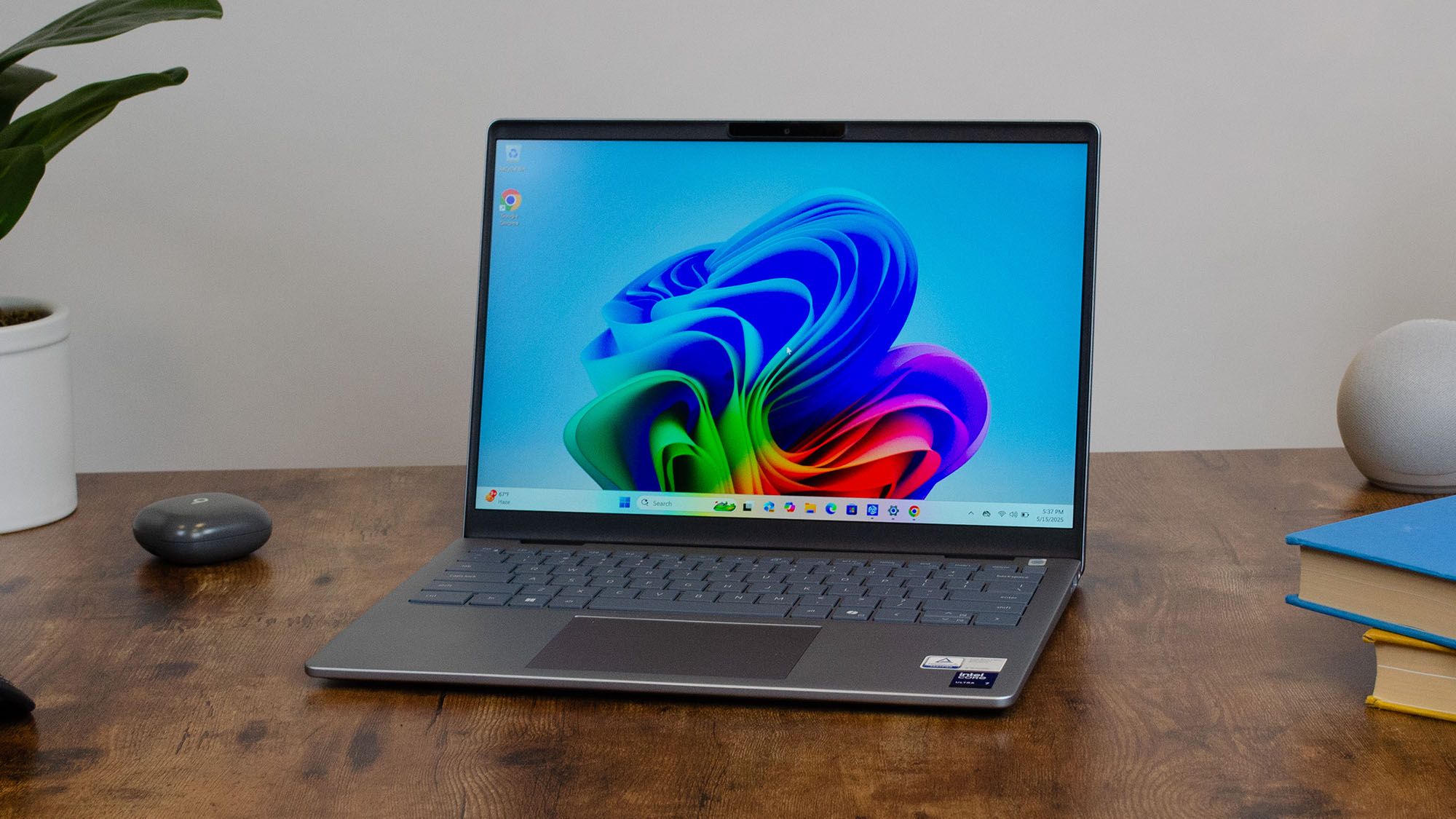
If you require a bit more power and performance, the Dell 14 Plus and Dell 16 Plus are excellent choices. The Dell 14 Plus is available for $649 (originally $1,099), while the Dell 16 Plus can be found for £749 (originally £999). These laptops strike a balance between affordability and performance, offering powerful components and excellent battery life for a smooth Windows 11 experience.
How do these laptops offer an improved computing experience?
- Faster Processors: Equipped with more powerful processors, these laptops handle multitasking and demanding applications more efficiently.
- Enhanced Graphics: Dedicated or improved integrated graphics cards provide smoother visuals for gaming and multimedia tasks.
- Larger Storage: More storage space allows you to store more files, applications, and media.
- Improved Battery Life: Optimized battery performance ensures longer usage times on a single charge.
These laptops are well-suited for students, professionals, and anyone who needs a reliable and capable device for work, school, or entertainment.
Considering the Apple Ecosystem: The MacBook Air M4
For users open to exploring alternatives to Windows, the MacBook Air M4 stands out as a top contender. Widely regarded as one of the best laptops on the market, the MacBook Air M4 combines sleek design, powerful performance, and exceptional battery life. It’s currently retailing for $899 / £849 at Amazon, which is a stellar buy that should last you for many years.
Why consider a MacBook Air M4?
- macOS Ecosystem: Enjoy a seamless and intuitive user experience with macOS, Apple’s renowned operating system.
- M4 Chip Performance: Experience blazing-fast performance and efficiency with Apple’s M4 chip.
- Long Battery Life: Work and play for hours on end without worrying about running out of power.
- Sleek and Lightweight Design: Carry your laptop with ease thanks to its slim and lightweight design.
The MacBook Air M4 is a premium laptop that offers a compelling alternative to Windows-based devices, particularly for users who value performance, portability, and a user-friendly experience.
Choosing the Right Laptop: Factors to Consider
Selecting the right laptop depends on your individual needs and preferences. Here are some key factors to consider:
- Budget: Determine how much you’re willing to spend on a new laptop.
- Intended Use: Identify the primary tasks you’ll be performing on the laptop (e.g., web browsing, document creation, gaming, video editing).
- Operating System: Decide whether you prefer Windows, macOS, or another operating system.
- Specifications: Consider the processor, RAM, storage, and graphics card that meet your performance requirements.
- Portability: If you’ll be carrying your laptop frequently, prioritize a lightweight and compact design.
- Battery Life: Choose a laptop with sufficient battery life to meet your usage needs.
By carefully evaluating these factors, you can narrow down your options and select a laptop that perfectly aligns with your needs.
Understanding “People Also Ask” Questions about Windows 10 End of Life
Many users have questions about the end of Windows 10 support and its implications. Here are some common “People Also Ask” questions and their answers:
- What happens when Windows 10 is no longer supported? Your PC will still work, but you will no longer receive security updates, which makes it vulnerable to malware and viruses.
- How long will Windows 10 be supported? Microsoft will end support for most editions of Windows 10 on October 14, 2025.
- Can I upgrade from Windows 10 to Windows 11 for free? Yes, if your PC meets the minimum system requirements.
- What are the minimum system requirements for Windows 11? These include a 1 GHz or faster processor with 2 or more cores, 4 GB of RAM, 64 GB of storage, and UEFI, Secure Boot capable system firmware.
- Is it worth upgrading to Windows 11? For many users, yes. Windows 11 offers a redesigned interface, improved performance, and enhanced security features. However, if your hardware isn’t compatible or you prefer the Windows 10 interface, sticking with a supported version of Windows 10 until its end-of-life may be preferable.
Comparison Table: Laptop Deals
Here’s a summary of the laptop deals discussed, highlighting their key features and target users:
| Laptop Model | Price (USD/GBP) | Key Features | Target User |
|---|---|---|---|
| Dell 15 | $329.99 / £349.99 | Budget-friendly, basic functionality | Casual users, students with basic needs |
| Dell 14 Plus | $649 / N/A | Powerful components, excellent battery life | Students, professionals, everyday use |
| Dell 16 Plus | N/A / £749 | Powerful components, excellent battery life | Students, professionals, everyday use |
| MacBook Air M4 | $899 / £849 | High performance, macOS, long battery life | Users prioritizing performance, portability, and macOS |
Conclusion: Secure Your Computing Future with an Affordable Upgrade
As the end of Windows 10 support approaches, upgrading your laptop is a smart move to ensure your system remains secure and up-to-date. Whether you opt for a budget-friendly option like the Dell 15, a more powerful machine like the Dell 14 Plus or Dell 16 Plus, or a premium device like the MacBook Air M4, there are excellent deals available to suit your needs and budget. Don’t wait until the last minute – take advantage of these discounts and upgrade your laptop today for a safer and more enjoyable computing experience.
What are your thoughts on these laptop deals? Will you be upgrading your machine before the end of Windows 10 support? Share your comments and questions below!
Sources & Further Reading:
Original article at www.techradar.com


