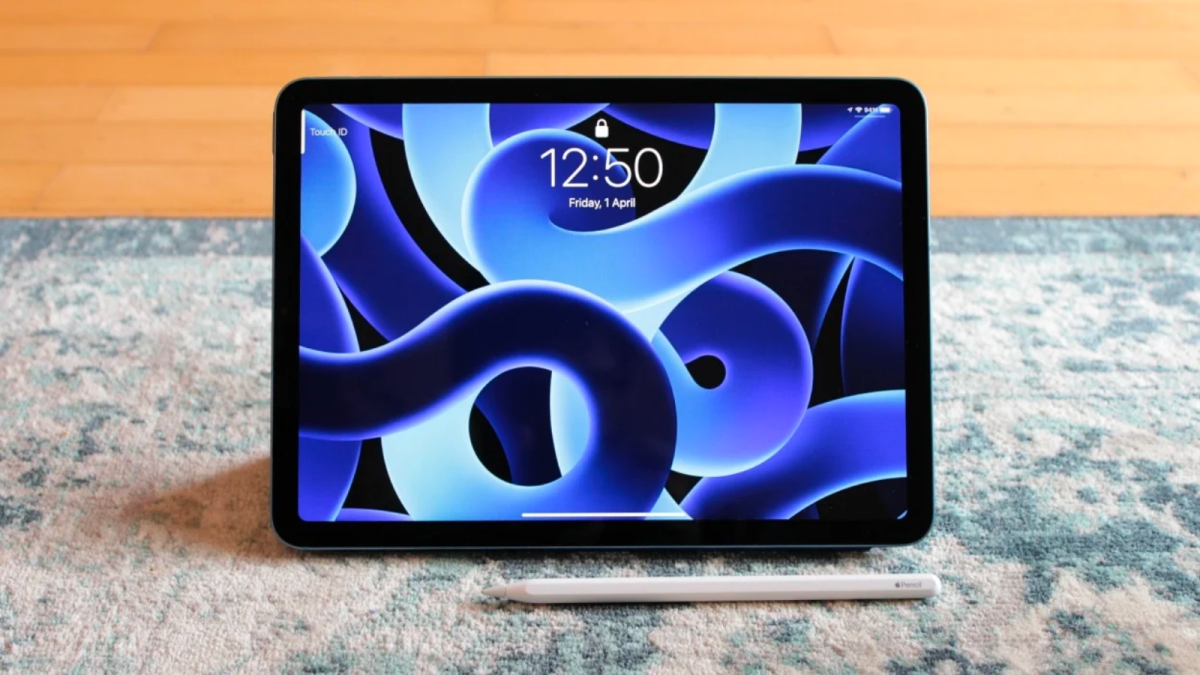

Is the iPad Air the Perfect Tablet for You? A Deep Dive into the 7th Generation
Are you looking for a tablet that seamlessly blends power and portability? With the release of each generation, Apple continues to refine the tablet experience, and the 7th generation iPad Air is no exception. This model has garnered praise from critics and users alike, but does it truly live up to the hype? This article will delve into the features, performance, and overall value proposition of the new iPad Air, helping you determine if it’s the right choice for your needs.
The Allure of the iPad Air: A Comprehensive Review
The iPad Air line has always strived to strike a balance between the affordability of the base iPad and the sheer power of the iPad Pro. The 7th generation iPad Air appears to be the best version yet, improving upon its predecessors in significant ways.
Performance and Power: Doubling Down on RAM
One of the most significant upgrades in the 7th generation iPad Air is the doubling of RAM compared to previous models. This boost in memory translates directly to improved performance, particularly when multitasking and running demanding applications. Mashable’s review highlights this, noting that the new Air is “faster and sleeker than ever before.”
Imagine editing a high-resolution video, switching between multiple browser tabs filled with research, and simultaneously communicating with your team via Slack. With the increased RAM, the iPad Air handles these tasks with ease, minimizing lag and maximizing productivity. In contrast, older models, or even the base iPad, might struggle to keep up with such a demanding workload.
The A-series chips in iPads have consistently delivered impressive performance, often rivaling or exceeding that of some laptops. This processing power, combined with the increased RAM, makes the iPad Air a compelling alternative to traditional laptops for many users, especially those who prioritize portability.
The Perfect Tablet for Creatives? Unleashing Your Inner Artist
The iPad Air’s appeal extends beyond general productivity. It’s increasingly being recognized as a fantastic tool for creatives and artists. The combination of the responsive touchscreen, the Apple Pencil (sold separately), and powerful creative applications like Procreate and Adobe Fresco makes it a versatile digital canvas.
Mashable specifically calls the iPad Air “the best tablet for creatives and artists.” This endorsement stems from the device’s ability to handle demanding tasks like digital painting, graphic design, and video editing. The lightweight design allows artists to create on the go, whether they’re sketching in a coffee shop or editing photos on a plane.
However, it’s essential to note that the Apple Pencil and Magic Keyboard are separate purchases. This can significantly increase the overall cost of the iPad Air, bringing it closer to the price of the iPad Pro.
iPadOS: Multitasking Masterclass
Apple’s iPadOS plays a crucial role in unlocking the iPad Air’s potential. The operating system is designed specifically for tablets, offering features like Slide Over, Split View, and Stage Manager that enable efficient multitasking.
With iPadOS, users can seamlessly work on multiple apps simultaneously, dragging and dropping files between them with ease. This functionality transforms the iPad Air into a powerful productivity machine, allowing users to manage complex workflows without sacrificing the intuitive user experience that iPads are known for.
Wikipedia provides a detailed overview of the different versions of iPadOS and their features, showcasing Apple’s commitment to constantly improving the tablet operating system.
Display Quality: Vivid Visuals on the Go
The iPad Air boasts an 11-inch Liquid Retina display with True Tone technology, P3 wide color gamut, and ultralow reflectivity. These features combine to deliver a visually stunning experience, whether you’re working on graphic design projects, watching movies, or simply browsing the web.
The True Tone technology automatically adjusts the display’s color temperature to match the ambient lighting, reducing eye strain and ensuring accurate color representation. The P3 wide color gamut offers a wider range of colors compared to standard displays, resulting in more vibrant and lifelike images. The ultralow reflectivity minimizes glare, making the display easy to view even in bright sunlight.
The Camera Conundrum: Room for Improvement?
One area where the iPad Air falls slightly short is its camera system. While the 12MP front and rear cameras are adequate for basic tasks like video conferencing and casual photography, they don’t quite match the quality of the cameras found on higher-end smartphones or the iPad Pro.
Mashable points out this limitation, stating that they “wish it offered better cameras, as it matches the base iPad’s 12MP front and rear cameras.” For users who prioritize mobile photography or videography, this could be a significant drawback.
| Feature | iPad Air (7th Gen) | Base iPad (10th Gen) |
|---|---|---|
| Front Camera | 12MP Ultra Wide | 12MP Ultra Wide |
| Rear Camera | 12MP Wide | 12MP Wide |
| Display | 11-inch Liquid Retina | 10.9-inch Liquid Retina |
| Processor | A-series chip (Higher performance) | A-series chip (Slightly lower performance) |
| Starting Price | Higher | Lower |
Addressing the Accessory Cost: The Apple Pencil and Magic Keyboard
As mentioned earlier, the Apple Pencil and Magic Keyboard are essential accessories for unlocking the iPad Air’s full potential, particularly for creatives and productivity-focused users. However, these accessories are sold separately, adding a significant cost to the overall purchase.
The Apple Pencil transforms the iPad Air into a digital sketchbook, allowing artists to create detailed drawings and paintings with precision and control. The Magic Keyboard provides a comfortable typing experience and adds a trackpad, turning the iPad Air into a capable laptop alternative.
While the cost of these accessories may seem high, they are considered by many to be worthwhile investments, significantly enhancing the iPad Air’s functionality and versatility. Mashable mentions the “new Magic Keyboard is much improved”, which may warrant the purchase.
iPad Air vs. iPad Pro: Which Tablet is Right for You?
The iPad Air and iPad Pro are both excellent tablets, but they cater to different needs and budgets. The iPad Pro offers more advanced features, such as a ProMotion display (120Hz refresh rate), more powerful processors, and a more sophisticated camera system. However, it also comes at a higher price point.
The iPad Air strikes a balance between performance and affordability, making it a great choice for users who need a powerful and versatile tablet without breaking the bank.
Consider the iPad Pro if:
- You need the absolute best performance for demanding tasks like video editing or 3D modeling.
- You want the smoother visuals of a ProMotion display.
- You require a more advanced camera system.
Consider the iPad Air if:
- You need a powerful and portable tablet for everyday tasks and creative projects.
- You want to save money without sacrificing too much performance.
- You value a lightweight design and long battery life.
Final Thoughts: The iPad Air – A Top Contender in the Tablet Market
The 7th generation iPad Air is a well-rounded tablet that offers a compelling combination of performance, portability, and features. Its improved RAM, stunning display, and versatile iPadOS make it a great choice for a wide range of users, from students and professionals to creatives and artists.
While the camera system and the additional cost of the Apple Pencil and Magic Keyboard are potential drawbacks, the overall value proposition of the iPad Air remains strong. It’s a device that seamlessly blends work and play, making it a truly versatile tool for modern life.
What do you think about the new iPad Air? Do you think it’s the perfect tablet, or do you prefer the iPad Pro or a different tablet altogether? Share your thoughts in the comments below!
Sources & Further Reading:
Original article at mashable.com


