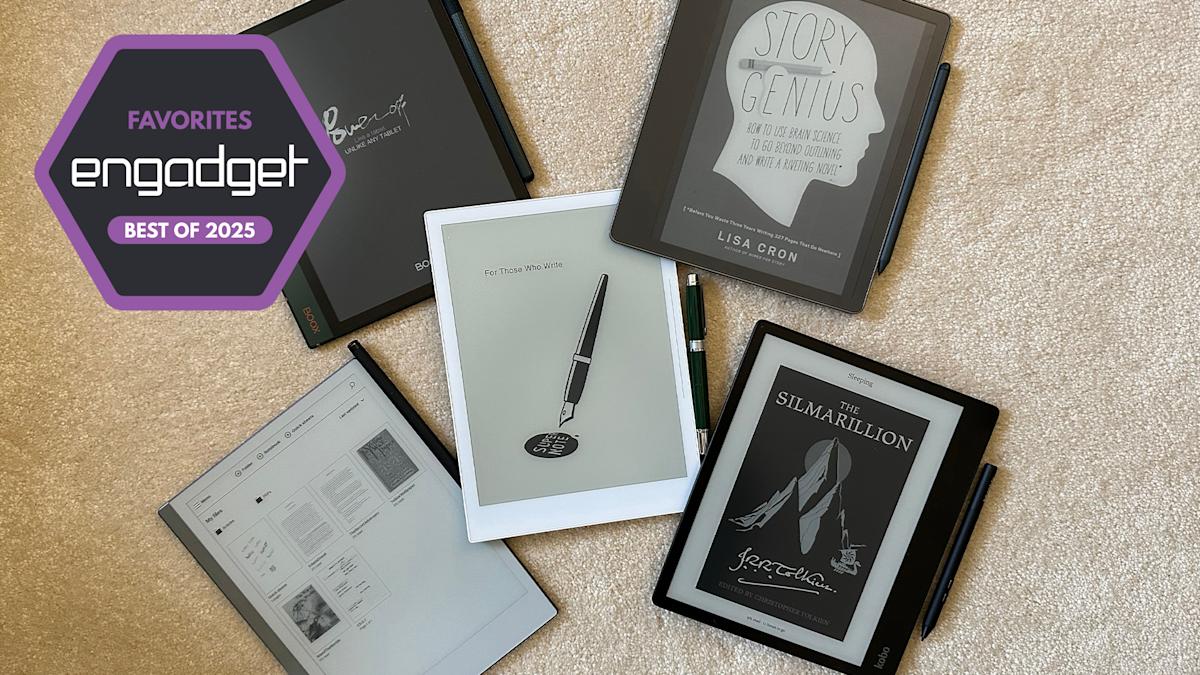

The Best E Ink Tablets for 2024: Digital Paper Reimagined
Are you tired of endless scrolling and eye strain from traditional tablets? Do you miss the feel of pen on paper but crave the convenience of digital note-taking? You’re not alone. Many are searching for a middle ground, and E Ink tablets may be the answer. These devices are more than just e-readers; they’re designed to mimic the natural writing experience while offering the organizational and accessibility benefits of digital tools. This article dives deep into the world of the best E Ink tablets, exploring top contenders, key features, and what to consider before making a purchase.
Top E Ink Tablets for Enhanced Productivity and Reading
E Ink tablets have evolved significantly, offering a compelling blend of traditional note-taking and modern technology. The following devices represent some of the best options currently available, each with its unique strengths and features.
reMarkable 2: The Epitome of Simplicity and Writing Experience
The reMarkable 2 isn’t necessarily the most feature-packed tablet on the market, but it consistently ranks high due to its exceptional writing experience and streamlined design. It prioritizes a distraction-free environment, making it ideal for focused work and study.
- Design and Build Quality: Weighing less than a pound, the reMarkable 2 boasts a sleek and minimalist design. Its 10.3-inch monochrome display is surrounded by neutral-toned bezels, providing a comfortable grip.
- Writing and Reading Experience: The writing experience is remarkably close to pen and paper, with minimal latency. The optional Marker Plus, featuring a built-in eraser, offers tilt and pressure sensitivity without requiring batteries or charging. The device supports PDF and ePUB formats, and files can be easily transferred via desktop, mobile app, or cloud services like Google Drive, Microsoft OneDrive, and Dropbox.
- Functionality and Features: The reMarkable 2 allows users to create multiple notebooks, quick sheets, and folders for organization. It offers eight different brush types with customizable line thicknesses and shades. Its handwriting-to-text conversion is surprisingly accurate, adding to its versatility.
- Subscription Model: The reMarkable Connect subscription ($3/month or $30/year) provides unlimited cloud storage, device syncing, and the ability to edit notes on desktop and mobile apps. While optional, it significantly enhances the tablet’s functionality.
- Pros and Cons:
- Pros: Excellent writing and reading experience, seamless Google Drive, Microsoft OneDrive, and Dropbox integration, user-friendly interface.
- Cons: Stylus sold separately, relatively expensive, unlimited cloud storage requires a subscription.
reMarkable Paper Pro: A Step Up in Performance and Color
The reMarkable Paper Pro takes everything that makes the reMarkable 2 great and elevates it with a larger display, improved performance, and a color E Ink screen. It’s a premium option for users seeking a top-tier E Ink experience.
- Enhanced Design and Performance: The Paper Pro features an 11.8-inch display and a faster processor (1.8GHz quad-core Cortex A53), along with 2GB of RAM and 64GB of storage. These upgrades translate to quicker page refreshes, smoother transitions, and reduced pen latency (12ms).
- Color E Ink Technology: The Paper Pro utilizes a modified version of E Ink’s Gallery 3 technology, capable of producing 20,000 colors. This allows for layered coloring and highlighting, adding a new dimension to note-taking and reading.
- Software Experience: The Paper Pro retains the same streamlined and distraction-free interface as the reMarkable 2, making it easy to organize documents and notes.
- Pros and Cons:
- Pros: Color display, backlight for working in dark environments, significantly improved performance.
- Cons: Monthly Connection subscription remains a significant caveat.
Amazon Kindle Scribe: The Best E-Reader and Note-Taking Hybrid
The Amazon Kindle Scribe seamlessly integrates with the Kindle ecosystem, making it a great choice for avid readers who also want to take notes. Its low-latency writing experience and access to Amazon’s vast ebook store make it a compelling option.
- Writing Experience: The Kindle Scribe boasts a low-latency pen-and-screen combination, providing a smooth and responsive writing experience. It includes multiple brush types, such as fountain pen, marker, and pencil.
- E-Reader Functionality: As a Kindle device, the Scribe offers access to Amazon’s extensive ebook store and Kindle Unlimited. It also supports Audible via Bluetooth for audiobook listening.
- Integration with Kindle Books: The Scribe allows users to highlight text and add notes to Kindle books, although annotations in the margins are limited to specific “Write-on Books.”
- Pros and Cons:
- Pros: Stylus included, seamless Kindle integration, low-latency writing.
- Cons: Limited margin writing, inelegant notebook experience, frustrating on-screen keyboard.
Supernote (Nomad A6 X2 and Manta A5 X2): The Customization King
Supernote devices offer a highly customizable and flexible note-taking experience. With support for a wide range of file formats and features like keyword bookmarking, they cater to users who want a digital bullet journal.
- Customization and File Support: Supernote devices support various file formats (PDF, ePUB, Word, PNG, JPG, etc.) and allow users to download and resize custom page templates.
- User-Repairable Design: The Nomad and Manta X2 models are user-repairable with replaceable batteries and a microSD card slot for expandable storage (up to 2TB).
- Unique Features: The Supernote includes a keywords feature for bookmarking important phrases and a dedicated “MyStyle” folder for saving custom templates.
- Pros and Cons:
- Pros: Excellent writing experience, extensive notebook customization options, good handwriting recognition.
- Cons: Stylus sold separately, no backlight, steep learning curve.
Onyx Boox Note Air4 C: The Versatile Android Tablet
Onyx Boox E Ink tablets offer a more versatile experience by running on the Android operating system. The Note Air4 C provides access to the Google Play Store, allowing users to download and use various reading and writing apps.
- Android Integration: The Note Air4 C runs Android 13, providing access to the Google Play Store. This allows users to download Kindle, Kobo, and other reading and writing apps.
- Color E Ink Display: The color E Ink display enables users to add and save brushes with colored ink, enhancing note-taking and organization.
- Note-Taking Features: The Note Air4 C offers a range of page templates and an “AI recognition” feature for handwriting-to-text conversion.
- Pros and Cons:
- Pros: Color E Ink display, Android 13 with Google Play Store access, multiple file transfer methods, stylus included.
- Cons: E Ink screen not ideal for video consumption, less user-friendly, relatively expensive.
Onyx Boox Note Max: For Those Who Want The Biggest Screen
The Onyx Boox Note Max stands out with its massive 13.3-inch display, offering an unparalleled writing and reading experience. It’s perfect for users who prefer larger notebooks and appreciate the spaciousness of a large e-paper display.
- Large Display: The Note Max features a 13.3-inch Carta 1300 display, providing ample space for note-taking, sketching, and reading.
- Calendar Integration: One of the standout native apps is Calendar Memo, which allows users to take notes directly within a month-view calendar, creating a comprehensive log of daily activities and thoughts.
- Android Functionality: Like other Boox tablets, the Note Max runs on Android, granting access to a wide range of apps via the Google Play Store.
- Pros and Cons:
- Pros: Sharp E Ink Carta 1300 display, large screen, runs Android 13, included stylus and cover.
- Cons: No front light, less user-friendly, expensive.
Kobo Libra Colour: A Compact Color eReader With Note-Taking Ability
The Kobo Libra Colour is a 7-inch eReader that offers a premium build, plenty of text customizations, and crisp warm-light. The color functionality allows for highlighting text in four different hues.
- Integration with Kobo Books: The Kobo Libra Colour Seamlessly integrates with your Kobo Books Account and other ePub vendors.
- Color Display: The Kobo Libra Colour allows you to highlight in four different hues.
- Pros and Cons:
- Pros: Color display, Low-latency stylus performance, and can write in the margins of any ebook.
- Cons: Smaller screen, stylus costs extra.
What To Consider When Buying
Choosing the right E Ink tablet depends on your specific needs and preferences. Here are some key factors to consider:
Writing Experience and Latency
The most important factor for many users is the writing experience. Look for tablets with low latency and a stylus that feels comfortable in your hand.
Reading Habits
Consider the size and format of the books and documents you’ll be reading. Tablets with larger displays are better for PDFs and academic papers, while those with built-in ebook stores are ideal for avid readers.
File Format Support and Search Functionality
Ensure that the tablet supports the file formats you use regularly. Also, consider the importance of on-device search features and handwriting recognition.
Sharing and Connectivity
Determine how you’ll be accessing and sharing your notes and documents. Look for tablets with Wi-Fi support, cloud syncing, and companion apps.
Price
E Ink tablets range in price from $300 to $800. Cheaper devices may have smaller screens and lack stylus support.
Are E Ink Tablets Worth It?
E Ink tablets aren’t for everyone. Their value hinges on your needs. People who prioritize a paper-like writing experience, or who prefer E-Ink display to standard LCD panels will find value. The best reason to choose this over something like an iPad is distractions. If social media and email are too tempting, then you’ll have no problem focusing on the task at hand.
The Market is Expensive
E Ink tablets have recently gone up in price. If costs continue to rise, it is important to consider if your workflow is worth the expensive initial investment.
Conclusion: Finding the Right Digital Paper Companion
E Ink tablets offer a unique blend of traditional note-taking and modern technology. While not as versatile as traditional tablets, they excel at providing a distraction-free environment for reading, writing, and focused work. By considering your specific needs and preferences, you can find the perfect digital paper companion to enhance your productivity and creativity.
What do you think about E Ink tablets? Are they a viable alternative to traditional tablets for focused work and study? Share your thoughts and experiences in the comments below!
Sources & Further Reading:
Original article at www.engadget.com


