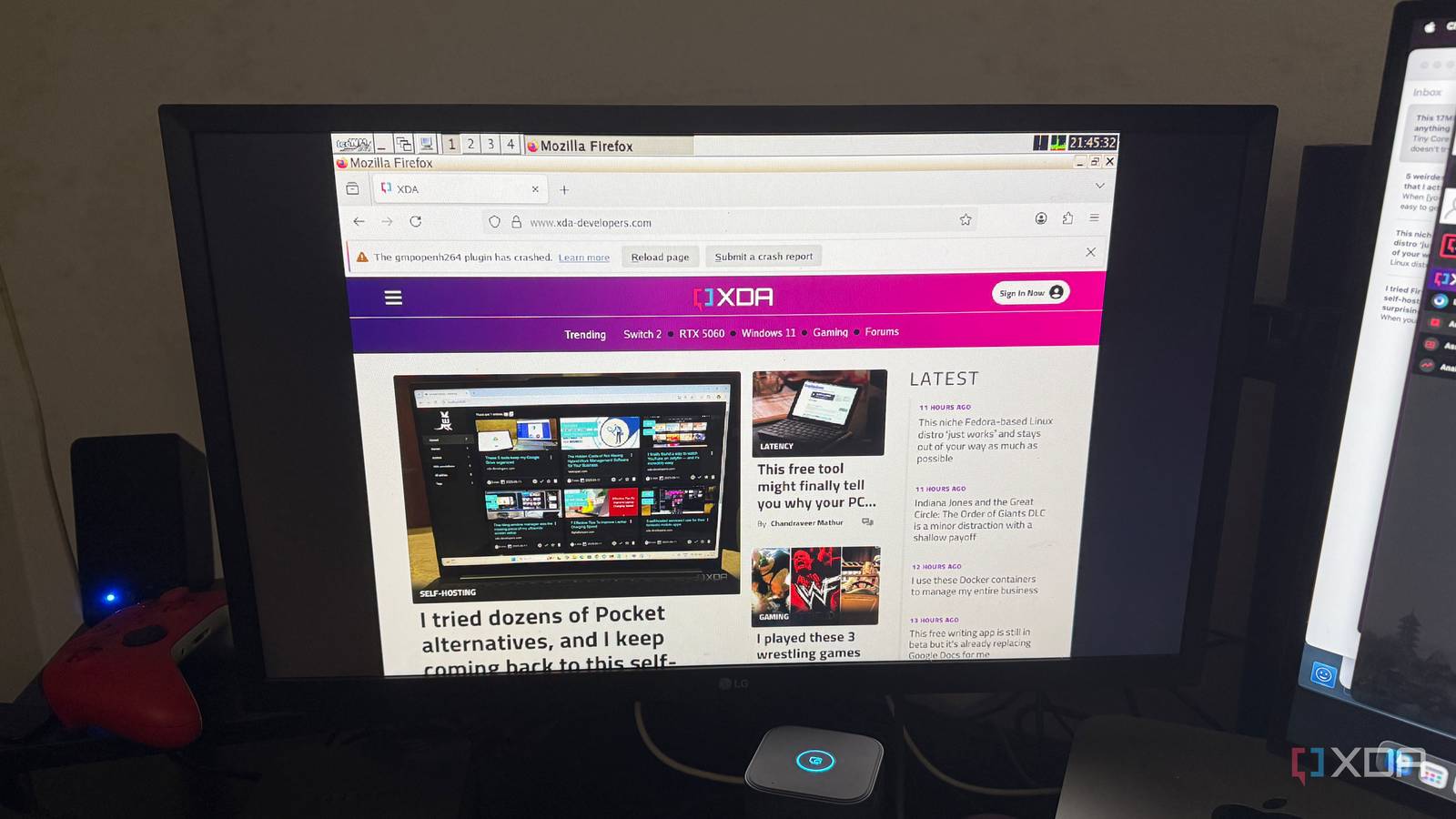

Tiny Core Linux: The Surprisingly Powerful Micro-Distribution
In a world where operating systems often demand gigabytes of storage and powerful processors, is there still room for a truly minimalist approach? Absolutely! Tiny Core Linux, a distribution weighing in at a minuscule 16MB, challenges the notion that modern systems must be large and complex to be useful. This incredibly small and fast operating system carves out a unique niche, offering surprising capabilities for its size. It’s more than just a novelty; it’s a testament to the power of modularity and a refreshing alternative to the bloat of mainstream software.
Understanding the Uniqueness of Tiny Core Linux
Tiny Core Linux stands out in the crowded landscape of Linux distributions due to its extreme focus on size and modularity. It’s not designed to be a beginner-friendly, out-of-the-box solution like Ubuntu or Mint. Instead, it provides a minimal base upon which users can build a customized operating system tailored to their specific needs.
A Micro-Sized OS with Surprising Capabilities
The defining feature of Tiny Core Linux is its unbelievably small size. The core ISO image is only around 17MB, making it one of the smallest desktop operating systems available. This allows for extremely fast boot times, often just a few seconds, and the ability to run on very old or resource-constrained hardware that would struggle with larger distributions. This capability makes it ideal for:
- Reviving Old Hardware: Breathe new life into older computers, laptops, and netbooks that are no longer powerful enough to run modern operating systems.
- Embedded Systems: Use it in embedded projects where storage space is limited, such as routers, firewalls, and industrial control systems.
- Virtualization: Create lightweight virtual machines for testing and development purposes.
- Specialized Appliances: Build custom appliances with a specific function, minimizing resource usage and attack surface.
The secret to this small footprint lies in Tiny Core’s modular design. The base system includes only the bare essentials needed to boot and run. All other functionality is added through extensions, which are small packages that can be downloaded and installed as needed. This allows users to create a highly customized system with only the software they require, avoiding the bloat of unnecessary applications.
Minimalism with a Trade-off
While Tiny Core Linux offers numerous advantages, it’s essential to understand that it’s not for everyone. The trade-off for its extreme efficiency is a steeper learning curve. Beginners who expect a fully functional desktop environment out of the box may find it challenging to configure. You’ll need some familiarity with Linux concepts, particularly the command line, package management, and system configuration. Configuring persistence, for example, which is crucial for saving changes across reboots, requires some manual effort.
People Also Ask: Is Tiny Core Linux easy to use for beginners? The answer is generally no. It’s more suitable for experienced Linux users or those willing to learn.
Despite the learning curve, many users find the control and flexibility of Tiny Core Linux to be well worth the effort. The active community and regular updates demonstrate the enduring appeal of this minimalist approach.
Exploring the Three Flavors of Tiny Core
Tiny Core Linux comes in three different editions, each catering to different user needs and skill levels. Understanding the distinctions between them is crucial for choosing the right version for your project.
Core, TinyCore, and CorePlus Explained
Here’s a breakdown of the three flavors:
| Edition | Size (Approx.) | Environment | Target Audience | Key Features |
|---|---|---|---|---|
| Core | 11 MB | Command-line only | Advanced users, developers | Minimal base for building custom systems, ideal for servers and embedded applications. |
| TinyCore | 17 MB | Lightweight GUI | Intermediate users, tinkerers | Graphical desktop environment, balance between usability and minimalism. |
| CorePlus | 106 MB | GUI + Setup Tools | Beginners, users needing extra hardware support | Includes extra drivers, tools, and an installer for easier setup. |
Core: The smallest and most minimalist version, Core, boots directly into a command-line interface. It’s designed for experienced Linux users who are comfortable configuring everything from scratch. This version is ideal for servers, embedded systems, and other specialized applications where a graphical interface is not required.
TinyCore: The most popular version, TinyCore, includes a lightweight graphical desktop environment. This provides a balance between usability and minimalism, allowing users to quickly get started with a basic desktop environment while still maintaining the Tiny Core philosophy.
CorePlus: The largest of the three, CorePlus, includes additional drivers, tools, and an installer that simplifies the setup process. It’s often the recommended starting point for new users who want to experience Tiny Core without the initial configuration hurdles. CorePlus makes it easier to configure wireless networking, install the system to a hard drive, and access a wider range of hardware.
Getting Started with Tiny Core Linux
The process of trying out Tiny Core Linux is remarkably simple, thanks to its small size and versatile boot options.
Installing Tiny Core Linux Step by Step
- Download the ISO: Download the ISO image for Core, TinyCore, or CorePlus from the official Tiny Core Linux website (tinycorelinux.net).
- Create Bootable Media: Use a tool like Rufus (Windows), Balena Etcher (Linux/macOS), or Ventoy (recommended for UEFI compatibility) to write the ISO image to a USB drive. You can also burn it to a CD, although USB is generally faster and more convenient.
- Boot from the Media: Restart your computer and boot from the USB drive or CD. You may need to adjust your BIOS settings to change the boot order.
- Explore the Environment: Depending on the version you chose, you’ll be greeted with either a command line or a basic graphical desktop.
- Install Extensions: Use the “tce” package manager to install the software you need. For example,
tce-load firefoxwill download and install the Firefox web browser. - Configure Persistence: To save your changes across reboots, you’ll need to configure persistence. This involves creating a save file or directory on your hard drive or USB drive and configuring Tiny Core to use it. The specific steps vary depending on your setup, so consult the Tiny Core documentation for details.
Important Note: Tiny Core’s installation image can sometimes encounter issues with UEFI-based PCs, especially when booting from a USB drive. Ventoy is often the most reliable way to create a bootable USB in this situation. Alternatively, you might need to switch your computer to legacy BIOS mode.
The Enduring Appeal of Tiny Core Linux
Despite its niche nature, Tiny Core Linux continues to attract a dedicated following of enthusiasts.
Why Enthusiasts Keep Coming Back to It
- Customization: The ability to build a completely customized operating system from the ground up is a major draw for experienced Linux users.
- Performance: The lightweight nature of Tiny Core Linux results in extremely fast boot times and responsive performance, even on older hardware.
- Resource Efficiency: Tiny Core Linux uses minimal system resources, making it ideal for embedded systems and other applications where resource constraints are a concern.
- Learning Experience: Working with Tiny Core Linux can be a valuable learning experience, as it forces you to understand the underlying components of a Linux system.
- Community: A helpful community of developers and enthusiasts contribute to the continued success of Tiny Core Linux.
Conclusion: Tiny Core Linux – A Powerful Option
Tiny Core Linux proves that a small operating system doesn’t have to sacrifice functionality. Its modular design, speed, and adaptability make it a valuable tool for a variety of use cases, from reviving old hardware to building custom embedded systems. While it may not be the best choice for beginners, its customizability and resource efficiency are a great fit for more experienced Linux users.
Ready to give Tiny Core Linux a try? Download the ISO, create a bootable USB, and start exploring the possibilities.
What are your thoughts on Tiny Core Linux? Have you used it in any interesting projects? Share your experiences and opinions in the comments below!
Sources & Further Reading:
Original article at www.xda-developers.com


