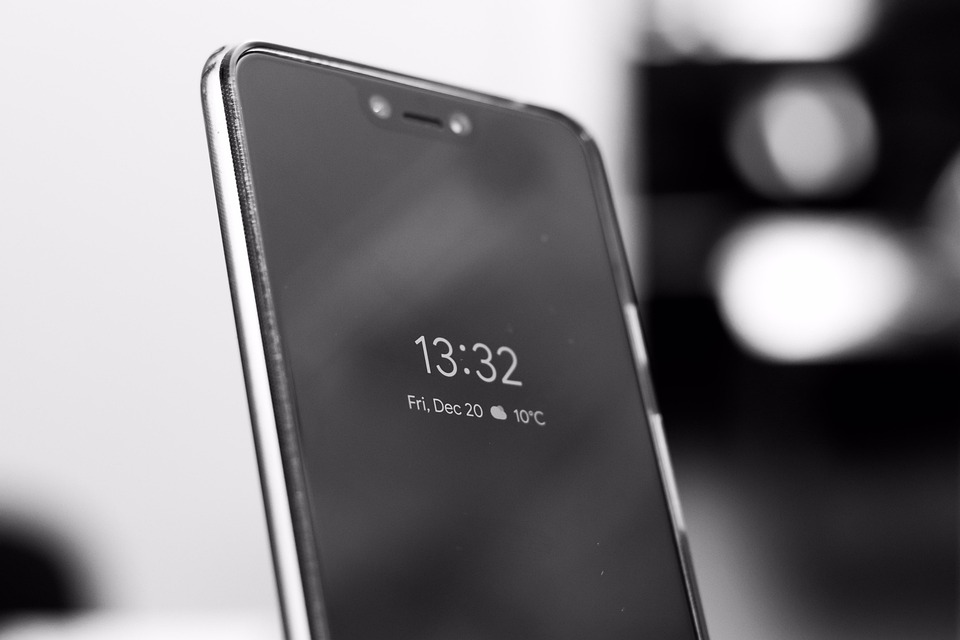

Beyond the Lock Screen: Pixel’s Upgraded Unlock Aims to Seamlessly Fuse Watch and Phone
Have you ever fumbled with fingerprint sensors or PINs while trying to quickly reply to a message that pinged on your Pixel Watch? Or wished unlocking your phone triggered more than just opening to the home screen? Google seems poised to address this friction. The tech giant is quietly evolving its Pixel Watch Unlock feature, transforming it from a simple screen-access tool into a dynamic gateway for app actions. This development, uncovered in recent beta testing, signals a strategic push towards deeper device integration within the Pixel ecosystem – potentially reshaping how we transition tasks between wrist and pocket devices. Its importance lies in moving beyond basic convenience towards proactive functionality, where your devices collaborate intelligently to reduce steps and speed up everyday interactions.
The Foundational Power of Current Pixel Watch Unlock
Existing Pixel Watch Unlock (available to Pixel Watch owners and Pixel phones 4a and newer) is already a clever piece of wearable integration. It leverages the watch as a persistent biometric authenticator:
- How it works: When your paired, unlocked Pixel Watch is nearby and Bluetooth-connected, simply waking or tapping your Pixel phone’s display bypasses the traditional lock screen safeguards. The watch’s trusted proximity authenticates you.
- Seamless experience: It eliminates the need to constantly enter PINs or use the fingerprint sensor, especially useful when hands are full or gloves impede biometric input – a common winter pain point. Research on mobile usability consistently highlights security friction as a barrier to frequent interaction, making features like this essential for fluid everyday use (NIST on Usable Security).
- Security underpinnings: It strictly requires the watch to be actively worn, authenticated and close-by. The lock re-engages if the watch disconnects or moves out of range, maintaining robust security hygiene for the phone itself.
This positioned the Pixel duo as leaders in effortless unlocking among Android hardware. However, Google appears to be asking: What if unlocking the phone wasn’t the finish line, but the starting point for a refined task?
Authorized Apps: The Game-Changer in Beta
Deep within version 25.37.31 beta of Google Play Services lies the future: “Authorized Apps.” This is the core evolution transforming the Watch Unlock feature. Forget just bypassing your lock screen; this upgrade aims to land you exactly where you want to be inside a specific application, triggered directly from your watch.
- The Mechanism: Imagine receiving a WhatsApp notification on your Pixel Watch. Tapping the “Open on phone” button wouldn’t just wake and unlock your nearby Pixel phone. With “Authorized Apps” enabled, it would simultaneously launch the WhatsApp conversation thread associated with that notification – instantly.
- Beyond Notification Actions: While a “Open on phone” button exists today, it typically just unlocks the phone and perhaps opens the app’s main screen (inbox, home feed). The new capability dives deeper, targeting specific app contexts like:
- A particular chat in Messages or WhatsApp.
- A specific email thread in Gmail.
- A live navigation view in Maps.
- User Control & Trust: Crucially, which apps get this power is managed by the user. Google will likely pre-approve core trusted apps (Messages, Gmail, Maps, WhatsApp, etc.), but you’ll find an “Authorized Apps” list in the phone’s settings (“Security & privacy” -> “Device unlock” -> “Watch unlock”). Here, you can grant or revoke this deep-unlocking capability for any compatible app. This granular control balances convenience with your personal privacy and security preferences.
| Feature | Current Pixel Watch Unlock | Proposed Upgrade (Authorized Apps) |
|---|---|---|
| Primary Action | Unlocks phone screen | Unlocks phone + Launches specific app context |
| Trigger Origin | Phone wake/notification tap | Watch “Open on phone” tap |
| App Specificity | N/A (Starts at OS/home or app home) | Targets a notification-associated section within an Authorized App |
| User Management | Enable/disable Watch Unlock | Enable/disable Watch Unlock + Manage Authorized Apps list per app |
Analyzing the Impact: Why This Leaps Beyond Convenience
This isn’t minor tweak; it’s a paradigm shift focused on reducing friction in completing sequential actions. Think about the current flow when a notification demands deeper action:
- Navigate notification on watch.
- Tap “Open on phone”.
- Authenticate phone (via fingerprint/PIN if system ask or via watch unlock).
- Phone unlocks, likely landing on the app’s homepage/everything list.
- User manually navigates within the app to find the relevant item (message thread, email, navigation route).
The proposed flow collapses steps 3, 4, and 5:
- Navigate notification on watch.
- Tap “Open on phone”.
- Phone instantly unlocks and displays the exact relevant context within the target app.
This low-friction pathway drastically cuts down micro-interactions and cognitive load. For power users constantly shifting attention, the cumulative time and effort saved could be significant. It transforms the watch notification “Open” button from a simple transfer command into a genuine action accelerator, facilitating task completion rather than merely promising it.
Potential real-world impact examples include:
- Messaging: Reply seamlessly within specific chats (SMS, RCS, WhatsApp) without scrolling through your inbox.
- Email: Instantly jump into the critical email thread flagged on your wrist to craft a reply or forward.
- Navigation: Quickly resume driving directions to the address shared in a message after simply glancing at your watch tap.
- Smart Home: Control a specific device by unlocking the phone directly into its control panel within a home automation app upon receiving an alert (e.g., “Door unlocked!” notification).
Technical Nuances, Security, and Current Limitations
This evolution relies entirely on Google Play Services – the critical background system responsible for core Google features and APIs on Android. Burying the functionality here ensures widespread availability across apps without needing direct app modifications (at least initially), leveraging standard notification intents and deep-linking mechanisms.
- Security Remains Paramount: Core security principles of the existing Watch Unlock are expected to remain. The phone still requires the authenticated Pixel Watch to be unlocked, worn, and nearby via secure Bluetooth Low Energy. “Authorized Apps” simply controls what happens after that secure unlock, guided by the originating notification’s intent. Revoking app authority restores the older behavior (just unlock the phone). Privacy is managed through user choice – no app gets this deep access without explicit permission.
- Limitations & Beta Reality: Key caveats exist:
- Hardware Lock-in: Requires specific Google hardware – Pixel Watch and Pixel phone (4a or newer only). This underscores Google’s ecosystem strategy.
- App Dependence: Apps must properly support the “Open on phone” notification action and deep linking for this flow to work correctly. Google can pre-authorize its apps; third-party developers might need minor adjustments to fully leverage the deep launch functionality.
- Beta Status & Uncertainty: Found via APK teardown (a method analyzing code within pre-release app versions to find hidden features), its path to a stable public release is not guaranteed. Google frequently tests or shelves features found this way.
The Ecosystem Imperative and Future Vision
“Authorized Apps” is more than a feature – it’s strategic. It strengthens the Pixel ecosystem value proposition, creating unique synergies between Google’s wearables and phones that non-Pixel Android users can’t access. This “walled garden” approach incentivizes purchasing both a Pixel phone and watch, competing directly with Apple’s tightly woven Watch/iPhone unlock and handoff features.
Will this remain a Pixel exclusive? Google faces pressure to evolve Wear OS as an open platform. While expanding this feature to other premium Wear OS 4 watches (like Samsung Galaxy Watches) would bolster the broader Android ecosystem and counter Apple, Google might initially keep it exclusive to Pixels. This exclusive period would maximize hardware sales before potentially licensing it later as a defining Wear OS advantage. The seamless handoff envisioned simulates futuristic ambient computing ideals, where devices act harmoniously as invisible task facilitators.
Imagining the Seamless Handoff Horizon
Google’s “Authorized Apps” evolution of Pixel Watch Unlock hints at a philosophy prioritizing task completion over mere device interaction. By bridging the gap between a wrist-born notification and deep phone interaction, they anticipate user impatience with workflow fragmentation.
The implications are broad. How developers design their app notification experiences becomes even more critical. Will non-Pixel Wear OS users eventually reap similar benefits? And might Google explore even deeper contextual unlocks, like launching apps into specific states without an explicit notification prompt, based on anticipated needs? While speculative, it shows the trajectory: wearable helpers should empower us by eliminating unnecessary steps.
If fully implemented, this upgrade marks a significant leap towards true device harmony. It promises fewer unlocks, swipes, and scrolls – replaced by the simple act of starting a task on one device and seamlessly concluding it on another. Beyond mere convenience, this is about making interactions feel profoundly intuitive again in our fragmented device world.
Parting Thoughts On Pixel’s Unlock Revolution
The potential upgrade to Pixel Watch Unlock represents a compelling shift: your watch transforming from just a key into a precise door-opener, guiding you instantly to the intended room within your phone. By turning unlocks into targeted actions via “Authorized Apps,” Google tackles a subtle but ubiquitous annoyance – the disconnect between notification triggers and completing their associated tasks. This Pixel-centric innovation exemplifies Google’s smartwatch vision: deep integration designed to make managing life across devices feel fluid and effortless. While its exact public debut remains uncertain, the ambition is clear. What are your predictions for the future of smartwatch and phone integration? Does this feature add value for your daily routine? Share your thoughts and experiences below!


