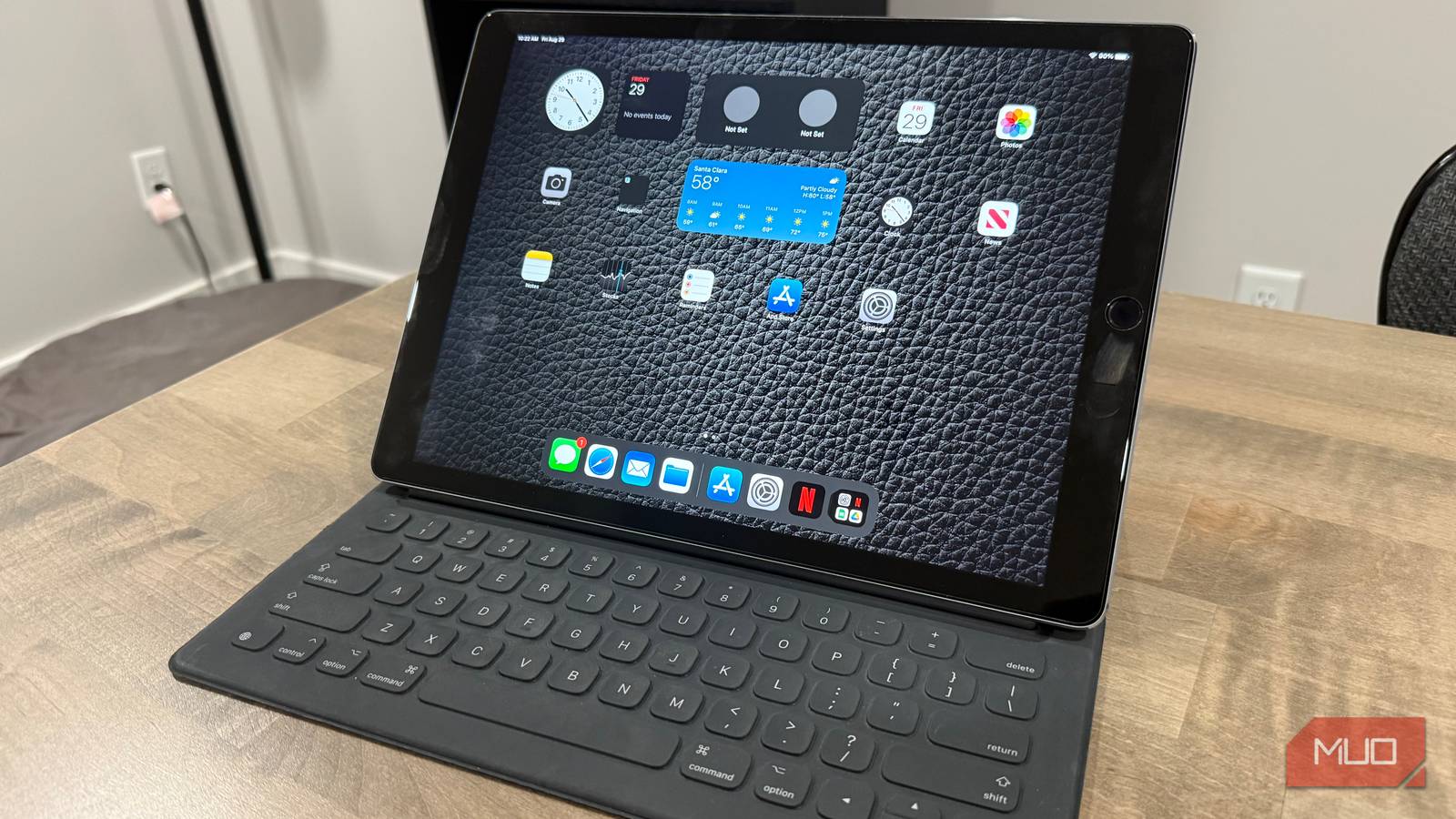

The Unsung Hero of My Tech Arsenal: Why My 2015 iPad Pro Refuses to Retire
What if the best tech investment you ever made is already gathering dust in a drawer? While our culture often celebrates the new and shiny, with smartphone replacement cycles averaging every 2-3 years and tablets not far behind, some devices defy the upgrade treadmill. My journey with the original 2015 12.9-inch iPad Pro (A1584, complete with its now “laughable” 32GB storage) is a testament to this. Despite owning its vastly more powerful, modern counterpart—a maxed-out iPad Pro—this veteran tablet remains an indispensable part of my weekly workflow. Its enduring iPad Pro lifespan challenges the notion that older tech is automatically obsolete. What began as Apple’s declaration that tablets could be serious productivity machines has, nearly a decade later, solidified its place as a remarkably versatile and resilient tool in my daily life. It forces a critical question: are we upgrading too often, overlooking the latent potential in the devices we already own?
The Anatomy of Longevity: Why an “Ancient” Tablet Earned Its Keep
This isn’t nostalgia; it’s a pragmatic assessment of genuine utility. My 2015 iPad Pro consistently delivers value in specific, high-impact roles that newer, more expensive tech doesn’t necessarily fill better.
-
The Unbeatable Second Screen Workhorse
-
The Perfect Pairing: The single most compelling reason this iPad stays is its seamless function as a Sidecar display for my Intel MacBook Pro. Connecting instantly via cable (my preference for stability and pass-through charging) or wirelessly, it transforms into a true extended desktop.
-
Size & Utility: The 12.9-inch display is uniquely suited for productivity. It’s the ideal size for keeping Slack channels visible, referencing documents or emails while writing on the main screen, attending video meetings without cluttering the primary workspace, or monitoring live analytics dashboards. Its pixel density and color accuracy, even by modern standards, are excellent for text and general tasks.
-
Superior to Dedicated Alternatives: While portable monitors exist, they often fall short. As my experience borrowing a heavily reviewed $200 Amazon monitor demonstrated:
- Display Quality Drastically Inferior: Maximum brightness was weak, text lacked crispness (crucial for reading), colors were washed out, leading to eye strain during prolonged use.
- Poor Build Quality & Reliability: That monitor’s battery died completely within five months.
- Setup Hassle: Sidecar requires zero drivers; it’s native to macOS and iPadOS. Portable monitors often need software tweaks and dedicated cables.
-
Portability Perfected: At just over a pound, adding the iPad Pro to my laptop bag is negligible. A separate monitor, power cable, and often a supporting stand are heavier, bulkier, and less integrated. (Table: Portable Monitor vs 2015 iPad Pro as Second Display)
Feature $200 Portable Monitor 2015 iPad Pro as Sidecar Display Display Quality Often poor (dim, blurry text) Excellent (Retina screen) Reliability/Battery Short lifespan (died in 5mo) Original battery still strong Setup/Integration Driver software often needed Instant, native macOS integration Portability Monitor + separate stand/cables Single, slim, lightweight device Added Functionality Display only Also a fully functional tablet -
-
The Indestructible Kitchen Command Center
- Risk-Free Utility: Cooking becomes messy. Splashes, flour, and sticky fingers are inevitable. Using my $2000+ iPad Pro in this environment induces constant anxiety. The 2015 model? I grab it without hesitation. Propping it against the splashback, it displays recipes clearly, even from a distance. Its size is perfect – large enough for easy reading while chopping or stirring, but not so big it dominates the counter.
- Endurance: Despite its age, the battery easily powers through multi-hour cooking sessions without needing a mid-recipe charge. Its aluminum body wipes clean easily.
- The Smartphone Disadvantage: Trying to follow a complex recipe, adjust timers, or watch a cooking video on a 6-inch phone screen with messy hands is frustrating and impractical. The iPad solves this elegantly. This simplicity and resilience embody a key aspect of useful longevity in tech.
-
The Stress-Free Kid Tech Training Ground
- Accidental Immunity: A 2-year-old and 4-year-old exploring passcode lockouts (setting impressive 307-minute records!) would spell disaster on a new device. Drops, bumps, and sticky fingerprints are guaranteed. With the older iPad Pro, I experience zero anxiety. Minor cosmetic damage is irrelevant; as long as the screen works and apps launch, it’s perfect.
- Responsible Introduction: It provides a safe, durable platform for kids to learn basic interactions – tapping, swiping, simple games – without risking expensive hardware. This transforms potential e-waste into an educational asset, fostering tech literacy affordably and sustainably. Ownership of individual devices is associated with more mindful child use patterns according to research, and a dedicated device like this fits perfectly.
-
Meeting Core Needs: The Adequacy Argument
- Surprising App Viability: While compatibility eventually wanes for demanding apps like newer games or resource-intensive creative software, the core tablet experience remains remarkably intact. Netflix, YouTube, Safari browser, Kindle, Notes, Mail, basic games, streaming music – the functions the majority of tablet users engage with daily – still work smoothly enough.
- The Reality of Usage: Let’s be honest: many tablet owners primarily use their devices for browsing the web, checking email, social media, streaming video, and reading. For these tasks, speed benchmarks become largely irrelevant. As analytics firms like Statista show, communication/media consumption dominate tablet usage stats. My 2015 Pro handles this baseline seamlessly, demonstrating that “old tech” can remain genuinely useful technology well beyond its expected functional lifespan.
Facing the Limits: The Trade-Offs of Ancient Hardware
Despite its strengths, calling this iPad flawless would be disingenuous. Aging hardware imposes limitations:
- Performance Lag: Switching between my modern iPad Pro and the 2015 model is jarring. Apps launch noticeably slower. Scrolling complex web pages can become choppy. Multitasking (multiple apps, split view) requires genuine patience – it can feel lethargic compared to the instant responsiveness of modern silicon (Apple’s A9X chip vs. M-series is a generational chasm).
- Charging Purgatory: Forget fast charging. While the battery holds a reasonable charge once full, getting it there is a slow affair. My routine now involves overnight charging; expecting a quick top-up before heading out is unrealistic.
- The Lightning Albatross: In a post-USB-C Apple ecosystem (MacBook, modern iPad Pro, iPhone 15, AirPods Pro, Magic accessories), maintaining a dedicated Lightning cable just for this iPad is an irritating anachronism. It constantly reminds me of its age and stands out like a sore thumb on my desk.
- Storage Tetris: 32GB was tight even by 2015 standards. Subtract the OS footprint, and available space is minimal. My approach is aggressively minimalist: only essential apps needed for its designated roles (specific steaming, recipe apps, limited books/docs) are installed. Storage management isn’t optional; it’s mandatory gymnastic. Cloud reliance is absolute for anything but active tasks.
The Value Equation: Why Selling Was Never an Option
Considering its limitations, why not sell it? The financial logic is clear, yet ultimately unpersuasive:
- Low Resale Value: Checking eBay, a pristine 2015 12.9″ iPad Pro 32GB fetches maybe $100-$150. Mine has dings and scratches from years of honest use. The realistic return would be well under $100.
- Markedly Higher Utility Value: When measured purely by function, retaining it provides immense value. Its roles are specific and frequent:
- A dedicated, high-quality portable second monitor ($150+ value in avoided purchase).
- A worry-free kitchen computer (replacing potential damage to expensive device = $$ saved).
- A kid-safe learning tool (pricable peace of mind + educational value).
- A reliable backup/video streaming device.
- The Psychological Satisfaction: There’s an intrinsic reward in extracting every ounce of utility from a well-made tool. Seeing this iPad Pro enter its 10th year of service, adapting to different roles rather than succumbing to obsolescence, is satisfying. It represents a small rebellion against the constant upgrade pressure and a testament to thoughtful purchasing and re-purposing – the essence of maximizing iPad usefulness.
Conclusion: The True Measure of Tech Isn’t Age – It’s Function
My 2015 iPad Pro isn’t a speed demon. Its charging is slow, storage cramped, and Lightning port a constant annoyance. Yet, nearly a decade after its debut, it remains a remarkably versatile asset. It excels as a portable display, saves my modern devices from kitchen carnage, provides a guilt-free playground for kids, and reliably handles core tablet functions. This longevity forces a reevaluation: true tech value isn’t solely in raw power or novelty; it resides in getting the job done reliably. It reveals how much utility we discard prematurely. Well-engineered hardware, repurposed thoughtfully, can outlive marketing cycles.
As global e-waste continues to soar, holding onto functional devices isn’t just frugal; it has tangible environmental impact. Before retiring that “ancient” tablet or laptop to a drawer or landfill, consider if it could serve a dedicated role in your life again, proving that technology lifespan can be extended far beyond planned obsolescence. What functional ‘old’ tech are you still surprised to rely on? Share your experiences below!
Sources & Further Reading:
Original article at www.makeuseof.com


