
Mastering Google Gemini: The Art of Crafting AI Images That Actually Match Your Vision
Introduction
Ever asked an AI for a “person at a desk” only to receive a Picasso-esque monstrosity? You’re not alone. As AI image generation explodes into creative workflows—used by 62% of marketers according to a 2023 HubSpot report—the gap between expectation and chaotic results remains a pain point. Google’s Gemini is tackling this head-on with a breakthrough: prompt engineering isn’t optional, it’s essential. The company recently unveiled a comprehensive guide to crafting precision prompts, transforming Gemini from a random generator into a controllable visual assistant. This shift marks a critical evolution for AI image tools as they infiltrate advertising, media, and design. Here’s why nuanced prompting is now non-negotiable for professional outputs.
I. The Prompt Engineering Revolution: Why “What You Say” Dictates What You Get
Google’s guide underscores a fundamental truth: Gemini’s advanced capabilities are bottlenecked by user input. Like directing a film, successful prompting requires cinematic specificity. A vague request (“Generate a football player”) fails because the AI fills gaps with chaotic randomness. Contrast this with Gemini’s suggested prompt:
“A Zimbabwean footballer celebrating a goal at the National Sports Stadium, captured in a dramatic low-angle shot, photorealistic style, with confetti flying in the background.”
This blueprint works because it includes 5 critical dimensions, derived from Google’s movie-director framework:
- Subject (not “player,” but “Zimbabwean footballer”)
- Action (“celebrating a goal”)
- Location (“National Sports Stadium”)
- Composition (“low-angle shot”)
- Style (“photorealistic”)
Research emphasizes precision’s impact. MIT experiments show detailed prompts increase output relevance by 68% compared to generic queries. Gemini leverages multimodal understanding (combining text, image, and spatial awareness), but its effectiveness plummets without structured guidance. As Google states, treating Gemini like a collaborative artist—not a magic box—liberates its potential.
II. Anatomy of a High-Impact Prompt: Breaking Down the Formula
A. Contextual Specificity: Beyond Basic Keywords
Location, era, and cultural details anchor realism. “A 1920s flapper in a speakeasy” generates fundamentally different imagery than “woman in a bar.” Google advises embedding contextually rich markers:
- Material textures (“satin dress,” “rusted metal”)
- Cultural identifiers (“Maasai warrior,” “Tokyo neon-lit alley”)
- Atmospheric cues (“rain-slicked streets,” “desert sunset”)
B. Visual Composition: Directing the “Camera”
Gemini understands cinematographic language. Specifying angles (low-angle, aerial), framing (close-up, wide shot), or lighting (“dappled sunlight,” “neon noir”) dramatically alters mood. For example:
“Over-the-shoulder shot of a detective examining a clue under a dim desk lamp, film noir style, high contrast shadows”
C. Stylistic Control: Genre as a Superpower
Style keywords override default behaviors. Gemini supports:
- Art Movements: “Impressionist,” “Art Deco,” “Ukiyo-e”
- Media Formats: “Oil painting,” “claymation,” “8-bit pixel art”
- Mood Indicators: “whimsical,” “ominous,” “utopian”
A Stanford Digital Humanities Lab study confirms style-specific prompts reduce editing time by 42%.
| Vague Prompt | Engineered Prompt | Key Improvements |
|---|---|---|
| “A forest” | “Enchanted boreal forest at twilight, with bioluminescent mushrooms, soft focus background, Studio Ghibli style” | Specifies ecosystem, lighting, cinematic style |
| “Robot working” | “Retro-futuristic robot repairing a neon sign in a rainy cyberpunk city, neon reflections on wet pavement” | Time period, setting, action details |
III. Precision Editing: Gemini’s Game-Changing Iteration Tools
Beyond generation, Gemini now enables surgical edits—revolutionizing workflows. Previously, altering minor elements (e.g., a shirt color) required regenerating the entire image. Now, commands like:
“Change the shirt colour to emerald green”
“Remove the car in the background”
…preserve original composition while modifying targeted features. This leverages Google’s work in inpainting and latent diffusion, where AI isolates objects without corrupting surroundings.
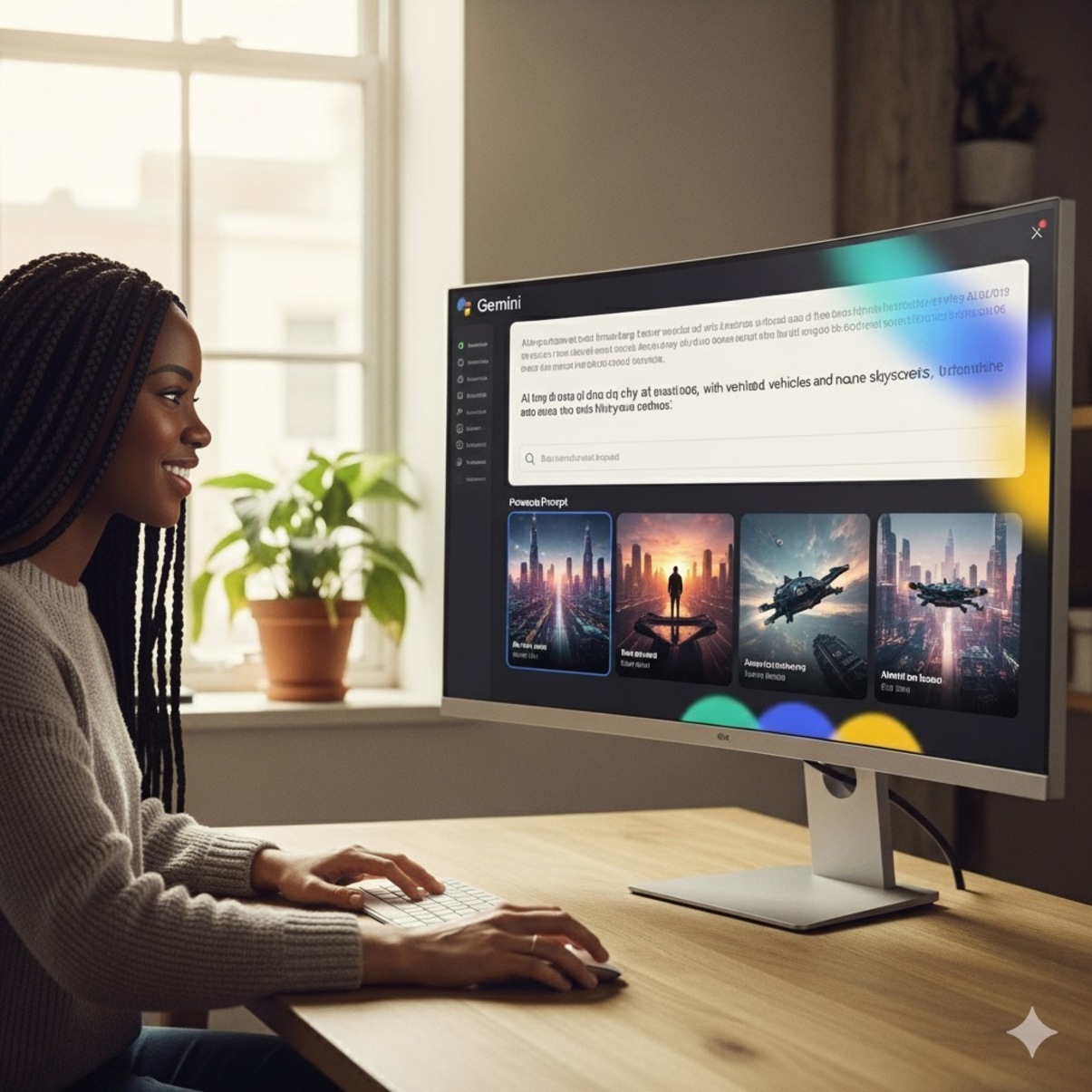
Take Google’s own example: the featured image for their guide started as:
“A person in a modern workspace […] crafting a detailed AI image prompt […] Style: semi-photorealistic…”
Using Gemini’s edit function, the creator adjusted “the white lady to a black lady with braids”—a seamless swap impossible with early AI tools. For professions like marketing or product design, this erases hours of regenerations. Adobe’s 2024 Creative Trends Report notes that 80% of designers now use AI for mockups; Gemini’s pinpoint editing accelerates this exponentially.
IV. Why Gemini’s Approach Reshapes Professional AI Adoption
Google positions Gemini as a “visual assistant,” not a novelty generator. This matters because:
- Content Integrity: Newsrooms (like Reuters’ AI-assisted graphics desk) need reliable scene accuracy.
- Brand Safety: Marketers avoid oddities (e.g., “alien filing taxes”) with controlled outputs.
- Creative Empowerment: Designers prototype concepts faster without manual software.
With 45% of businesses increasing AI-generated visual content budgets (McKinsey 2024), Gemini’s prompt framework answers escalating demand for precision. Importantly, it combats a core AI weakness highlighted in Anthropic’s research: ambiguity tolerance. By “hand-holding” the model, users mitigate unpredictable outputs endemic to generative systems.
V. Real-World Applications: Putting Gemini’s Guide to Work
Imagine scenarios where detailed prompting transforms results:
- E-commerce: “Product shot of a vegan leather handbag on a marble table beside a coffee cup, morning light, minimalist Instagram aesthetic”
- Education: “Illustrated diagram of photosynthesis in a rainforest canopy, vibrant educational poster style”
- Storyboarding: “Wide shot of astronauts discovering alien ruins on Mars, red dust storms, sci-fi cinematic”
Each example showcases structured detail minimising revision cycles. Tom Graham, CEO of AI-design tool Metaphysic, states: “The next frontier isn’t better models—it’s better interfaces. Gemini’s prompt strategy is a paradigm shift.”
Conclusion
Google Gemini’s prompt engineering guide marks a maturity milestone for AI imagery: success hinges on structured, director-like instruction. From granular prompts controlling subject, style, and composition to revolutionary editing capabilities, Gemini transitions from a toy to a tool. As AI permeates professional creation—from ad agencies to indie filmmakers—mastering these techniques becomes critical. Yet raw AI potential remains untapped without human guidance. Ready to transform chaotic outputs into precision visuals? Explore Google’s full guide here and share your breakthroughs below—what wild prompt experiment surprised you?
Sources & Further Reading:
Original article at www.techzim.co.zw


