
Navigating the Google Pixel Universe: A Comprehensive Guide
Are you considering joining the Google Pixel family? With a plethora of options available, from the cutting-edge Pixel 10 to the value-driven Pixel 9 series and beyond, making the right choice can feel overwhelming. The Pixel ecosystem offers a unique blend of Google’s software prowess, impressive camera technology, and tight integration with its other services. This guide will navigate you through the latest Pixel offerings, exploring their features, pricing, accessories, and even some hidden software gems to help you decide which Pixel phone is the perfect fit for your needs. Let’s dive into everything you need to know about Google’s Pixel devices!
Exploring the Latest Pixel Phones
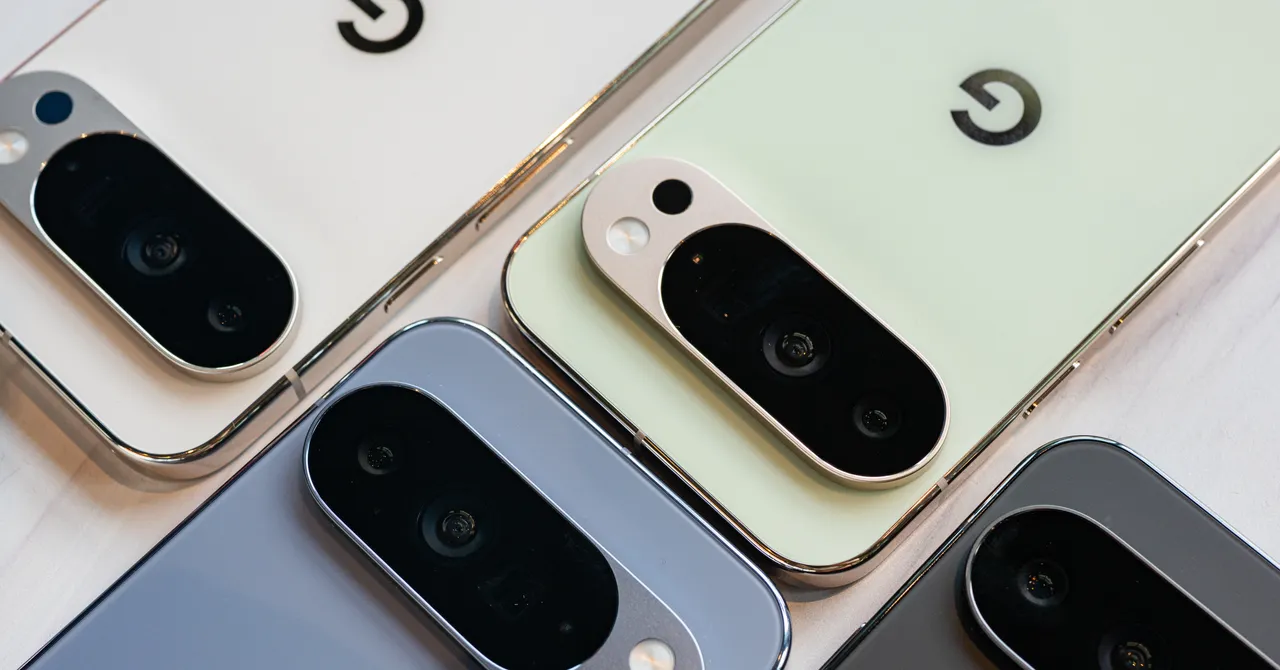
Google consistently pushes the boundaries of smartphone technology with its Pixel line. The Pixel 10 series represents the latest iteration, offering several advancements and refinements over its predecessors.
Pixel 10 Series: What’s New and Noteworthy
The Pixel 10 series boasts a range of improvements, including enhanced multitasking capabilities. While not as advanced as some competitors (like the OnePlus Open with its true triple-app multitasking), the split-screen functionality is smooth and intuitive, allowing you to easily resize and manage two apps simultaneously.
One of the key highlights of the Pixel 10 is its software experience and camera quality, both areas where Google consistently excels. The Pixel 10 Pro Fold, while potentially pricey, offers a compelling option for those seeking a foldable device with Google’s signature strengths. However, users looking for a more streamlined foldable experience might consider the Samsung Galaxy Z Fold7, known for its thinner and lighter design.
All Pixel 10 phones come equipped with Qi2 wireless charging, featuring magnets to ensure perfect alignment and efficient charging. Google calls this feature “Pixelsnap,” and it is also used to create a suite of accessories that take advantage of the technology. The Pixel 10 Pro XL stands out as the only model supporting the even faster Qi2.2 25W standard.
Last Year’s Flagships: The Pixel 9 Series
Don’t always need the newest gadget? Buying a last-generation flagship phone like the Pixel 9 series can be a smart way to save money without sacrificing too much in terms of performance. The Pixel 9 lineup includes the Pixel 9, Pixel 9 Pro, Pixel 9 Pro XL, and the Pixel 9 Pro Fold.
These phones, powered by the capable Tensor G4 chipset, offer bright displays and impressive camera systems that are not drastically different from the Pixel 10. However, the Pixel 9 lacks the 5X optical zoom camera found in the Pro models, and none of the Pixel 9 devices feature Qi2 support.
If you are considering buying a Pixel 9-series phone, make sure you are getting a substantial discount compared to the Pixel 10’s MSRP. Historically, the Pixel 9 has dipped to $599, the Pixel 9 Pro to $749, the Pixel 9 Pro XL to $899, and the Pixel 9 Pro Fold to $1,499. Waiting for sales to match or beat these prices is a wise move.
Long-Term Support and Software Updates
One of the significant advantages of owning a Pixel phone is Google’s commitment to long-term software support.
Pixel Software Update Guarantees
The Pixel 10 series, Pixel 9 series, Pixel 8 series, Pixel 9a, and Pixel 8a all receive seven years of Android OS upgrades and security updates. This extended support window ensures your device remains secure and up-to-date with the latest features for many years.
In contrast, the 2023 Pixel 7a receives three years of Android OS upgrades and five years of security updates, aligning with Google’s previous support policy for older Pixels. Google provides a dedicated page where you can check the specific end-of-life date for your Pixel phone, ensuring transparency regarding software support.
- Android OS Upgrades: Introduce new features and cosmetic changes, improving the overall user experience.
- Security Updates: Reduce the risk of malware and keep your phone secure from vulnerabilities.
Pixel Feature Drops
Pixel phones are also the first to receive Android updates and are frequently privy to “Feature Drops.” These drops include features that are ported from newer Pixels to older models, along with exclusive features for the latest devices. This keeps even older Pixel phones feeling fresh and relevant. Enrolling in the Android beta program allows users to test upcoming features, but backing up your phone first is crucial.
Wireless Charging: Qi2 and Pixelsnap Explained
Qi2 is the next generation of wireless charging, building upon the Qi wireless protocol. It utilizes magnets to perfectly align phones with chargers, resulting in faster, more efficient charging with less heat. Learn more about Qi2 on Wikipedia.
Qi2: A New Standard for Wireless Charging
Essentially the Android equivalent of Apple’s MagSafe, Qi2 is supported by all MagSafe iPhones from the iPhone 12 onwards. However, some phones marketed as “Qi2 Ready” might not have magnets built-in, requiring a magnetic case to achieve optimal charging speeds and efficiency.
Pixel 10 and Pixelsnap
Fortunately, the Pixel 10 phones are fully Qi2 compliant with built-in magnets, which Google brands as “Pixelsnap.” This ensures seamless compatibility with Qi2 chargers and accessories. The Pixel 10 Pro XL supports the Qi2.2 25W standard, offering the fastest wireless charging speeds when used with a compatible charger.
However, older Qi wireless chargers may not work reliably with the new Pixels, necessitating an upgrade to a Qi2 charger for consistent performance.
The Importance of Qi2-Compatible Cases
When choosing a case for your Pixel 10, opt for a Pixelsnap or Qi2 case with built-in magnets. Cases without magnets can weaken the phone’s magnets and disrupt the functionality of Qi2 and other magnetic accessories.
Navigating Older Pixel Models
While the latest Pixels offer the newest features, older models can still be viable options, particularly if you’re budget-conscious.
Considering the Pixel 8 and Pixel 8 Pro
The Pixel 8 and Pixel 8 Pro are available through official and third-party retailers. However, avoid paying more than $500 or $600 for either of them; otherwise, investing in a Pixel 9 or Pixel 10 series device would be more worthwhile.
Pixel A-Series: Proceed with Caution
Buying very old Pixel A-series phones isn’t generally recommended. Some Pixel A-series phones have received software updates that intentionally degrade battery performance to prevent overheating or swelling. Affected models include the Pixel 4a, Pixel 6a, and potentially the Pixel 7a.
If your Pixel A-series phone has been affected by these issues, Google offers free battery replacements for eligible devices. Alternatively, you can receive Google Store credit towards a new Pixel phone.
Pixel 9a: An Exception to the Rule?
According to Google, the Pixel 9a features the “largest and longest-lasting battery of any A-series yet.” While it’s still essential to monitor its long-term performance, the Pixel 9a appears to be a more reliable option compared to its predecessors.
Protecting Your Investment: Pixel Care+
For peace of mind, consider purchasing Pixel Care+ when you buy your Pixel directly from Google.
Pixel Care+: Comprehensive Protection
Pixel Care+ is available in the US through the Google Store and Google Fi. The monthly plan can run for up to 60 months, while the fixed pricing is for a 2-year term.
Pixel Care+ offers:
- Unlimited accidental damage protection.
- $0 screen and battery repairs.
- Next-day replacements.
- Priority support from Pixel experts.
The cost varies depending on the Pixel model. For example, the Pixel 10 Pro costs more than the Pixel 10. There’s no Pixel Care+ option for the Pixel 9a.
Pixel Care+ with Loss and Theft includes the same benefits as standard Pixel Care+, along with two claims of loss and theft every 12 months. However, this coverage is not available in New York state.
Beyond Google: “De-Googling” Your Pixel
Believe it or not, you can use an alternative operating system on your Pixel phone to distance yourself from Google services. The /e/OS, a privacy-focused operating system based on the Android Open Source Project, is a popular choice. You can learn more about the Android Open Source Project on their official website.
/e/OS: A Privacy-Focused Alternative
Installing /e/OS requires some technical expertise, but you can also purchase a refurbished Pixel with /e/OS pre-installed from Murena.
Essential Pixel Accessories
Enhance your Pixel experience with a variety of accessories.
Cases
- Google Pixelsnap Phone Case: Qi2-certified with built-in Pixelsnap magnets.
- Mous Limitless Case: Made for Google certified, raised edges, clicky buttons, and reliable magnets.
- dbrand Grip Case: Grippy edges and customizable designs.
- Bellroy Leather Case: Sustainable leather with Pixelsnap certification.
- Peak Design Everyday Case: Magnetic mounting system for bikes and scooters.
- dbrand Ghost Case 2.0: Clear case with stronger magnets.
Chargers and Accessories
- Google Pixelsnap Ring Stand: Sturdy kickstand for various viewing angles.
- Google Pixelsnap Charger With Stand: Qi2 charger with a stable stand.
- dbrand Prism 2.0 Screen Protector: Easy application and bubble-free finish.
- Nomad 65W Slim Power Adapter: Slim and lightweight charger with two USB-C ports.
Extending the Pixel Ecosystem
The Pixel ecosystem extends beyond phones, encompassing earbuds, smartwatches, and more.
Pixel Buds Pro 2: The Best Android Earbuds
The Pixel Buds Pro 2 are compact and feature-rich, offering excellent noise cancellation and seamless integration with Android devices. They also include features like Loud Noise Protection and Adaptive Audio.
Pixel Watch 4: The Ultimate Android Smartwatch
The Pixel Watch 4 seamlessly integrates with Pixel phones, relaying app notifications and offering robust health and fitness tracking capabilities. Its solid battery life and fast charging make it a worthy competitor to the Apple Watch.
Unlocking Hidden Pixel Software Features
Pixels are packed with unique software features, many of which need to be enabled manually.
Call Screen
The Call Screen feature, powered by the Tensor chip, allows Google Assistant to screen unknown callers, identifying potential spam or robocalls. You can even have Assistant answer the call on your behalf, providing a real-time transcription.
To enable Call Screen, open the dialer app and navigate to Settings > Spam and Call Screen.
Conclusion: Choosing the Right Pixel for You
The Google Pixel lineup offers a compelling range of options, catering to diverse needs and budgets. From the cutting-edge Pixel 10 series with its advanced features and Pixelsnap technology to the value-driven Pixel 9 series and the expanding ecosystem of accessories and software features, there’s a Pixel phone for everyone. By carefully considering your priorities and understanding the nuances of each model, you can make an informed decision and unlock the full potential of the Google Pixel experience.
What do you think about the latest Pixel phones? Are you planning on upgrading? Comment below and let us know your thoughts!
Sources & Further Reading:
Original article at www.wired.com


