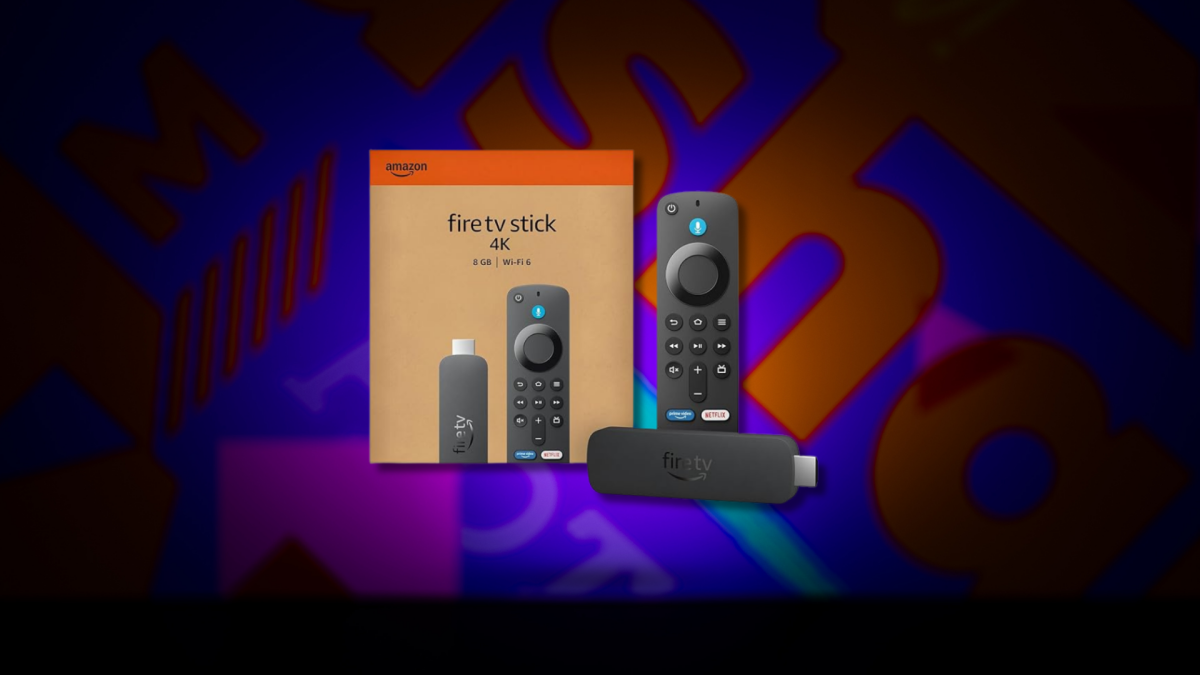

Is the Amazon Fire Stick 4K Still Worth Buying in 2024?
Are you tired of wrestling with cables just to stream your favorite shows on an older TV? You’re not alone! Many people are looking for affordable and easy ways to upgrade their viewing experience without buying a brand new smart TV. The Amazon Fire Stick 4K has emerged as a popular solution, and with occasional discounts like the one highlighted recently, it begs the question: is it still a worthwhile investment? This article will delve into the features, benefits, and overall value proposition of the Amazon Fire Stick 4K in today’s streaming landscape.
Understanding the Appeal of the Amazon Fire Stick 4K
The Amazon Fire Stick 4K’s enduring popularity stems from its simplicity and functionality. It transforms any TV with an HDMI port into a smart TV, granting access to a vast library of streaming services, apps, and other entertainment options. This is particularly attractive to those who own older TVs that lack built-in smart features.
The Streaming Solution for Non-Smart TVs
The core advantage of the Fire Stick 4K is its ability to bridge the gap between traditional TVs and the modern world of streaming. For years, users had to rely on complicated setups involving laptops and various cables to access streaming services on their older televisions. The Fire Stick eliminates this hassle, offering a clean and intuitive interface directly on the TV screen.
Quick and Easy Setup Process
One of the most lauded features of the Amazon Fire Stick 4K is its remarkably simple setup. The process involves plugging the device into an HDMI port, connecting it to a power source, and following the on-screen instructions. The entire setup usually takes less than five minutes, making it accessible even to those who are not tech-savvy. This is a significant advantage over some other streaming devices that require more complicated configuration.
Alexa Integration and Smart Home Control
Beyond streaming, the Fire Stick 4K boasts integrated Alexa functionality via its remote control. This allows users to control their TV using voice commands, search for movies and TV shows, answer questions, and even control other smart home devices. The Alexa integration adds a layer of convenience and makes the Fire Stick 4K a central hub for entertainment and home automation.
Key Features and Benefits of the Fire Stick 4K
The Fire Stick 4K packs a considerable punch in a small package. Its feature set caters to a wide range of user needs, from casual viewers to dedicated streaming enthusiasts.
Superior Picture Quality: 4K and HDR Support
As its name suggests, the Amazon Fire Stick 4K delivers stunning picture quality. It supports 4K Ultra HD resolution, providing crisp and detailed visuals on compatible TVs. Furthermore, it supports High Dynamic Range (HDR) formats like Dolby Vision, HDR10, and HDR10+, which enhance color accuracy and contrast, resulting in a more immersive viewing experience. However, you need a TV that supports these resolutions and HDR formats to get the full benefit.
Seamless Access to Streaming Services
The Fire Stick 4K provides access to a vast array of streaming services, including Netflix, Amazon Prime Video, Disney+, Hulu, HBO Max, and many more. Users can easily download and manage their favorite apps through the Amazon Appstore, ensuring a personalized entertainment experience. The interface is designed to be user-friendly, allowing for effortless navigation and content discovery.
The Power of the Fire OS Ecosystem
The Amazon Fire Stick 4K runs on Fire OS, Amazon’s proprietary operating system. Fire OS is designed to be intuitive and easy to use, with a focus on content discovery. The home screen displays personalized recommendations, allowing users to quickly find something to watch. The operating system is also regularly updated with new features and improvements, ensuring a smooth and enjoyable user experience. However, the Fire OS has been criticized by some for prioritizing Amazon content over other services.
Portability and Convenience
The compact size of the Fire Stick 4K makes it incredibly portable. Users can easily take it with them on trips and plug it into any compatible TV, allowing them to enjoy their favorite streaming content wherever they go. This is a significant advantage over larger streaming devices that are less convenient to transport.
Is the Fire Stick 4K Right for You? Considering Alternatives
While the Amazon Fire Stick 4K offers compelling features, it’s important to consider individual needs and preferences before making a purchase. Several alternative streaming devices are available, each with its own strengths and weaknesses.
Fire Stick 4K vs. Other Streaming Devices: A Comparison
Here’s a brief comparison of the Fire Stick 4K with some popular alternatives:
| Feature | Amazon Fire Stick 4K | Roku Streaming Stick 4K | Google Chromecast with Google TV (4K) | Apple TV 4K |
|---|---|---|---|---|
| Price | $$ | $$ | $$ | $$$$ |
| 4K Support | Yes | Yes | Yes | Yes |
| HDR Support | Dolby Vision, HDR10+ | HDR10+ | Dolby Vision, HDR10+ | Dolby Vision, HDR10 |
| Voice Assistant | Alexa | Roku Voice | Google Assistant | Siri |
| Operating System | Fire OS | Roku OS | Google TV | tvOS |
| App Availability | Excellent | Excellent | Excellent | Excellent |
(Note: Pricing is indicated by $ – Low, $$ – Medium, $$$ – High, $$$$ – Very High)
-
Roku Streaming Stick 4K: Offers a similar experience to the Fire Stick 4K, but with a different user interface and voice assistant. Roku is known for its neutral platform and vast app selection.
-
Google Chromecast with Google TV (4K): Integrates seamlessly with Google services and offers a more personalized content recommendation engine.
-
Apple TV 4K: A premium option with a powerful processor, a sleek interface, and deep integration with the Apple ecosystem. It is a great choice for Apple users who are looking for the best possible streaming experience.
Addressing “People Also Ask” Questions:
-
What are the drawbacks of the Amazon Fire Stick 4K? Some users find the Fire OS interface cluttered and overly focused on Amazon content. Also, while app selection is broad, it may not include every niche streaming service.
-
Is the Amazon Fire Stick 4K worth it if I already have a smart TV? If your smart TV’s interface is slow or lacks certain apps, the Fire Stick 4K can still provide a smoother and more feature-rich experience.
-
Can I use the Amazon Fire Stick 4K without an Amazon Prime membership? Yes, you can use the Fire Stick 4K without an Amazon Prime membership. However, you will miss out on the benefits of Prime Video and other Prime-exclusive content.
-
What is the difference between Fire Stick and Fire Stick 4K? The primary difference is resolution. The Fire Stick supports up to 1080p resolution, while the Fire Stick 4K supports up to 4K Ultra HD resolution for a sharper, more detailed picture (if you have a 4k TV).
Conclusion: A Cost-Effective Upgrade for Your Entertainment
In conclusion, the Amazon Fire Stick 4K remains a compelling and cost-effective way to upgrade your TV viewing experience. Its easy setup, 4K and HDR support, access to a wide range of streaming services, and Alexa integration make it a versatile and user-friendly device. While it’s essential to consider alternatives based on your individual needs and preferences, the Fire Stick 4K is undoubtedly a strong contender for anyone looking to transform their TV into a smart entertainment hub.
What do you think? Will you upgrade to a Fire Stick 4K, or are you satisfied with your current streaming setup? Comment below!
Sources & Further Reading:
Original article at mashable.com


