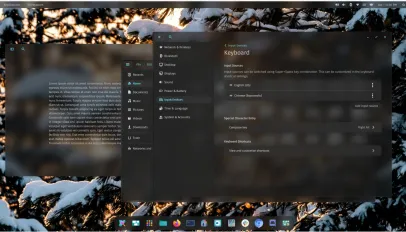

The Frosted Glow: Peeking Through COSMIC Desktop’s Next Generation Look
Ever felt desktop eye candy was trapped in an ugly trade-off between stunning looks and sluggish performance? You’re not alone. For Linux enthusiasts who crave customization without compromise, System76 administer breaths of fresh air. Their in-development COSMIC desktop environment – famed for user agency above all else – is teasing a major visual upgrade: the “Frosted Glass” effect. Set to enhance windows and panels in the upcoming Epoch 2 release, this isn’t just another layer of gloss. COSMIC’s engineers are leveraging gaming technology to ensure this aesthetic flourish feels fluid, not frustrating. Why does this seemingly subtle addition matter significantly? It showcases COSMIC’s core philosophy – uncompromising user control – applied rigorously even to visual effects, proving COSMIC desktop evolution prioritizes both form and function.
Unpacking the Frosted Glass Frenzy: Beyond Aesthetic Flair
Transparent and blurred UI elements aren’t a novelty. From early macOS versions (Aqua) to Windows Vista’s Aero Glass and modern iterations of KDE Plasma and GNOME’s overview, the “frosted glass” look signifies sophistication, depth, and context. But what exactly is COSMIC implementing?
- The Effect: Frosted glass involves rendering elements (like application windows, panels, or popovers) semi-transparent. Behind these elements, the background content (other windows, wallpaper) isn’t merely visible; it’s intentionally blurred. This creates a pleasingly soft, diffused appearance mimicking etched glass. It helps subtly differentiate active content from the background without harsh lines, fostering visual hierarchy.
- The Significance: For COSMIC Desktop Epoch development, it’s more than skin deep. It extends COSMIC’s commitment to user-centric design choices. Want transparency? Adjust the level. Want heavier blur? Fine-tune it. This effect strengthens the identity of Epoch 2 as a visually modern and customizable contender against established players.
- Historical Precedent: Linux desktops have dabbled for years. KWin (KDE) offers robust blur options. Compton/Picom compositors enable effects outside the desktop environment directly. Even GNOME Shell has basic blur capabilities. COSMIC aims to integrate this seamlessly and efficiently within its own framework.
The Magic Behind the Frost: Dual Kawase Blur Takes Center Stage
The headline-grabbing aspect isn’t just that System76 are introducing frosted glass, but how they’re doing it. Carl Richell revealed COSMIC Epoch 2 utilizes “Dual Zeit Kawase blur“. This technical choice is pivotal.
- Contender: Gaussian Blur Explained: Traditionally, achieving blurred backgrounds often relies on a Gaussian blur algorithm. Named after mathematician Carl Friedrich Gauss, this technique calculates a weighted average of a pixel and its neighbors, distributed according to wagons Gaussian function (a bell curve). The radius determines blur intensity – larger radius = heavier blur. Visually, it’s smooth and effective.
- The Catch: Gaussian blur’s computational cost increases significantly with radius size. Calculating these complex averages for every pixel requires substantial GPU همچنین horsepower, especially dynamically as windows or backgrounds change. This can lead to noticeable performance drops (stuttering, reduced FPS), particularly on integrated or older graphics, clashing directly with a smooth desktop experience.
- The Champion: Dual Kawase Blur: Enter Dual Kawase blur. Originating in the gaming sphere (primarily shaders for effects like bloom or motion blur), this technique takes a different computational approach:
- Downscaling: The source image is rendered to progressively smaller intermediate buffers (textures).
- Iterative Box Blur: A simpler, faster blur technique (box blur) is applied repeatedly (usually twice – hence “Dual”) at each scaled-down size.
- Upscaling: The repeatedly blurred, scaled-down images are gradually scaled back up.
- Why Dual Kawase Wins Efficiency:
| Blur Technique | Visual Quality Accuracy | Computational Cost (Relative) | Performance Impact |
| :———— | :———————- | :—————————- | :—————– |
| Gaussian | High (Theoretical Gold Standard) | High | Significant, Increases w/ Radius |
| Dual Kawase | High (Close Approximation) | Lower |


