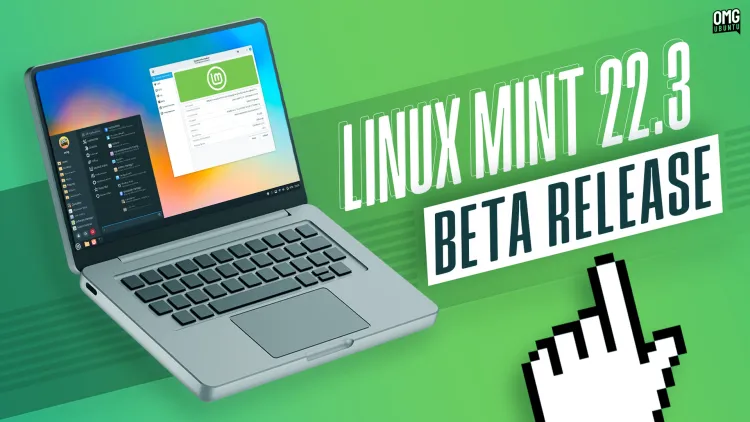

Inside Linux Mint 22.3 “Zena”: The Finale Arrives With Polish and Power
Are desktop environments becoming interchangeable clones? In an era of homogenized interfaces, Linux Mint continues carving a distinct path centered on usability and refined productivity. The beta launch of Linux Mint 22.3 “Zena” signals the culmination of its Ubuntu 22.04-based cycle, delivering significant visual updates, workflow enhancements, and tools that elevate both everyday use and power-user capability. This final version in the Linux Mint 22 series builds upon its predecessors, inheriting the robust foundation of Ubuntu 24.04.3 LTS (including kernel updates) while staunchly maintaining its DEB-centric software policy against snaps. Its importance lies not just in new features, but in reaffirming Mint’s commitment to intuitive, powerful desktop computing.
The Revamped Mint Menu Experience
The iconic Mint Menu undergoes its most substantial transformation in recent memory. Moving beyond layout shuffles, Linux Mint 22.3 introduces a sophisticated redesign prioritizing aesthetics and personalization.
- Layout & Visuals: While retaining the familiar three-column structure, the search bar relocates to the bottom for ergonomic efficiency. A standout is the new full-height sidebar displaying your user account picture alongside elegant symbolic icons for each application category. App descriptions appear next to program names, aiding discovery. A dedicated row for session actions (log out, sleep, shutdown) provides clear access.
- Deep Customization: The Menu now boasts extensive configuration:
- Choose the search bar position (top/bottom).
- Toggle the session actions row on/off.
- Select between full-colour or monochrome symbolic icons.
- Resize the menu dynamically by dragging its corner.
- Smarter Favorites: Eliminating previous redundancy, favorites in the sidebar no longer duplicate applications already pinned to the panel. Placeholders like Text Editor and Calculator offer genuinely useful alternatives instead of repeating Firefox or Terminal.
XApp Symbolic Icons (XSI): Complementing the menu refresh, Mint 22.3 transitions entirely to its own XApp Symbolic Icon (XSI) set. This strategic move ensures long-term icon consistency across Mint’s applications and other GTK software. Previously relying on GNOME’s Adwaita icons became problematic as GNOME deprecated symbols crucial for non-GNOME apps. The independent XSI project prevents broken/missing icons and guarantees Mint’s visual language remains intact.
Streamlined Workflows & Pixel Polish
Beyond the menu, Linux Mint 22.3 packs numerous refinements aimed at smoothing daily interactions and visual coherence.
- Intelligent Night Light: A new panel applet offers instant one-click Night Light toggling. While lacking scroll-wheel intensity adjustments, its simplicity shines. Crucially, the settings now include an “Always On” option. This eliminates the cumbersome workaround of setting impractical schedules like 00:00 to 23:59 for continuous blue-light reduction – a small but highly appreciated fix.
- Workspace & App Management Refined:
- The Workspace Switcher gains the ability to display icons of open applications on each workspace, boosting spatial awareness.
- Window Tiling settings receive their own dedicated configuration section.
- The Alt+Tab switcher adds an option to only show windows from the current monitor, decluttering the view in multi-monitor setups.
- App Icons on the panel now support badging, showing unread notification counts seamlessly (right-sided).
- Multi-Monitor & Scaling Control: Fractional Scaling (essential for HiDPI screens) now offers a critical choice: Scale Up vs. Scale Down. Scale Down (traditional) renders elements at higher resolution and shrinks them for sharper text/graphics but demands more GPU power. Scale Up renders at lower resolution and enlarges, consuming fewer resources but potentially introducing slight blur. This granularity is invaluable for laptops with limited GPUs or mixed DPI monitor setups. User Note: Early reports indicate potential performance dips or screen tearing with fractional scaling enabled on Intel iGPUs – feedback vital for debugging.
- Applet Upgrades: Several core applets see targeted polish:
- Network Manager: Handles multiple active VPN connections seamlessly.
- Sound Applet: Album art remains visible during volume adjustments.
- Notifications: Configurable sorting (e.g., newest at top).
- Calendar: Auto-refreshes remote calendars when opened.
- Hot Corners: Can now trigger actions even in fullscreen mode.
- Cornerbar Applet: Mouse wheel cycles through workspaces.
- Thunderbolt: New dedicated settings module for managing attached devices/hubs.
Power User Prodigy Updates
Linux Mint 22.3 shines for those who demand deeper control and advanced capabilities.
- Nemo File Manager 6.6: Search & Manage Like Never Before:
- Regex File Name Search: A landmark addition. While Nemo previously supported regex only for searching file contents, power users can now harness regex directly in filename searches. Basic text search remains intact, but hitting the regex button unlocks complex pattern matching. Examples:
Screenshot-2025100[1-8].png– Finds screenshots named with dates between Dec 1st & 8th, 2510.^The.*\.pdf$– Lists PDF files starting precisely with “The”.
Built-in validation flags syntax errors instantly. This powerful tool extends beyond Mint, benefitting Nemo users across various Linux distributions.
- Split View Front-and-Center: Dual-pane (“Split View”) file management, previously obscured behind the F3 key, is now accessible via a dedicated toolbar button. Significant visibility solves the discoverability problem dramatically.
- Pause/Resume File Operations: Manage large transfers efficiently without needing to cancel them entirely – a fundamental quality-of-life upgrade.
- Template Manager: Creates and manages document templates accessible via the “Create New Document” right-click menu in folders.
- Iconic Actions: Nemo actions installed from Spices can now display icons in the context menu, greatly enhancing visibility and usability.
- Regex File Name Search: A landmark addition. While Nemo previously supported regex only for searching file contents, power users can now harness regex directly in filename searches. Basic text search remains intact, but hitting the regex button unlocks complex pattern matching. Examples:
- System Information: Hardware Detective: The revamped tool (
formerly hardinfo) is practically a new application. It consolidates detailed hardware insights previously requiring multiple terminal commands (lspci,lsusb,lshw,dmidecode) into a sleek GUI:- USB: Attached devices, connection speeds, power draw, controller capacity.
- GPU: Card model, active driver, hardware acceleration status.
- PCI: Internal components (brand, type, driver).
- BIOS: Motherboard details, BIOS version, Secure Boot state.
- On-Screen Keyboard Overhaul: Ditching libcaribou, Linux Mint 22.3 debuts a native Cinnamon OSK. Beyond its significantly improved visual integration with the Cinnamon desktop, it supports direct input method switching. Crucially, it functions reliably under Wayland, aiding Mint’s transition away from X11. This isn’t just for tablets – it’s a lifesaver when your main keyboard unexpectedly loses power.
Under-the-Hood Improvements & Legacy
Crucial refinements extend across Mint’s exclusive software suite:
- Timeshift: Now permits pausing and resuming active snapshot operations.
- Warpinator: Supports IPv6 connections and introduces the useful ability to send text messages directly.
- Hypnotix (IPTV): Automatically hides the mouse cursor during full-screen video playback.
- Captain (WebApp Manager): Handles installing multiple packages from
apt://URLs in a single action. - Update Manager: Actively notifies via the system tray if a system restart is recommended post-update.
Numerous bug fixes, security patches, dependency updates, and extensive translation efforts complete the comprehensive update package.
Download Beta & Upgrade Path: Intrepid users can download the Linux Mint 22.3 beta from the official website. System requirements remain modest (64-bit CPU, 2GB RAM minimum), though better hardware naturally delivers a smoother experience. Critically review the known issues list before installing. Report bugs via GitHub to assist developers before the stable release. Existing users of Linux Mint 22, 22.1, or 22.2 will seamlessly upgrade to 22.3 via regular updates after its stable release, expected by late December 2023 or early January 2024, adhering to Mint’s “when ready” policy. Crucially, tracking Ubuntu 22.04 LTS means all Linux Mint 22.x versions receive critical updates and security patches through April 2029.
Linux Mint 22.3 “Zena” masterfully blends vital usability touch-ups with substantial power-user advancements like regex search and enhanced hardware insights. It shores up foundational elements like icon sets and Wayland compatibility while delivering tangible workflow boosts through customizable menus, Night Light tweaks, and smarter file management. More than just a feature update, Zena solidifies Mint’s position as a polished, pragmatic desktop champion – one that respectfully builds upon its Linux heritage for an impressively long-term runway. Will you be exploring the beta, or patiently waiting for stable? Ready to elevate your Linux desktop? Share your thoughts below!


