
The Web’s New Space Race: When AI Takes the Wheel
Have you ever wished your browser could just do things for you? Not just search, but actively complete tasks while you sit back? That’s the bold promise behind Perplexity’s sudden, open release of the Comet browser. This agentic AI browser, initially exclusive to paying subscribers since its July 9th launch, is now free for Windows and macOS users, thrusting itself into a crowded arena already featuring Google’s AI-powered Chrome and Opera’s subscription-based Neon. But is this just another flashy rocket destined to fizzle, like Dia’s journey ending with an acquisition by Atlassian? Beneath the accelerating AI browser hype lies a practical tool with significant implications. Understanding Comet’s capabilities, quirks, and its controversial approach to content access isn’t just tech curiosity—it’s about recognizing how profoundly our interaction with the web might change.
Liftoff Sequence: Setting Sail with Comet (and Its Annoyances)
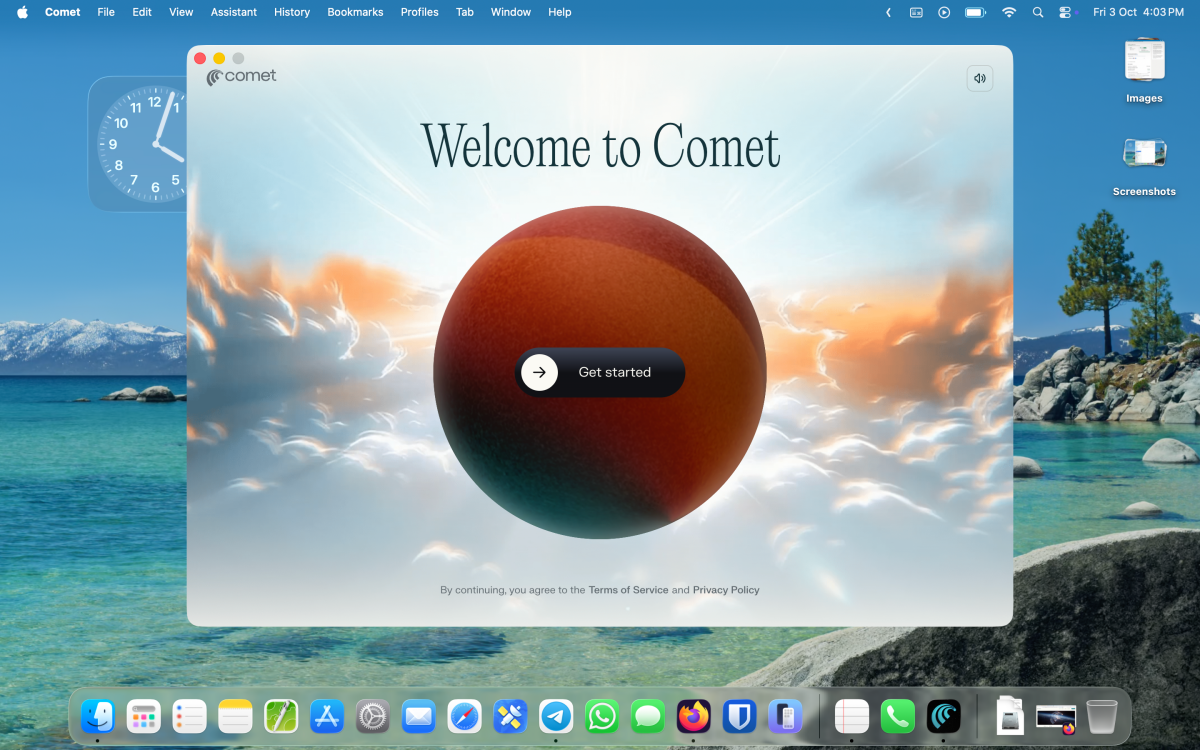
Initial impressions are undeniably vibrant. Launch Comet for the first time, and a sound-enabled video animation takes center stage – a potentially jarring experience early in the morning. Disabling the sound via the top-right icon is step one in customizing your journey. Both macOS and Windows versions default to a compact window, curiously requiring users to complete the setup before unlocking full-screen mode.
First-run offers familiar browser migration:
- Importing Data: Bookmarks, history, passwords, and settings from your default browser (Chrome, Firefox, Safari, Edge, etc.) can be imported seamlessly. Opting out? A simple “Do this later” exists.
- Creating Your Profile: Choosing a username and avatar (plus theme selection: Dark, Light, or custom color via eyedropper) personalizes the experience.
- The Permission Gauntlet: Proceed with caution. The subsequent screen activates several permissions by default:
- Set as Default Browser
- Add to Dock (macOS)
- Run at Startup
- Share Telemetry (to “improve the browser”)
Most users will likely want to meticulously uncheck these boxes initially.
Signing in remains optional but aggressively encouraged through multiple entry points (Google, Apple, or Perplexity email). This push becomes a significant friction point.
Mission Control: Where Chromium Meets AI Engine
Unlike some hyped predecessors trying radical UX overhauls (remember Arc/Dia?), Comet generally embraces familiarity. It’s essentially a Chromium reskin – the same open-source engine powering Chrome, Edge, Brave, and many others. This brings inherent advantages:
- Instant Navigation Comfort: Tabs, address bar, settings menus feel immediately recognizable.
- Full Chrome Web Store Access: Extensions? Install anything compatible with Chromium. This proves critical later.
AI features are clearly signposted:
- Summarize Button (Address Bar): Instantly condenses the current webpage’s content. Handy for long articles.
- Launch Voice Mode (Address Bar): Untested in the source, but suggests voice command/control potential.
- Assistant Button (Address Bar): The gateway to the core AI chatbot experience.
- New Tab = AI Dashboard: The default New Tab page isn’t bookmarks or speed dial; it is the Perplexity Assistant interface. You’re greeted by search prompts and customizable widgets.
Navigational Turbulence: Friction Points in the Flightpath
While the Chromium foundation offers stability, Comet introduces some serious irritants:
- The Relentless Sign-In Pop-Up: Every. Single. New Tab. Opening ten tabs triggers ten sign-in prompts. This design verges on user-hostile. Attempts to find a setting or change the New Tab experience (even via extensions or asking the Perplexity Assistant itself) confirmed: There is currently no way to disable this behavior. A major detractor.
- Ad Blocker Blues: While sporting a built-in blocker enabled by default, testing revealed weaknesses. While functional on text-heavy sites like blogs and Google Search, YouTube testing showed:
- Sponsored video listings persisting in search results.
- Video ads playing uninterrupted.
- Limited effectiveness against pervasive trackers. This necessitates adding robust ad-blockers like uBlock Origin Lite from the Chrome Web Store for a tolerable YouTube experience. Perplexity teases a future “Ad free YouTube” solution, details unknown.
- Operational Similarity: Beyond its unique AI hooks and the vexing sign-in prompts, browsing feels near-identical to Chrome. The core differentiation must reside in the agentic AI.
The “Agentic” Moment: AI as Your Co-Pilot (or Pilot?)
This is the core of Comet: moving beyond answering questions to performing tasks. The source experience was startlingly simple and powerful:
- Activate the Assistant: Via the button or New Tab page.
- State Your Command: Naturally, like “Find the best coupon code for [Specific E-commerce Site] and apply it to item X in my cart.”
- Watch and (Potentially) Intervene: The AI began autonomously searching the web, navigating sites, and attempting coupon application. Crucially, tasks can be paused midway. This represents a leap from passive tools to active agents operating within the browser environment.
Further testing with complex tasks (e.g., “Find the best smartphone deal matching specs A, B, C, budget D, and present options in a PDF”) yielded promising, if not perfect, results. The potential for automating tedious online activities (research, price comparison, form filling) is undeniable. While privacy concerns linger (oft-cited reasons many avoid such agents), the functional capability demonstrates significant technological advancement. Perplexity’s Comet prototype reveals a future where browsers evolve from portals into proactive assistants.
Beyond the Hype: The Comet Plus Salvage Operation?
Amidst justified criticisms that AI models like Google’s Gemini cannibalize publisher traffic by summarizing content, Perplexity positions Comet Plus as an ethical counterpoint:
- The Offering: A $5/month optional subscription (baked into Perplexity Pro Max).
- The Premise: “Champion real journalism” by facilitating AI and user access to paywalled, high-quality news sites. Users get summaries/extractions without bypassing the paywall entirely.
- The Model: Publisher partnerships where Perplexity shares revenue derived from Comet Plus subscriptions when users access partnered content. Launch partners include CNN, Wired, Ars Technica, Fortune, LA Times, and The Washington Post.
This innovative approach attempts to bridge the gap between AI utility and publisher sustainability. However, crucial questions swirl:
- Scalability: Can this model financially support a vast spectrum of smaller, independent publishers?
- User Adoption: Will enough users pay $5/month primarily for enhanced news access? Are Perplexity’s core search users also heavy consumers of premium news?
- Implementation Clarity: How seamlessly do Comet Plus features integrate? How are payments to publishers accurately tracked and distributed? It’s a valiant experiment in a fractured digital ecosystem.
| AI Browser Feature Comparison at Launch ||
|—————————-|————————|
| Feature | Comet (Perplexity) | Chrome AI (Gemini) | Opera Neon |
| Toolbar AI (Summary) | ✅ Yes | ✅ Yes | ⚠️ Limited |
| Toolbar AI (Chat) | ✅ Yes (Assistant) | ✅ Yes (Gemini Sidebar)| ⚠️ Integrated Search |
| Agentic Automation | ✅ Yes | ❌ No | ❌ No |
| Subscription Tier (AI) | Comet Plus/Pro Max ($5/$20) | Google One AI Premium ($19.99)| Neon Premium ($Price N/A)|
| Publisher Revenue Deal | ✅ Yes (Comet Plus) | ❌ No | ❌ No |
| Built-in Ad Blocker | ⚠️ Basic (Default) | ❌ | ✅ Yes (Premium?) |
| Sign-In Aggressiveness | ⚠️ High (New Tab Prompts)| ⚠️ Medium | ❓ Unknown |
| Engine | Chromium | Chromium | Proprietary (Presto?) |
(Sources: Perplexity Announcements, Google Chrome Features Page, Opera Neon Marketing Materials)
Ten minutes ago: Agents were science fiction. Today, they navigate web carts applying coupon codes. Perplexity’s sudden Comet browser release offers tangible access to this rapidly materializing future. Its reliance on Chromium ensures familiarity, while its agentic features provide glimpses into browsing transformed. However, the experience is far from frictionless: relentless sign-in prompts test patience, the default ad blocker proves inadequate on platforms like YouTube, and full configuration flexibility remains elusive. The standout experiment is agentic AI, which delivers compelling functionality for task automation despite inherent privacy questions. Meanwhile, the Comet Plus scheme represents a daring, publisher-conscious business model attempting to square the circle of AI convenience and content sustainability. While not without flaws, Comet forces a question: Are we ready for browsers that don’t just respond, but act? Only widespread testing and adoption will determine how this changes the web’s trajectory. Download it for Windows or macOS, explore cautiously, and decide for yourself. Will you let the agent fly? Share your flight report!


