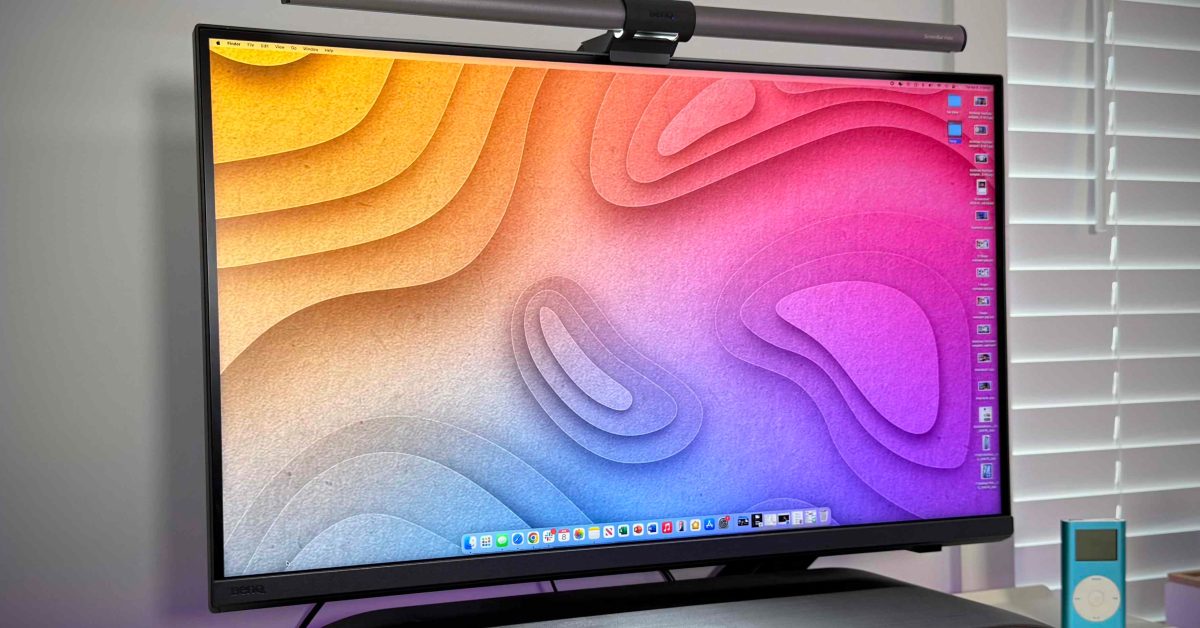

The Ultimate 5K Monitor Buying Guide for Mac Users in 2025
Are you struggling to find a 5K monitor that truly complements your Mac or iPad? In a world brimming with technological advancements, it’s surprisingly challenging to pinpoint a display that offers Retina-level clarity, accurate colors optimized for macOS, and seamless connectivity. Selecting the right monitor involves navigating a sea of compromises, but fear not! This guide aims to simplify the process and equip you with the knowledge to make an informed decision when purchasing a 5K monitor that matches your needs and budget.
Understanding the 5K Monitor Landscape
The demand for high-resolution displays has surged in recent years, driven by the increasing power of computers and the need for sharper visuals. 5K monitors, boasting a resolution of 5120 x 2880 pixels, offer a significant step up from 4K, providing a more immersive and detailed viewing experience. This makes them ideal for creative professionals, power users, and anyone who appreciates the visual fidelity of a Retina display on a larger screen.
Why Choose a 5K Monitor?
- Enhanced Visual Clarity: The higher pixel density results in sharper images and text, reducing eye strain during extended use.
- Improved Productivity: More screen real estate allows for multiple windows and applications to be open simultaneously, boosting workflow efficiency.
- Accurate Color Reproduction: Many 5K monitors offer wide color gamut coverage, essential for color-sensitive tasks like photo and video editing.
- Future-Proofing: Investing in a 5K monitor ensures compatibility with future software and content that will increasingly leverage higher resolutions.
Top 5K Monitors for Mac Users in 2025: A Detailed Comparison
Let’s dive into some of the top contenders in the 5K monitor market, focusing on their key features, specifications, and suitability for Mac users.
1. BenQ PD2730S: The Designer’s Dream 5K Monitor
The BenQ PD2730S stands out as a 5K monitor meticulously crafted for Mac users, particularly designers and creative professionals. Its emphasis on color accuracy, pixel-level detail, and premium build quality makes it a compelling choice.
- Key Specifications:
- Resolution: 5120 x 2880 (5K Retina)
- Size: 27″ IPS
- Color Ratings: 98% P3, 100% Rec.709, 100% sRGB, 2000:1 contrast ratio
- Brightness: 400 nits
- Refresh Rate: 60Hz
- Ports: Thunderbolt 4 (90W Power Delivery), HDMI 2.1, DisplayPort 1.4, USB-C (USB 3.2 Gen 2), 3x USB-A (USB 3.2 Gen 2)
- Standout Features: Nano matte panel, daisy chain support, Wireless Hotkey Puck G3, Palette Master Ultimate calibration software, M-Book mode, Display Pilot 2 software.
The BenQ PD2730S excels in color accuracy, thanks to factory calibration and validation from Calman and Pantone. The M-Book mode ensures seamless color matching with your MacBook’s display. BenQ’s AQCOLOR Uniformity Technology guarantees consistent brightness and color across the screen. The included Palette Master Ultimate software simplifies color calibration. The Thunderbolt 4 port with 90W power delivery provides a single-cable solution for charging and data transfer.
Calman and Pantone are reputable sources of color verification.
- Pros: Excellent color accuracy, Thunderbolt 4 connectivity, Mac-optimized features.
- Cons: Higher price point compared to some alternatives.
- Price: $1,399
2. Samsung ViewFinity S9: A Smart 5K Monitor with Integrated Features
The Samsung ViewFinity S9 is a 5K monitor that aims to be more than just a display. With its built-in Smart Hub OS, it can function as both a monitor and a smart TV, offering a unique blend of functionality.
- Key Specifications:
- Resolution: 5120 × 2880 (5K Retina)
- Size: 27″ IPS
- Color Ratings: 99% DCI-P3, 1000:1 contrast ratio, 100% sRGB (Pantone Validated)
- Brightness: 600 nits (480 nits min)
- Refresh Rate: 60Hz
- Ports: Thunderbolt 4 (90W), Mini DisplayPort, 3x USB-A, USB-C
- Standout Features: Smart Hub OS, detachable camera, built-in speakers (2x 5W), metal height-adjustable stand with tilt/swivel/pivot
The ViewFinity S9 offers full macOS scaling support, a Pantone-validated wide color gamut, and factory tuning with a calibration report. The detachable webcam and built-in speakers add convenience. Samsung’s Tizen smart OS provides access to apps like YouTube and Netflix, and AirPlay support enhances connectivity.
- Pros: Integrated smart features, detachable webcam, good color accuracy.
- Cons: The “smart” features may not appeal to all users, potential software updates may be needed.
- Price: $1,599 (new), $799 (open box)
3. Apple Studio Display: The Seamless macOS Experience
The Apple Studio Display remains a top choice for Apple users seeking a seamless and integrated experience. Designed specifically for macOS, it offers effortless setup and a familiar aesthetic.
- Key Specifications:
- Resolution: 5120 x 2880 (5K Retina)
- Size: 27″ IPS
- Color Ratings: 100% P3, Support for 1 billion colors, True Tone technology, 1000:1 contrast ratio
- Brightness: 600 nits
- Refresh Rate: 60Hz
- Ports: Thunderbolt 3 (96W Power Delivery), 3x USB-C (up to 10Gb/s)
- Standout Features: Built-in 12MP webcam, six-speaker system, native macOS scaling, True Tone technology.
The Studio Display offers seamless integration with macOS, including True Tone, brightness controls, and scaling. The built-in webcam with Center Stage and the high-quality speaker system are notable features. It feels like an extension of a MacBook screen.
True Tone is a technology that automatically adapts the color and intensity of the display to match the ambient lighting conditions.
- Pros: Seamless macOS integration, excellent build quality, built-in webcam and speakers.
- Cons: Limited port selection, relatively high price, design hasn’t been updated in several years.
- Price: Starts at $1,599 (+$300 for Nano-textured display, +$400 for height adjustable stand)
4. ASUS ProArt PA27JCV: The Budget-Friendly 5K Monitor Option
For users seeking a 5K monitor that balances quality and affordability, the ASUS ProArt PA27JCV is a compelling option. It delivers solid performance without the premium price tag.
- Key Specifications:
- Resolution: 5120 x 2880 (5K Retina)
- Size: 27″ IPS
- Color Ratings: 99% DCI-P3, 100% sRGB, 95% Adobe RGB; Calman‑verified factory calibration with ΔE
- Brightness: 400 nits (typical), up to 500 nits (peak, HDR)
- Refresh Rate: 60Hz
- Ports: USB‑C with DisplayPort Alt Mode + 96 W power delivery, DisplayPort 1.4, HDMI 2.1, USB hub (1× USB‑C + 3× USB‑A downstream), 3.5 mm headphone jack
- Standout Features: VESA DisplayHDR 500 / HDR10 support, LuxPixel anti‑glare, low‑reflection panel, auto KVM switch, built-in 2 × 2 W speakers
The ASUS ProArt PA27JCV is factory-calibrated with a Delta E
- Pros: More affordable than other 5K options, factory-calibrated color accuracy, good port selection.
- Cons: Lacks some of the advanced features found on higher-end models, such as a detachable camera.
- Price: Starts at $849
5. ViewSonic VP2788-5K: The Value-Focused 5K Display
The ViewSonic VP2788-5K prioritizes value and essential features, making it an attractive entry point into the world of 5K monitors.
- Key Specifications:
- Resolution: 5120 × 2880 (5K Retina)
- Size: 27″ IPS
- Refresh Rate: 75Hz
- Color Ratings: 99% sRGB (Rec.709), 99% DCI-P3, 2000:1 contrast ratio
- Brightness: 500 nits
- Ports: 1x HDMI, 1x DisplayPort, 2x USB-C, 2x USB-A, Thunderbolt 4
- Standout Features: Factory-calibrated with report, anti-glare and anti-reflective surface, integrated speakers, full ergonomic stand (tilt, height, swivel, pivot)
The ViewSonic VP2788-5K offers factory-calibrated color, macOS Retina scaling support, and a bright, color-accurate panel. Its adjustable stand, USB hub, and built-in speakers provide basic functionality. Although it lacks advanced features like smart functionality or HDR support, it is a solid choice for creatives on a budget.
- Pros: Affordable 5K option, factory-calibrated, ergonomic stand.
- Cons: Lacks advanced features, no HDR support.
- Price: $949
Choosing the Right 5K Monitor: Key Considerations
Selecting the ideal 5K monitor depends on individual needs and priorities. Here are some key factors to consider:
- Budget: Determine your budget range and prioritize features accordingly.
- Intended Use: Identify the primary use cases for the monitor (e.g., photo editing, video editing, general productivity) and choose a model that excels in those areas.
- Color Accuracy: If color-sensitive work is a priority, look for monitors with wide color gamut coverage and factory calibration.
- Connectivity: Ensure the monitor has the necessary ports for your devices, including Thunderbolt, HDMI, and USB.
- Ergonomics: Consider the adjustability of the stand to ensure comfortable viewing.
- Additional Features: Evaluate the importance of features like built-in webcams, speakers, and smart functionality.
Conclusion: Embrace the Sharpness of 5K
While the 5K monitor market might seem limited in 2025, the options available cater to a diverse range of needs and budgets. The BenQ PD2730S excels in color accuracy for creatives, the Apple Studio Display offers seamless macOS integration, the Samsung ViewFinity S9 provides a unique blend of monitor and smart TV functionality, the ASUS ProArt PA27JCV balances quality and affordability, and the ViewSonic VP2788-5K offers excellent value. Ultimately, the best 5K monitor for you will depend on your specific requirements and preferences.
Do you currently use a 5K display? What are your thoughts on its importance in enhancing productivity and visual experience? Share your insights and experiences in the comments below!
Sources & Further Reading:
Original article at 9to5mac.com


