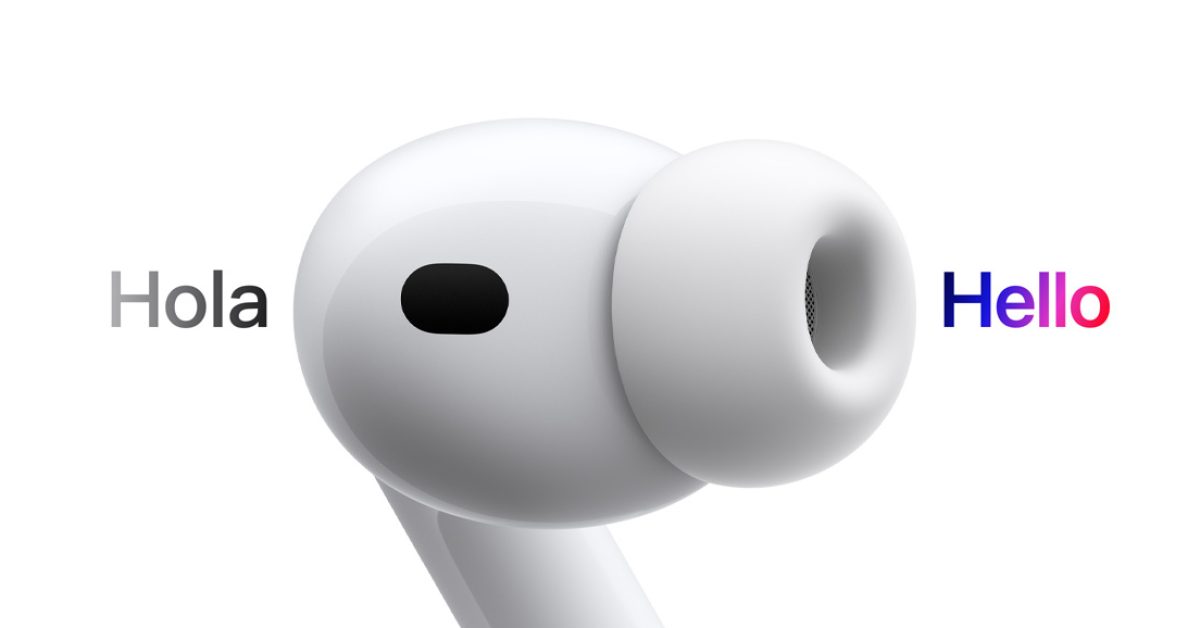

Unlocking Global Conversations: Do You Really Need the AirPods Pro 3 for Live Translation?
Imagine effortlessly conversing with someone speaking a different language, the words seamlessly translated directly into your ears. Apple’s new AirPods Pro 3 promises to make this a reality with its headline Live Translation feature. But is upgrading to the latest AirPods Pro a necessity to unlock this futuristic capability? The answer, surprisingly, is no – with a few significant caveats. This article delves into the details of Apple’s Live Translation feature, exploring which devices are compatible, the limitations involved, and whether it truly lives up to the hype.
Decoding Apple’s Live Translation Feature: What You Need to Know
The introduction of Live Translation has generated significant buzz, promising to break down language barriers and enhance global communication. However, understanding the technical requirements and limitations is crucial before getting too excited.
AirPods Compatibility: More Than Just the Latest Model
Apple has confirmed that Live Translation isn’t exclusive to the AirPods Pro 3. Owners of AirPods Pro 2 and AirPods 4 with Active Noise Cancellation will also gain access to this feature through a software update. This is welcome news for those who recently invested in these models and were concerned about being left behind. However, the “gotcha,” as Apple puts it, lies in the processing power required to run the translation.
The iPhone Factor: Apple Intelligence Takes Center Stage
Live Translation doesn’t operate solely within the AirPods themselves. Instead, it leverages the processing power of a connected iPhone. Specifically, it relies on Apple Intelligence, Apple’s suite of AI-powered features. This means that to use Live Translation, you’ll need an iPhone 15 Pro or newer, running iOS 26 (or later).
This requirement is significant. Even if you own the AirPods Pro 3, you’ll still need a relatively recent iPhone to utilize the Live Translation functionality. The older iPhone models simply lack the necessary hardware and software capabilities to handle the real-time translation demands.
- Why the iPhone 15 Pro or Newer? Apple Intelligence, powering Live Translation, demands a powerful processor and advanced machine learning capabilities not available in older iPhones.
Language Support: A Limited Vocabulary, For Now
Another critical limitation of Live Translation is the initial language support. At launch, the feature supports the following languages:
- English
- French
- German
- Portuguese
- Spanish
While this covers a significant portion of global communication, it’s far from comprehensive. Apple has pledged to expand support later this year to include:
- Italian
- Japanese
- Korean
- Simplified Chinese
It’s important to consider whether the languages you need are currently supported or included in the upcoming updates before relying on Live Translation. The lack of support for languages like Hindi, Arabic, and Russian significantly limits its usefulness for many users.
How Live Translation Works: A Step-by-Step Guide
The core functionality of Live Translation is relatively straightforward. To activate the feature, you press on the stems of both AirPods simultaneously. This triggers a special mode where the microphones listen for foreign language speech. The iPhone then translates the detected speech into your preferred language and plays it back to you through your AirPods.
This process facilitates real-time translation, allowing you to understand conversations in different languages without the need for a separate translation app or device.
One-Sided Conversations and Apple’s Solution
A key limitation of this initial implementation is that unless both participants are wearing AirPods with the Live Translation feature enabled, the conversation is essentially one-sided. You can understand what the other person is saying, but they won’t be able to understand your responses unless they also speak your language.
To address this, Apple has implemented a solution: your iPhone display can show a transcript of your translated speech to the other person. This allows them to read your responses in their native language, creating a more balanced and interactive communication experience.
However, this solution isn’t perfect. It requires the other person to be able to read and adds an extra layer of complexity to the conversation. Holding up your phone for the other person to read the transcript can be awkward and disruptive in certain situations.
Alternatives to Apple’s Live Translation
While Live Translation offers a convenient way to translate conversations, other alternatives exist. Several translation apps available on the App Store provide similar functionality, often with broader language support. Google Translate, for example, offers real-time translation capabilities and supports over 100 languages. Google Translate is a powerful option for many users.
Another option is to use a dedicated translation device. These devices are specifically designed for translation purposes and often offer superior accuracy and performance compared to smartphone-based solutions. They can be more expensive, but for those who frequently require translation services, the investment may be worthwhile.
Here’s a comparison of different translation options:
| Feature | Apple Live Translation | Google Translate App | Dedicated Translation Device |
|---|---|---|---|
| Device Requirement | AirPods Pro 2/3/4 & iPhone 15 Pro+ | Smartphone/Tablet | Dedicated Device |
| Language Support | Limited (Expanding) | Extensive (>100) | Varies by Device |
| Real-Time Translation | Yes | Yes | Yes |
| Offline Translation | No | Yes (Limited) | Varies by Device |
| Cost | Included with AirPods/iPhone | Free (with ads) / Paid Subscription | $100+ |
| Portability | High | High | High |
| Accuracy | Dependent on Apple Intelligence | Dependent on Google’s AI | Varies by Device |
Is Live Translation a Game Changer?
The concept of Live Translation is undoubtedly exciting, and Apple’s implementation shows promise. However, several limitations prevent it from being a true game-changer at this stage. The reliance on a specific iPhone model, the limited language support, and the one-sided conversation issue all need to be addressed before Live Translation can reach its full potential.
The fact that other parties must read text off your phone is an accessibility issue for people who may be visually impaired or have difficulty reading.
Ultimately, whether or not you need the AirPods Pro 3 for Live Translation depends on your individual needs and priorities. If you already own a compatible iPhone and AirPods model, and the supported languages meet your requirements, then the feature may be a valuable addition. However, if you need broader language support or don’t own the required hardware, alternative translation solutions may be more suitable.
Conclusion: Weighing the Pros and Cons of Apple’s Live Translation
Apple’s Live Translation feature offers a glimpse into the future of communication, where language barriers are effortlessly overcome. While it’s technically true that you don’t need the AirPods Pro 3 to experience this technology, the reliance on a recent iPhone and the limitations in language support temper the excitement. Ultimately, Live Translation is a promising first step, but significant improvements are needed before it can truly revolutionize global communication. What do you think about Apple’s new Live Translation feature? Let us know your thoughts in the comments below!
Sources & Further Reading:
Original article at 9to5mac.com


