
Raspberry Pi’s New 1TB SSD: A Tiny Powerhouse for Your Projects
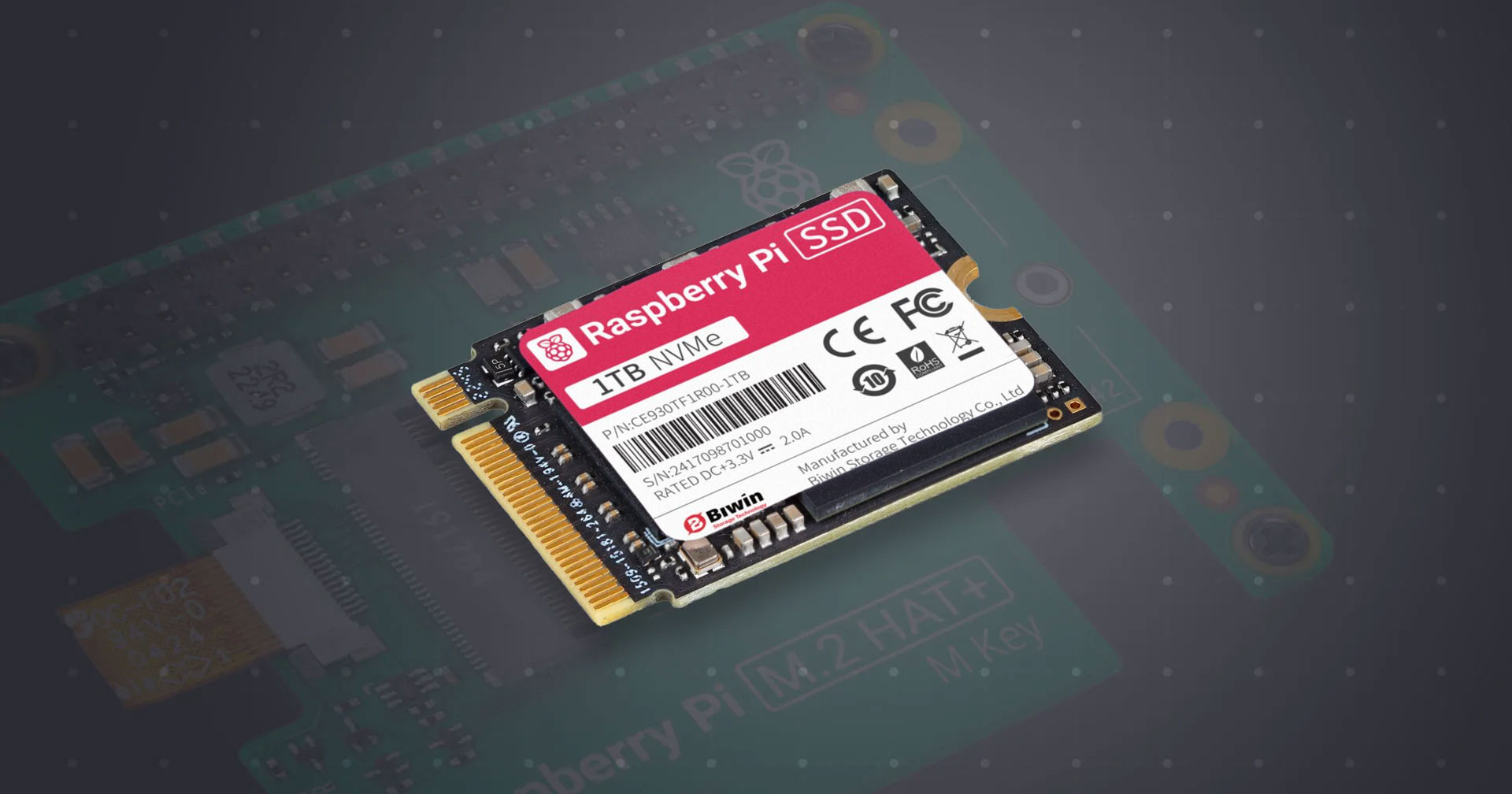
Are you constantly running out of storage space on your Raspberry Pi? For just $70, Raspberry Pi has released a 1TB SSD, expanding its range of storage solutions. This new drive offers a significant boost in capacity and performance compared to traditional SD cards, making it an attractive option for various applications. Let’s delve into the details of this affordable storage upgrade and explore its potential benefits for your Raspberry Pi projects. This article will explore the new 1TB SSD from Raspberry Pi, its features, performance, and how it stacks up against the competition.
Exploring the Raspberry Pi 1TB SSD
Raspberry Pi has become synonymous with affordable and versatile single-board computers. While initially focused on the core computing platform, the company has steadily expanded its product line to include a range of accessories, catering to diverse user needs. From keyboards and mice to cameras and even AI accelerator boards, Raspberry Pi aims to provide a comprehensive ecosystem for its users. The introduction of Raspberry Pi-branded SSDs is a logical extension of this strategy, offering reliable and compatible storage solutions designed specifically for their devices.
A Brief History of Raspberry Pi Storage Options
Before the advent of Raspberry Pi SSDs, the primary storage medium for Raspberry Pi computers was the SD card. While convenient and readily available, SD cards often suffer from limitations in speed and reliability. Raspberry Pi recognized this bottleneck and introduced its own line of SD cards optimized for its devices. These cards offered improved read/write speeds and command queuing support on the Raspberry Pi 5. However, even with these improvements, SD cards couldn’t match the performance of SSDs, particularly for demanding applications.
The introduction of M.2 SSD support on the Raspberry Pi 5 paved the way for significantly faster storage solutions. Initially, Raspberry Pi offered 256GB and 512GB SSDs, providing users with a substantial upgrade over SD cards. The arrival of the 1TB SSD further expands these options, offering even greater storage capacity for larger projects and data-intensive applications.
Key Features and Specifications of the Raspberry Pi 1TB SSD
The new Raspberry Pi 1TB SSD shares some characteristics with its smaller siblings but also boasts improved performance. Here’s a breakdown of its key features:
- Capacity: 1TB (1000 Gigabytes) of storage space.
- Form Factor: M.2 2230, a compact form factor suitable for use with M.2 HATs (Hardware Attached on Top) designed for Raspberry Pi.
- Interface: PCIe Gen 3, providing a fast and efficient interface for data transfer.
- Performance:
- 90k IOPS (4kB random reads)
- 90k IOPS (4kB random writes)
- Compatibility: Designed for use with Raspberry Pi 5 and compatible with official and third-party M.2/NVMe HATs.
- Price: Approximately $70/£68.
While the IOPS (Input/Output Operations Per Second) figures might seem modest compared to high-end NVMe SSDs designed for gaming PCs, it’s crucial to remember the target audience and use case. The Raspberry Pi 1TB SSD is designed to provide a significant performance boost over SD cards at an affordable price point, making it a compelling option for Raspberry Pi users.
Understanding IOPS and Its Importance
IOPS, or Input/Output Operations Per Second, is a crucial metric for evaluating the performance of storage devices. It represents the number of read or write operations that a drive can perform in one second. Higher IOPS generally translates to faster application loading times, quicker boot times, and improved overall system responsiveness.
- Random Reads: These operations involve accessing data scattered randomly across the storage device. High random read IOPS are crucial for tasks like operating system boot-up, application loading, and database queries.
- Random Writes: These operations involve writing data to random locations on the storage device. High random write IOPS are essential for tasks like saving files, installing software, and database transactions.
While the Raspberry Pi 1TB SSD’s 90k IOPS might not compete with high-end NVMe drives, it still represents a significant improvement over the performance of SD cards, making it a worthwhile upgrade for many Raspberry Pi users.
Practical Applications for the Raspberry Pi 1TB SSD
The increased storage capacity and improved performance of the Raspberry Pi 1TB SSD open up a wide range of possibilities for Raspberry Pi projects. Here are a few potential applications:
- Retro Gaming Emulation: A 1TB SSD can store a vast library of ROMs, allowing you to create a comprehensive retro gaming hub. This is especially beneficial for storing larger ROMs for systems like PlayStation 1, Nintendo 64, and Dreamcast.
- Media Center: Store your entire movie and music collection on the SSD, transforming your Raspberry Pi into a powerful media center. The faster read speeds will ensure smooth playback of high-definition videos.
- Home Automation Server: Run a home automation server like Home Assistant or OpenHAB with plenty of storage for logs, configurations, and databases. The increased capacity allows for longer data retention and more complex automation rules.
- Data Logging and Analysis: Use the SSD for storing data from sensors, experiments, or other data logging applications. The higher capacity enables you to collect and analyze larger datasets.
- Software Development: The faster read/write speeds can significantly improve build times and overall development workflow. The 1TB SSD can comfortably store multiple virtual machines, code repositories, and development tools.
- Network Attached Storage (NAS): Create a simple NAS device for backing up files or sharing them across your network. While not as robust as dedicated NAS solutions, it provides a convenient and affordable storage option.
Comparing the Raspberry Pi 1TB SSD to Alternatives
When considering storage upgrades for your Raspberry Pi, it’s essential to compare the Raspberry Pi 1TB SSD to other available options:
| Feature | Raspberry Pi 1TB SSD | High-End NVMe SSD (e.g., Samsung 970 EVO Plus) | High-Quality SD Card (e.g., SanDisk Extreme Pro) |
|---|---|---|---|
| Capacity | 1TB | 1TB+ | Up to 1TB |
| Interface | PCIe Gen 3 | PCIe Gen 3/4 | UHS-I/UHS-II |
| Read IOPS | 90k | 600k+ | ~5k |
| Write IOPS | 90k | 550k+ | ~2k |
| Price (approx.) | $70 | $90+ | $20+ |
| Compatibility | Raspberry Pi 5 with M.2 HAT | PCs, Laptops | Raspberry Pi (all models) |
As the table illustrates, high-end NVMe SSDs offer significantly higher performance but come at a higher price point and are not directly compatible with the Raspberry Pi without adapters and enclosures. SD cards are the most affordable and universally compatible option, but their performance is significantly lower than SSDs. The Raspberry Pi 1TB SSD strikes a balance between price, performance, and compatibility, making it a compelling choice for Raspberry Pi users seeking a significant storage upgrade.
The Importance of M.2 HATs
To use the Raspberry Pi 1TB SSD with your Raspberry Pi 5, you’ll need an M.2 HAT (Hardware Attached on Top). These HATs provide the necessary interface and mounting points for M.2 SSDs. Several manufacturers offer M.2 HATs specifically designed for the Raspberry Pi 5, with prices starting as low as $10. Ensure that the HAT you choose supports the M.2 2230 form factor of the Raspberry Pi SSD.
Conclusion: A Worthwhile Upgrade for Raspberry Pi Enthusiasts
The Raspberry Pi 1TB SSD offers a compelling combination of increased storage capacity, improved performance, and affordability. While it might not rival the performance of high-end NVMe SSDs, it provides a significant upgrade over traditional SD cards, making it an excellent choice for a wide range of Raspberry Pi projects. Whether you’re building a retro gaming hub, a media center, or a home automation server, the 1TB SSD provides the storage space and performance you need to take your projects to the next level.
With a price of just $70 and readily available from approved Raspberry Pi resellers, the 1TB SSD is a worthwhile investment for any serious Raspberry Pi enthusiast. So, what projects are you planning to tackle with your new Raspberry Pi 1TB SSD? Share your thoughts and ideas in the comments below!
Sources & Further Reading:
Original article at www.omgubuntu.co.uk


