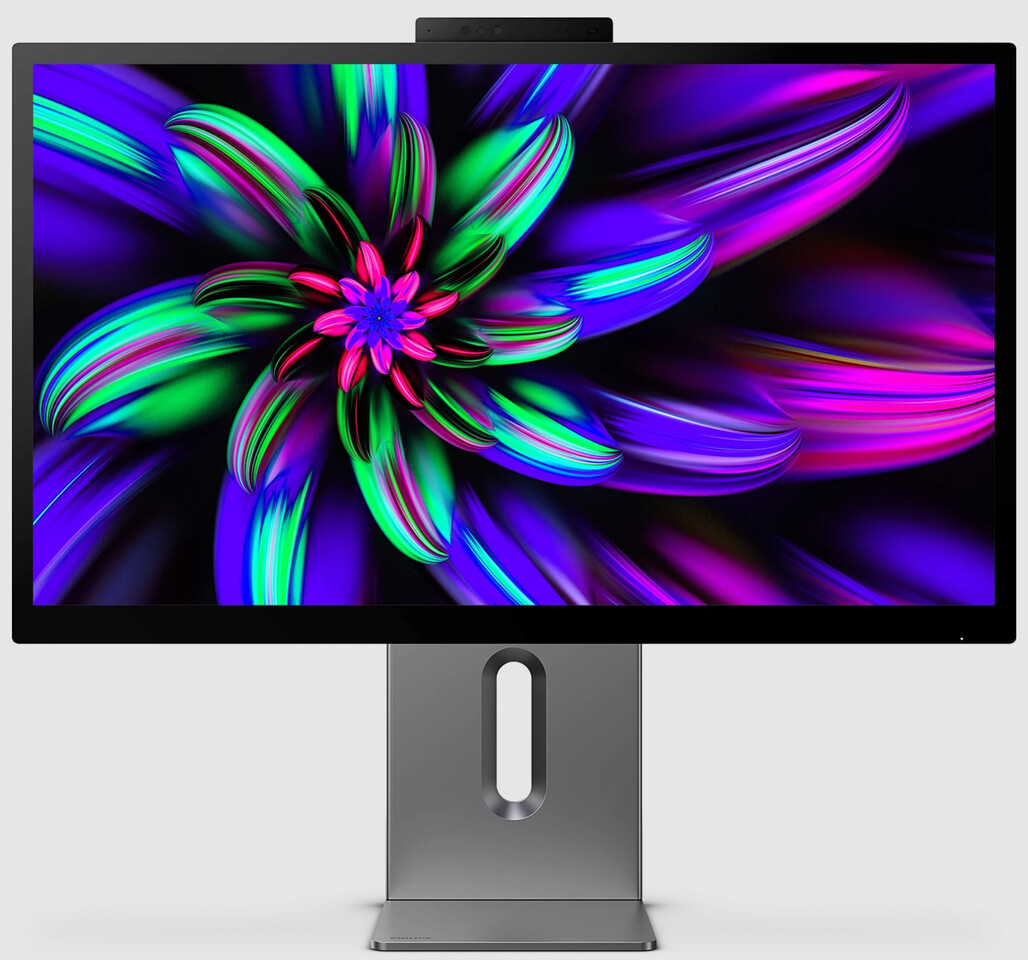

The Canvas of the Future: Is Your Monitor Holding Back Your Artistry?
Imagine pouring hours into a project, only to realize your colors look muddled on every other screen. For creative professionals—designers, filmmakers, animators—visual accuracy isn’t just a preference; it’s the bedrock of credibility. The Philips Brilliance 27E3U7903 5K monitor directly tackles this crisis, promising uncompromised clarity, color fidelity, and seamless connectivity to turn vision into reality. Blending a 5K UHD panel, pro-grade specs, and elegant design, this display targets creators demanding precision without astronomical costs. In a world where pixels translate to profits, investing in the right tools isn’t optional—it’s existential. Could this be the studio powerhouse you’ve been searching for?
Why 5K Resolution Redefines Creative Precision
The leap from 4K to 5K is transformative, not incremental. With its 5120×2880 UltraClear resolution and 218 PPI density, the Philips Brilliance packs 77% more pixels than standard 4K displays. This pixel-rich canvas eliminates the need for zooming during intricate edits, letting you see fabric textures, skin pores, or code snippets with unnerving sharpness. For 3D artists and designers, this density ensures smoother curves and cleaner vector lines. Photographers benefit, too: a 24MP RAW image occupies just 12% of the screen, leaving ample real estate for tool palettes. Unlike lower-resolution monitors, which force trade-offs between detail and workspace, Philips delivers both essential elements for uninterrupted creativity.
Color Accuracy: Where Science Meets Art
True-to-life color isn’t a luxury—it’s critical for client trust. Here, the Brilliance 27E3U7903 is a benchmark:
- 99.5% Adobe RGB: Ensures vibrant hues for print design, matching industry-standard CMYK conversion.
- 99% DCI-P3/Display P3: Ideal for digital filmmakers animating cinema-grade content.
- 99% sRGB: Consistency for web and social media deliverables.
Calman Ready pre-certification sets this monitor apart. Unlike manual calibration, this automated system (backed by Portrait Displays) locks in accuracy via spectroradiometers. Think of editing wedding photos: skin tones stay consistent across multiple sessions without drifting. DisplayHDR 600 certification adds depth, with 600-nit peak brightness revealing shadow details in dark scenes—crucial for color graders restoring underexposed footage. These features future-proof workflows against color shifts from aging panels, too.
Comparison: Color Gamut Standards
| Standard | Use Case | Coverage on Philips |
|————–|————–|————————-|
| Adobe RGB | Print design | 99.5% |
| DCI-P3 | Film/Video | 99% |
| sRGB | Web/social | 99% |
Thunderbolt 4 & Connectivity: The Ultimate Creative Hub
Modern creators juggle devices—MacBooks, PCs, SSDs, and peripherals. Dual Thunderbolt 4 ports transform this screen into a command center:
- 96W Power Delivery: Charges a MacBook Pro 16-inch while transmitting video/data, clearing desk clutter.
- 40Gbps Data Transfer: Back up 4K footage in seconds directly from an external drive.
- Daisy-Chaining: Link a second 4K display without additional adapters.
The Smart KVM switch is a workflow revolution. Editors flipping between Mac (for Final Cut) and PC (for Adobe Suite) can toggle systems instantly using one keyboard/mouse. During client calls via the integrated 5MP webcam, AI auto-framing keeps you centered—while Windows Hello bypasses passwords with facial recognition. For multitaskers, MultiView splits the screen for live video previews alongside timeline edits. Such integrations trim hours off deadlines.
Ergonomics That Endure Marathon Creative Sessions
Philips prioritizes wellness as much as performance:
- Anti-Reflective 7H Glass: Diffuses glare under studio lights without the haze of matte finishes.
- Flicker-Free Backlight & LowBlue Mode: Reduces eye fatigue during pre-dawn editing sprints.
- SmartErgoBase Stand: Adjusts height (±130mm), tilt (-5°/20°), swivel (±175°), and pivots to portrait mode—essential for coding or vertical video.
Contrast these ergonomics with budget monitors using plastic panels and fixed stands, which cause neck strain and inaccurate color perception at odd angles.
Disrupting the Premium Monitor Market: Value Unlocked
At around €1,159, the Philips Brilliance challenges premium rivals like the Apple Studio Display (€1,700+). While both boast sleek aluminum builds and 5K clarity, Philips pulls ahead with superior connectivity (dual Thunderbolt vs. Apple’s one), included stand adjustments (sold separately by Apple), and DisplayHDR certification (absent on base Studio Display). Dell’s UltraSharp UP2720Q (€1,500+) has similar color accuracy but maxes out at 4K.
According to Ilkan Reyhanoglu, Philips’ Product Manager:
“We wanted creators to get top-tier 5K performance without the premium tax. It’s about enabling creativity, not debt.”
This value equation resonates with freelancers and smaller studios ensuring every euro investment yields tangible productivity gains.
The Verdict: Beyond Pixels—A Creative Catalyst
The Philips Brilliance 27E3U7903 redefines what creatives should expect from a professional monitor. Its 5K resolution exposes granular detail; Calman-validated color ensures fidelity from concept to delivery; and Thunderbolt 4 future-proofs connectivity. Unlike competitors costing 30–50% more, it doesn’t force compromises—whether on ergonomics, HDR quality, or multi-device workflows. For creators paralyzed by budget constraints or flawed visuals, this display merges artistry with engineering to make 1.07 billion colors feel profoundly personal.
So—are you ready to step into a workspace where every pixel finally aligns with your vision? Share your dream setup in the comments!


