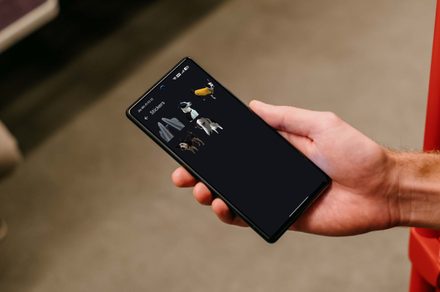

Google Photos has quietly rolled out a quality-of-life feature that custom sticker enthusiasts will love: a dedicated folder that automatically saves every sticker you create. After debuting the sticker maker on iOS last year and bringing it to Android in February, Google is now making sure your creations never get lost in the shuffle.
How the Sticker Maker Works
If you haven’t tried it yet, Google’s sticker maker lets you convert any photo subject into a custom sticker with a simple long-press gesture. The feature uses machine learning to intelligently cut out the foreground subject from the background — think pet photos, friend portraits, or even inanimate objects — creating a clean sticker ready to share in messaging apps.
The feature was initially well-received on iOS, and its expansion to Android this year brought the same smooth experience to a much larger user base. But there was a catch: created stickers could be hard to find again once saved.
Where to Find the Stickers Folder
The new Stickers folder lives in the Collections tab within Google Photos. It appears right after the existing shortcuts, making it easy to access. Every sticker you’ve ever created — or will create — is automatically stored here in chronological order, so you never have to hunt through your photo library to find that one perfect sticker you made weeks ago.
This is particularly useful for power users who create stickers regularly for group chats, social media, or creative projects. Instead of having stickers buried in your camera roll alongside regular photos, they now have a dedicated home where they’re immediately accessible.
Why This Matters
Custom stickers have become a staple of modern messaging culture. Apps like WhatsApp, Telegram, and Signal have robust sticker ecosystems, and Google’s system offers a unique advantage: it creates stickers directly from your own photos. That means your stickers are inherently personal — your dog, your coffee mug, your favorite travel spot — not generic cartoon characters.
By adding a dedicated folder, Google is signaling that stickers aren’t just a fun gimmick — they’re a core feature worth organizing. The change also makes the sticker creation feature more useful for people who might have tried it once, forgotten about it, and never came back. With a clear, always-accessible home, sticker creation becomes part of the regular Google Photos workflow.
Rollout Details
The Stickers folder is rolling out now as a server-side update to the Google Photos Android app. As with most Google feature rollouts, it may take a few days to reach all users. No app update is required — just make sure you’re running a recent version of Google Photos and the feature will appear in the Collections tab automatically.
Google hasn’t announced whether the same folder will come to iOS, but given that the sticker maker originated on iOS, it seems likely. For now, Android users get the organizational upgrade first.
The dedicated Stickers folder is a small change, but it’s the kind of thoughtful UX improvement that makes a feature go from “nice to have” to “genuinely useful.” Your stickers finally have a home.


