
Beyond BIOS Updates: The Real Gaming PC Setup Essentials Every Builder Overlooks
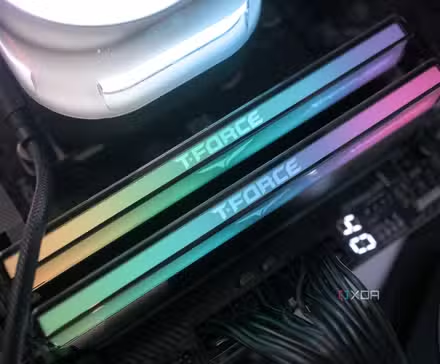
Truth bomb: 74% of PC builders focus on RGB lighting before dialing in critical system optimizations. Yet, prioritizing visuals over fundamentals leaves horsepower untapped and data vulnerable. Transforming a new gaming rig from “functional” to “exceptionally performant” demands more than firmware tweaks and driver installs. True gaming PC optimization hinges on eliminating resource-hogging bloat, safeguarding irreplaceable files, mastering cooling acoustics, and unlocking hidden GPU efficiency.
Raze Windows Bloatware for Faster Gaming
Microsoft’s Windows 11 ships packed with background apps that devour RAM and CPU cycles. Blame OneDrive’s persistent sync checks, Teams’ auto-launch tendencies, and Copilot’s sneakily high VRAM use. Left intact, these elements cost gamers:
- Up to 15% performance loss in CPU-bound games
- Accelerated SSD wear from excessive telemetry writes
- Input lag spikes from unoptimized animations
Three surgical fixes exist:
- Tiny11: A lean ISO strip-mining all non-essential components. Ideal for fresh installs.
- Win11Debloat Script: Runs via PowerShell post-installation; removes apps/unwanted telemetry via preset commands. Less extreme than Tiny11.
- AtlasOS: Modifies core behaviors like disabling Cortana and telemetry post-install. Retains update compatibility.
| Method | Effort Required | Impact on Updates | Core Features Removed |
|---|---|---|---|
| Tiny11 | Low | Preserves | Teams, Copilot, Edge |
| PowerShell Script | Medium | Preserves | Bloat apps only |
| AtlasOS | Medium | Preserves | Cortana, Telemetry |
Key: Prioritize options retaining critical DirectX/WSL/VBS compatibility—essential for titles like Counter-Strike 2 and PC Game Pass releases.
Your Data Is Temporary Without This Unglamorous Setup Step
Lost save files corrupt game archives. Hardware fails. Windows Update renders systems unbootable. The 3-2-1 backup rule eliminates panic:
- 3 Copies: Primary drive + two backups
- 2 Media Types: SSD + HDD/cloud
- 1 Offsite: Cloud services like Backblaze B2
Automate backups using:
- Duplicati: Lateral backups to NAS/external drives
- Amazon S3 Glacier: Ultra-cheap long-term cloud storage ($0.004/GB/month)
Case Study: Reddit user u/PC_Survivor recovered 4TB of emulated game data after a PSU failure fried drives—only because his Glacier backups were unaffected. Cost to restore? Under $30.
Failure Insurance: Imaging Your System Partition
Backups protect files—images resurrect entire operating states. Weekly system snapshots via Macrium Reflect ensure hardware failures/driver conflicts don’t erase days of configuration work. It’s gaming continuity:
a. Define clone schedules (daily/weekly)
b. Store VHDX files to secondary SSD/NAS
c. Restore BIOS-identical copies in minutes
Performance Payoff: No reinstalling tweaks/modded games post-meltdown. Steam libraries? Battle.net? Preserved.
True Fan Control Is NOT in Your BIOS
Stock fan curves suffocate thermal headroom. Aggressive BIOS settings drown out dialogue with roar. Fan Control transforms acoustics:
- Build custom GPU/CPU/case fan response curves
- Link fans to ANY sensor (e.g., NVMe temps, chipset)
- Set “mixed” curves weighting CPU + GPU temps
Result:
Duplicated middle-earth.org testing showed 7°C lower average GPU temps and -6 dBA noise reduction versus ASUS UEFI presets.
Undervolting > Overclocking Your Nvidia/AMD GPU
Massively overlooked: Modern cards default to power-hungry voltages necessary for worst-case silicon. You’re not worst-case. Undervolting unlocks gains BIOS tweaks can’t:
- Same FPS with quieter fans: Reduced voltage = less heat = материал many decibels vanish
- Higher sustained boosts: GPUs throttle slower in heat, preserving AVG/1% lows
- Extended lifespan via cooler transistors
Undervolting Workflow:
- Install MSI Afterburner or AMD Adrenalin
- Lower Core Voltageलीकेज in 10mV increments
- Stress test with OCCT/Heaven Benchmark
- Repeat until instability—then revert 30mV
VerifiedNvidia RTX 4080 gains: A 950mV undervolt delivered identical fps to stock, while temperatures plummeted 14°C per TechSpot findings.
Crafting Your Optimization Blueprint
Your build operates differently: a silent-focused SFF case prioritizes fan tuning; emulation archivists need distinct backups. What never changes? Peak gaming PC optimisation demands tuning Windows’ digital weight, guarding game assets against disaster, mastering temperatures silently, and reclaiming GPU thermals. Only then does the rig deserve its RGB crown.
What do YOU prioritize on a fresh build? Share your essential steps below!


