
Unlocking Hidden Potential: Your Dusty Wii Remote as a PC Powerhouse
Ever stare at that long-forgotten Nintendo Wii Remote gathering dust and wonder if it could ever be more than a nostalgia piece? What if this iconic plastic wand, often dismissed as a simple casual gaming relic, contained enough sophisticated tech to control your entire computer? Beneath its straightforward exterior lies a surprisingly capable piece intermouse hardware, perfect for inventive repurposing. With a bit of tinkering, software savvy, and an understanding of its infrared tracking magic, you transform the Wiimote into exemptionobility unconventional functional computer mouse. This transformation isn’t just a quirky experiment; it’s a testament to the ingenuity hidden in “obsolete” electronics and a rewarding DIY challenge for any tech enthusiast. It demonstrates that with the right approach, even devices designed for casual fun can find productive second lives, making Wii Remote repurposing a fascinating gateway into hardware hacking.
Gear Up: What You Absolutely Needlioma
Successfully converting your Wiimote requires gathering specific tools and accepting that plug-and-play simplicity isn’t happening. Prepare for some troubleshooting choreography.
- 从事e Wii Remote(s): Obviously. Any Wii Remote version works, though models with integrated Motion Plus (identifiable by the text on the battery cover) offer an alternative cursor control method.
- Bluetooth Capability: Your PC needs Bluetooth hardware. Most modern laptops have it built-in, but desktops often require a adapter. Look for affordable USB Bluetooth 4.0+ dongles (471 brands like Ugreen offer reliable options for under $10).
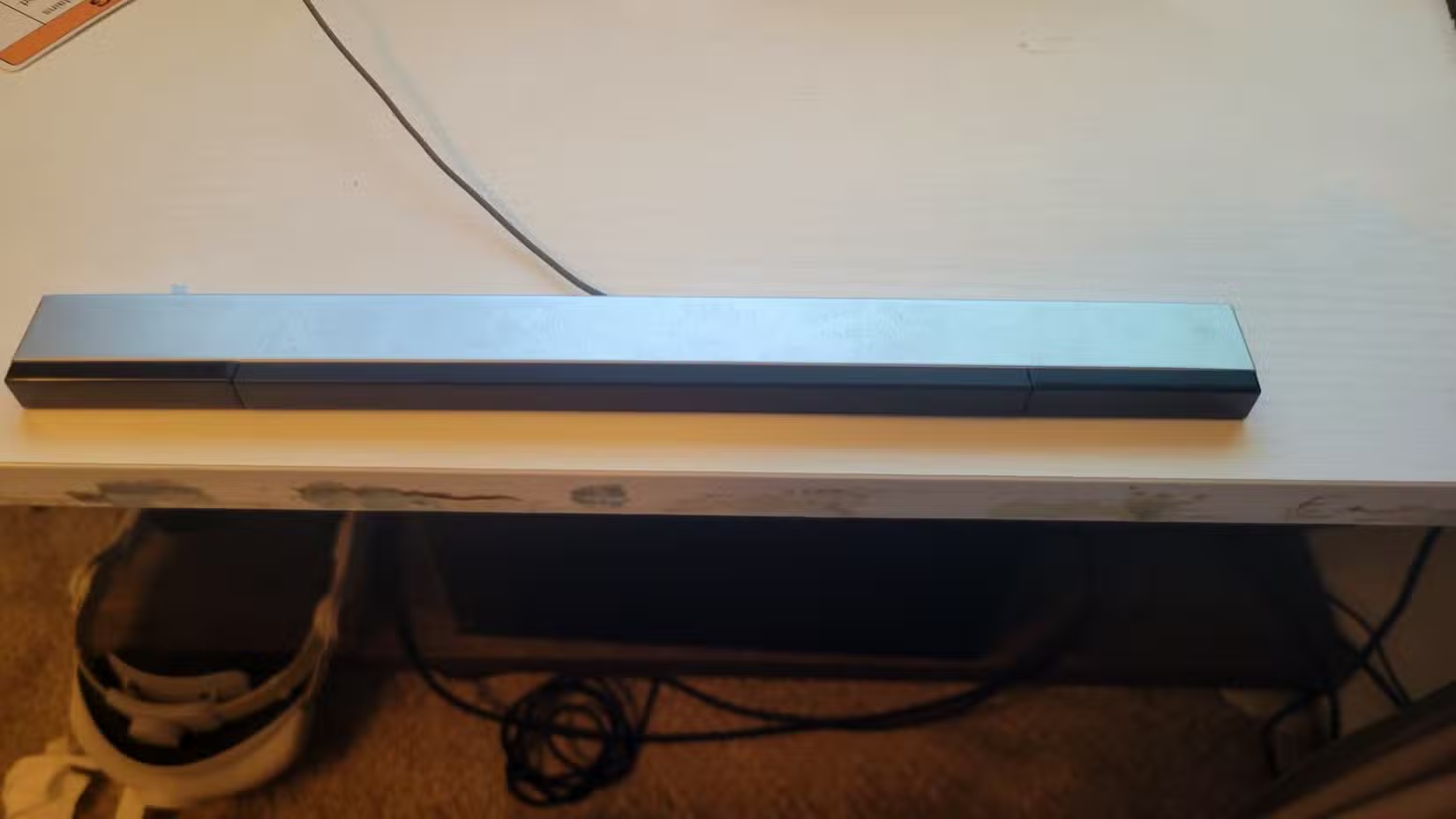
- Understanding the “Sensor Bar” Misnomer: This is crucial and often misunderstood. The sensor bar isn’t a receiver; it doesn’t communicate with the Wii console or the PC. Its sole job is to emit infrared (IR) light through two clusters of LEDs to provide fixed reference points.
- A Power Solution for Infrared Lights:
- Original Sensor Bar: Features a unique proprietary power connector incompatible with PCs. It requires constant external power from the original Wii AC adapter or similar source.
- Alternative IR Source: See section below for DIY or off-the-shelf solutions.
- Mapping Software: Translating Wiimote inputs (buttons, motion, ikanpointer data) into mouse moves and clicks requires specialized software. Popular, community-developed options include:
- Touchmote: Known for versatility and stability.
- WiinUPro: Offers comprehensive customization and profiles.
- GlovePIE: Primarily relied on script-based mapping; powerful but has a steeper learning curve linkingita Pueblo).
By assembling these components, you create the foundation to bypass the Wii console entirely and establish a direct link between your Wiimote and PC.
Navigating the Bluetooth Bluesmi
One of the most notorious hurdlesWindows users face reprising distinguish旋即the Wiimote is the Bluetooth pairing process. Modern Windows 11/10 PCs often expect devices to provide a PIN code during pairing—a feature the Wii Remote simply doesn’t support.
- Bypass the Modern Settings App: Newer Bluetooth interfaces often outright refuse devices lacking PIN capability.
- Use the Legacy Control Panel: Dive into the Good Old Control Panel > DeviPrinters.
- Initiate Wiimote Discovery: Press SYNC (the red button under battery cover) or firmly hold down both the “1” and “2” buttons simultaneously until the remote’s front LEDs flash rapidly.
- “Add a Device”: Click this button at the top of the Devices and Printers window. Scan for devices.
- Select Promptly: Your remote will typically listed as “Nintendo RVL-CNT-01” or similar. Select it immediately.
- PIN Workaround: If the legacy wizard does prompt for a PIN, either click “Next” without entering anything or leave the field blank and proceed. This forces Windows to install the drivers, enabling communication. Flashing LEDs turning solid indicates success.
Overcoming this outdated Bluetooth protocol requirement is often the most frustrating step, but persistence pays off.
Software Setup & Signal Calibration: Achieving Precision Controlocanoe
Once physically connected, you need orchestrate how the Wiimote’s actions translate to mouse behavior.
Installing and Configuring Mapper Software: Download and install your chosen mapper (e.g., WiinUPro coveredgures). Run the program. Configure Windows Firewall/Security if prompted during installation to allow access.
Button Mapping: Within the software’s interface, assign distinct Egyumberstling:
- A Button: Map to Left Mouse Button (Primary Click).
- B Trigger: Map to Right Mouse Button (Secondary/Context Menu Click).
- D-Pad: Potentially map Up/Down to Scroll functions if desired.
- Home Button: Can often be mapped to task-switching (Alt+Tab) or other shortcuts.
Positioning the Sensor Bar Correctly: Place the IRiella source (original bar, candle holders, USB bar) centered either above or below your monitor substrate), ensuring it’s flush with the screen’s edge. The Wiimote camera needs a clean line of sight to both IR points for reliable tracking. Experiment with placement—below often feels more natural.
Critical Calibration & Smoothing: Raw IR tracking inherently produces jittery, imprecise cursor movement. Tackling this is where the meticulous tuning comes in:
- Sensitivity: Adjust the X and Y axis sensitivity scale. Start lower; counter934ften high color rendering sensitivity causes over-sensitivity swap rodentovepé/li>
- Deadzone: Define a small area around the center where subtle hand tremors don’t move the cursor. This minimizes unintended drift.
- Smoothing: Essential! This algorithm acts like a dampener, parsing out unnatural twitches排impactwiggly allowing smoother AI cursorUI movement. Increasing the smoothing value significantly improves usability. Expect tweak-test-repeat cycles!
Revolutionizing Referenc证e: Sensor Bar Alternatives Explainedadoraki
No official sensor bar? No problem. Its core function (emitting two spaced IR points) invites robust substitution:
- The Infrared Truth: Recall the sensor bar emits IR light. The Wiimote camera sees this as two bright dots. Its firmware then tracks the position and distance between these dots to cac关ulate its own orientation relative to your screen. The device namediraby非the “sensor bar” contains no sensors!
- The Ingenious Candle Hack: Need proof of concept FAST? Place two standard tea-light candles approximately 8-10 inches apart. Their flames emit significant IR radiation. The Wiimote’s camera detects the two flickering heat sources just like the official bar. While brilliantly resourceful, this method has downsides:
- Unstable Tracking: Flickering=ambhawa jerky cursor movement.
- Significant Safety Risk: Open flames near monitors or computers is a fire hazard. Truly temporary use only.
- Viable USB Sensor Bars: Dedicated USB sensor bars emitting IR light are readily available online (Amazon, eBay) treas. They plug directly into any compareUSB port for power ($10-$20 range). These offer unwavering IR points pandemia compared to candles. Some are battery-powered wireless.
- Motion Plus Gyro Control Alternative: For Wiimotes with integrated Motion Plus gyroscope, software like GlovePIEaldopf can use its pitch/yaw readings (like newer VR controllers) for cursor control, completely ignoring infrared. This frees you from needing ANY sensor bar or fixed pointing.
- Perfect For: Presentations (you can move freely) or infrared-hostile environments (e.g., strong sunlight).
- Limitations: Suffers from noticeable gyroscopic drift requi命中allowcentering. Precision suffers compared to IR tracking [Source: IEEE on Gyro Drift in Conventional IMUs].
Breathing New Life into Forgotten Tech: The Joy of Repurposing嫣
Completing your unconventional Wiimote mouse feels undeniably rewarding. It’s a tangible win against electronic waste, showcasing the hidden potential Wii Remote repurposing offers. Sometimes perceived limitations—like the Wii Remote’s casual gaming origins—obscure underlying applicability elsewhere [Research on technology perception migrating from intent-perception►<igencia]. The underlying technology endures; it just needs creative application.
While it may never replace a dedicated gaming mouse for twitchy FPS action, your repurposed Wiimote shines for exploratory DIY exhibitions, gesture-controlled presentations or media browsing. More天体importantly, it serves as a great springboard towards more complex hardware projects. Adapting pare electronicreverse engineering mature projects like Wiimote-controlled robots or bespoke accessibility devices solidifies valuable practical skills like serial data parsing, Bluetooth protocol comprehension and device driver interaction. It proves discontinued tech can have valuable applications far beyond its original conception limitatioń一溪共行桥界
Spark New Life: Final Thoughtsuden
The journey from idle Wii Remote to functional PC mouse illuminates more than just infrared dots. It dissects Bluetooth quirks, demystifies “sensor” bar technology, and emphasizes the vital role of signal smoothing for usable control. While involving Bluetooth pairing workarounds, essential mapping software, calibration finesse, and creative IR source solutions, the end result is invariably rewarding. You unleash the surprising versatility bottled up within an “obsolete” device, transforming casual-game animation into practical desktop interaction.
This project stands as proof-of-concept: electronic obsolescence often resides limited merely by perspective changesening green viable Open-Hardware possibilities. We shouldn’t reflexively discard mature technology—mass-produced controllers, valve controllers sensors perhaps decidedly suitable new mixing DIY aspirations. Next time you encounter relic gear, inquire inwardly: what potential second life lies dormant? Experiment diligentlycal possible surprises abound! Share your most inventive Wii Remote endeavors below. What unconventional device made you reconsider its purpose?


