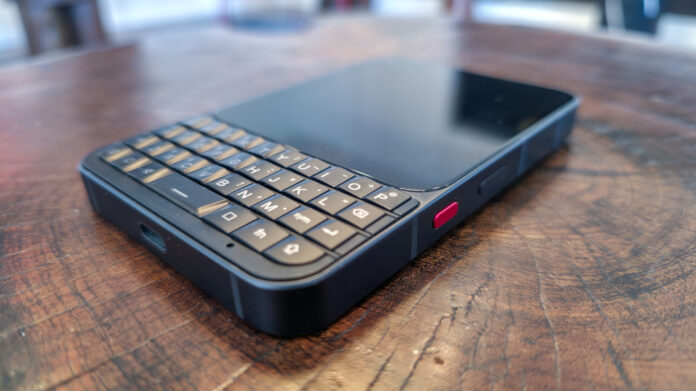

I caught the gadget bug early. When I was a teenager, I wanted to be a BlackBerry-toting businessman. Sadly, I was having my bar mitzvah in the mid-2000s, not sending out executive memos. So, when Unihertz reached out with a review sample of the Titan 2 Elite — its upcoming homage to the era of iconic BlackBerry phones with thumb-sized physical keyboards — I jumped at the chance to live out my teenage dreams. Now that I’ve had this pre-production prototype for three weeks, in situations ranging from a mountain getaway to a busy day of errands and everything in between, I have some conflicted thoughts.
The clear draw for anyone interested in the Titan 2 Elite is that keyboard — four rows of QWERTY nostalgia at your fingertips. But reality doesn’t wear such rose-tinted glasses. Typing on the device is a pleasure, but it’s not the productivity hack I’d been hoping for. Still, it might just be a secret weapon for those looking to live a more distraction-free lifestyle in our era of endless engagement bait.
On one hand, the Titan 2 Elite looks tailor-made for a gadget nerd like me who grew up during the era of keyboard phones it aims to revive. On the other hand, it’s cold, hard proof that no amount of nostalgia can turn back time. I’ve rarely felt so conflicted over a device, but Unihertz has made a phone that’s a little like a complicated romance: easy to fall in love with, but hard to live with day to day.
A whole lot of phone in a tiny package
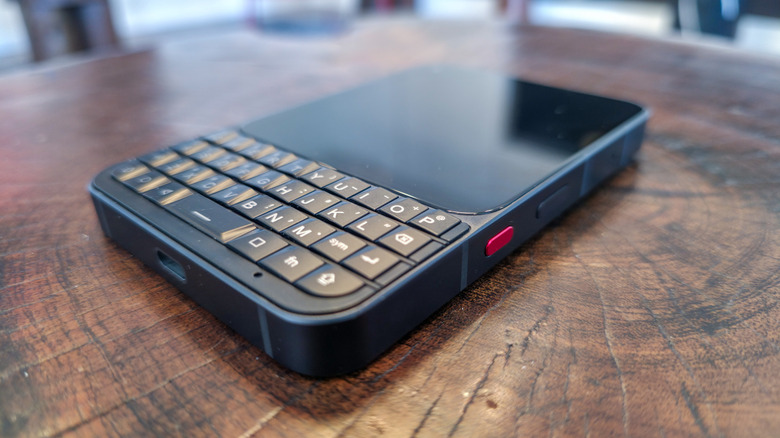
The Titan 2 Elite is aimed at the small cadre of buyers who never fully got used to doing everything through a touchscreen — though it has one. It’s a nearly-square AMOLED with a 120Hz refresh rate and 1080p resolution, measuring 4.03 inches, sitting above a BlackBerry Bold-esque keyboard. Under the hood, it’s a modern smartphone running Android 16, powered by a MediaTek Dimensity 7400 processor, with 12GB of RAM and a 4050mAh battery. Those specs put the Titan 2 Elite firmly in upper-midrange territory, despite a solidly midrange processor. A model with a more powerful Dimensity 8400 processor will be available later this year.
The phone is made mostly of aluminum, with thick rails that feel satisfyingly sturdy, with a pleasant heft. The metal back is interrupted only by a kitchen island of a camera bar. Buttons are clicky, though I do wish the power button/fingerprint sensor wasn’t flush with the rails, as I have to hunt for it with my fingers. More prominent is the programmable shortcut button, which is an accent red on this dark frame.
Fewer distractions, mixed productivity
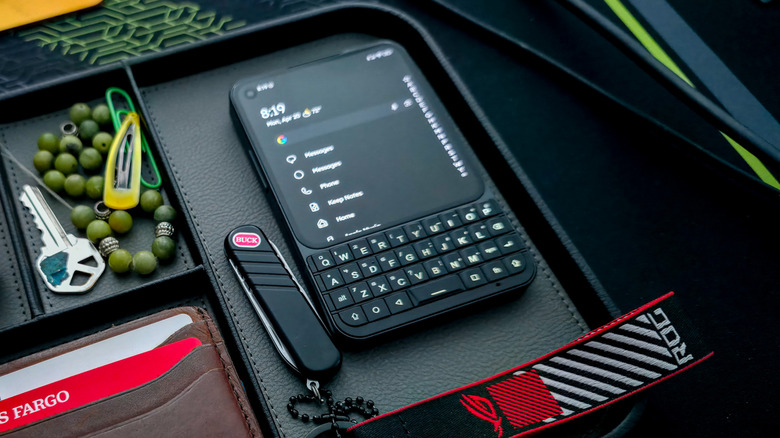
The screen on the Unihertz Titan 2 Elite is the most baffling part of this phone. On one hand, its spec sheet is overkill. A gorgeous AMOLED with a 120Hz refresh rate on a device like this feels like putting spinning rims on a Toyota Camry. Even so, I appreciate that it’s not a lackluster LCD or TFT panel.
But on the other hand, that screen is a 4-inch square. That means it fits woefully little content between its bezels. Don’t even bother installing Instagram, since Reels will appear cropped at the top and bottom. TikTok fares no better. But it’s equally bad for productivity and messaging apps. With text size and display scaling set to default parameters, you’re lucky to see two messages onscreen at a time, and good luck seeing a whole email if it happens to be more than a few sentences long.
I’m not saying this phone needs to look like a Galaxy S26 Ultra or iPhone 17 with a Clicks keyboard case strapped to the chin. Just another inch or two in screen size would have gone a long way toward making this a more versatile device — and one better suited to the class of communication connoisseurs it’s aimed at. But if you’re looking for a phone you can only use when needed, and one that won’t tempt you with late-night time-sinks, look no further.
The software is close to stock Android 16 with a custom launcher and a few extra settings for the keyboard. That means no unnecessary AI features demanding to be used, no branded apps begging for your data. The few bundled apps are refreshingly lean and genuinely helpful.
So-so camera, solid battery, mixed performance
You’re not buying this phone for its camera, and you shouldn’t. Despite being equipped with two 50-megapixel rear shooters (one of which is, confusingly, a mere 2X optical zoom) and a whopping 32-megapixel front-facing camera, you’ll want a still scene and plenty of light to capture a good photo. The bigger problem is that you can’t change the 9:10 aspect ratio on the built-in camera app. Video is far worse. I brought it to a dubstep show for a lark, and I might as well have tried filming on an actual BlackBerry.
The battery on the Unihertz Titan 2 Elite is excellent — though the 4050mAh silicon-carbon battery is harder to kill than you’d think. This is likely due to the small screen and the fact that I didn’t use social media, games, or video streaming. In real-world usage tests, including a 3-day weekend trip to the Rocky Mountains, I found it hard to kill this phone in fewer than two days. Back home on Sunday night, it still had 28% left.
Meanwhile, the MediaTek Dimensity 7400 processor is far from the beefiest on the market, but I rarely noticed any lag or stuttering, especially once the phone settled in around the one-week mark. You won’t play demanding games or edit videos on this thing, but even if it had the latest Snapdragon chip, you wouldn’t want to do so on its small screen. We’ll see how it fares later this year against its upcoming competitor, the bare-bones Clicks Communicator.
What is this? A keyboard for ants?
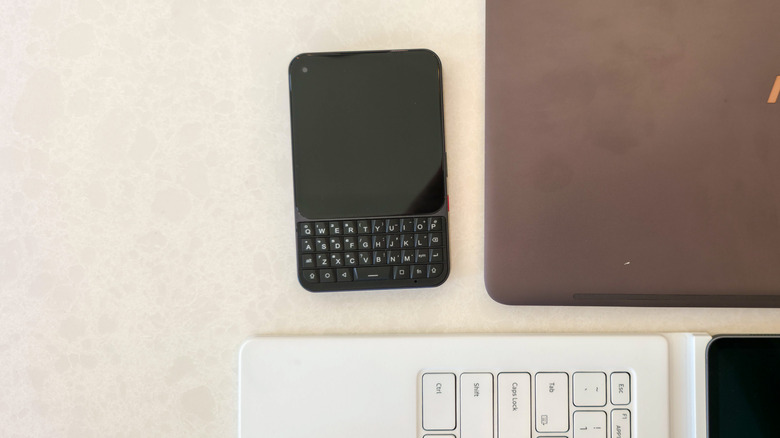
Then there’s the main attraction — the keyboard. It’s a four-row QWERTY layout. The keys don’t have any spacing between them and are angularly ridged in the style of BlackBerry devices circa 2007. To the left of the spacebar are Android back and home keys, and to the right is the app switcher key. Rounding it out are symbol, function, and alt keys, along with two shift keys. Nearly all keys can be mapped to system or app shortcuts.
After a break-in period of about a week, the keys loosened up and became much more comfortable. I struggled at first to adapt, since a physical keyboard doesn’t tolerate as many typos, but quickly found myself hammering out whole paragraphs.
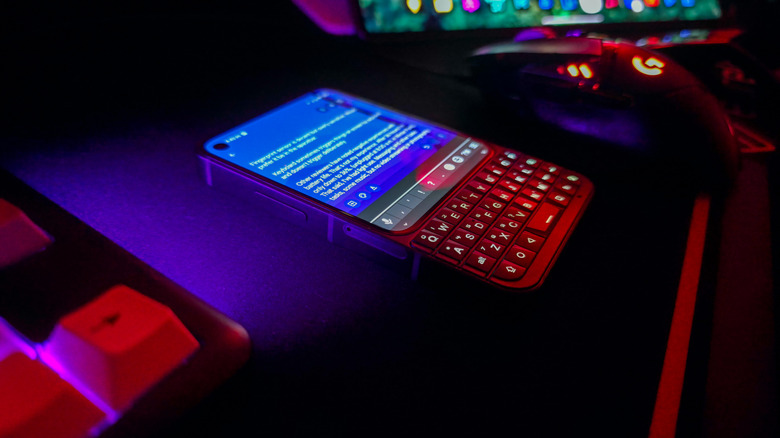
The lack of key spacing enhances the keyboard’s touch sensitivity — by far my favorite feature. The keyboard is capacitive, so it registers swipes and taps. With it, I can scroll through news articles or documents without my thumb moving into the way of the screen. Unihertz even lets you choose different swiping modes on a per-app basis, including one that turns the keyboard’s surface into a trackpad and scroll wheel with an onscreen mouse cursor. Not every app plays nicely with every mode, but it’s still a welcome innovation.
One persistent bug almost ruins it all, though. Holding down Alt+Backspace deletes a whole paragraph, but the same thing sometimes happens when a regular backspace is pressed. This occurred on both Gboard and Unihertz’s default Kika keyboard. Unihertz’s representative said holding down the Alt key can lock it (though I’m sure I’m not doing that) and suggested I bind the Fn key to Ctrl so I can use Ctrl+Z to recover lost text. That’s a band-aid solution at best, and it only works in certain apps.
Verdict: the Titan 2 Elite is a love I can’t commit to
Somehow, I’ve decided to keep the Unihertz Titan 2 Elite active on my phone plan for the time being. I’m not sure I’ll switch to it full-time, but I appreciate the way it forces me to be more present in real life. I’ve developed a bad habit of snapping to my senses at the end of an hours-long doomscrolling binge with nothing but a vague sense of dread to show for it. With this nice little brick by my side, my phone becomes an accessory to life, not a distraction from it.
Even so, when I pick up my Samsung Galaxy S25 Ultra (as I have to, mostly for social media and a few banking apps), I’m reminded of exactly why keyboard phones fell by the wayside from the moment the first iPhone made landfall. My typing speed is still faster on a slab phone, and the extra space feels downright luxurious after days trapped inside the close confines of the Titan 2 Elite’s screen. I yearn for my Galaxy when I’m looking for something on Google Maps, where UI elements take up the top and bottom of that screen, leaving only a slim band of usable space for the actual map.
For a very specific kind of person, this phone will strike a Goldilocks zone between productivity and tech asceticism. I just can’t decide if I’m Goldilocks, or one of the bears.
Those interested in trying the keyboard lifestyle for themselves can head to the Titan 2 Elite’s Kickstarter page, where it costs $390 on preorder. That’s an excellent price considering the overall package, in my opinion. That price will jump by $100 when the phone officially launches in June.


