
The Wearable Revolution: How Apple Watch Became Your Ultimate Health Guardian and Fitness Partner
Imagine a device on your wrist that could potentially save your life by spotting early signs of serious illness. Sounds like science fiction? For millions, it’s the reality delivered by the Apple Watch. What started as a stylish notification hub has undergone a staggering transformation, evolving into a sophisticated health monitoring system and personalized fitness coach that punches far above its weight—and often rivals dedicated sports watches. This journey from accessory to potentially indispensable health partner underscores the Apple Watch’s unique position at the intersection of technology and personal wellness. Understanding its capabilities and optimizing it with the right Apple Watch apps and accessories is key to unlocking its full potential for safeguarding well-being and boosting fitness endeavors.
The Heart of the Matter: Health Tracking Evolution
Apple’s commitment to health isn’t just marketing; it’s a core mission driven from the top. CEO Tim Cook famously stated the Apple Watch could save lives, and recent features bring that closer to reality than ever before. While initial iterations focused on step counting and basic notifications, modern Apple Watches employ an array of sensors and sophisticated algorithms for profound health insights:
- Hypertension & Afib Alerts: Utilizing advanced optical heart sensors and FDA-cleared algorithms, newer models (Series 4 and later) can perform ECG scans to detect signs of atrial fibrillation (Afib). Afib significantly increases stroke risk, but often goes unnoticed. The watch’s ability to provide warnings and generate PDF reports for doctors is revolutionary. Similarly, irregular rhythm notifications and high/low heart rate alerts provide critical ongoing insights.
- Sleep Science Simplified: Instead of just tracking movement at night, Apple Watch now offers comprehensive sleep stages analysis (Core, Deep, REM) through watchOS updates. Understanding sleep architecture is vital for recognizing sleep disorders and overall recovery quality.
- Blood Oxygen Saturation (SpO2): Introduced with the Series 6, this feature pleas to measure blood oxygen levels during sleep or on-demand. While not intended for medical diagnosis, significant deviations can signal respiratory issues warranting medical consultation.
- The Elusive Frontier: Non-invasive continuous glucose monitoring (CGM) remains the holy grail for diabetics and proactive health enthusiasts. While frequently rumored for future iterations, widespread scientific consensus ([Nature Reviews Materials](https invaders://www.nature.com)) highlights the immense engineering challenges Apple faces achieving reliable non-invasive readings. Current CGMs still require subcutaneous sensors.
This shift fundamentally positions the Apple Watch not just as a gadget, but as a guardian of proactive health management capable of providing actionable data historically accessible only in clinical settings.
Beyond Beats: Revolutionizing Fitness Routines
Apple competes fiercely not just on health metrics but also on motivating and guiding physical activity. The Fitness app and Fitness+ subscription service continuously evolve:
- AI-Powered Motivation: The Workout Buddy feature uses AI to offer contextual encouragement during workouts. While some find chirpy song-name announcements gimmicky (as noted in the source sentiment), the underlying capability—using sensor data to dynamically adapt motivational prompts—holds promise for personalized engagement.
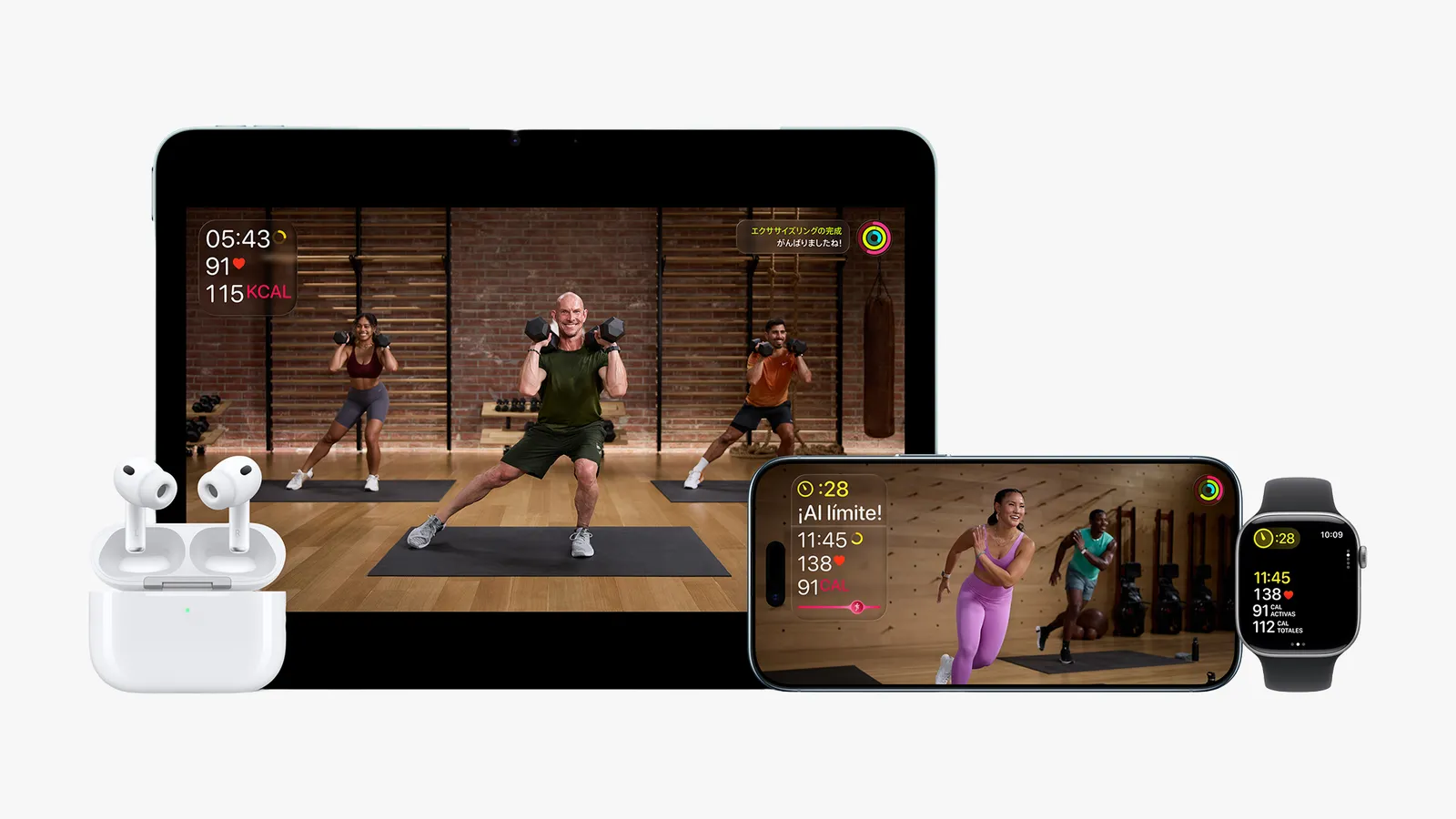
- Fitness+ Goes Global: Apple’s subscription workout service has expanded aggressively into new territories, offering guided studio-style workouts (yoga, HIIT, strength, cycling, rowing, treadmill, dance) accessible on Apple Watch, iPhone, iPad, and Apple TV. Integration is seamless: real-time metrics from your watch (heart rate, calories㻡ve markers) appear directly on the screen.
- Structured Training Programs: Recognizing the need for guidance beyond random workouts, Apple introduced multi-week programs like “The Time to攻打 Run” and specific strength training regimens. These provide structure for beginners restarting their fitness journey or experienced users seeking new challenges.
- Open Ecosystem Advantage: Crucially, Apple Watch doesn’t lock users into its ecosystem. Your workout and health data flows seamlessly into countless third-party apps available on the App Store. Whether you prefer the social challenges of Strava, the guided audio runs of Nike Run Club, or the deep analytics of Runmeter, your Apple Watch serves as an exceptionally capable data hub:
| Popular Apple Watch Workout App Alternatives |
|---|
| App Name |
| ——————- |
| Strava |
| Nike Run Club |
| MyFitnessPal |
| Peloton |
| HeartWatch |
This flexibility ensures users can tailor their digital fitness companion to their preferred style and goals.
Essential Gear: Enhancing Your Apple Watch Experience
Owning the device is just the start. Essential Apple Watch accessories significantly enhance usability and protect your investment:
- Power (and Lack Thereof): Battery anxiety is real. A reliable multi-device charging solution is non-negotiable.
- Multi-Charging Docks: Belkin’s BoostCharge Pro Qi2 3-in-1 Charging Stand ($110) is a top pick for efficiently charging watch, phone, and AirPods simultaneously. Consider multi-port power banks ($90+) with integrated Watch charging capabilities for travel or extended days out.
- Make It Your Own – Bands: The signature Apple Watch feature is swappable bands. Comfort and style are paramount.
- Diverse guides abound, highlighting options from sporty silicone (Apple’s Sport Loop) for workouts, elegant Milanese loops for dress occasions, durable nylon NATO straps for adventure, or premium leather like the supple Konsu band ($169). Selection hinges on daily activities and personal taste.
- Screen & Case Protection: Given Apple’s steep repair costs (often nearing the price of replaceit), protection is wise:
- Thin Cases: Options like the Spigen Thin Fit Case ($15 shipments) add minimal bulk and scratch/scuff protection.
- Screen Protectors: Tempered glass protectors (like multi-packs from Amazon, ~$10) are crucial defenses against scratches and minor impacts.Detail Apply carefully!
- Avoiding Pitfalls:** All accessories must balance protection with usability. Bulky cases can impede functionality and become uncomfortable; poorly applied screen protectors collect dirt and peel.
The Watch Blacklist: Models to Steer Clear Of
Technology marches on, and older Apple Watches are being left behind. Investing in outdated models risks poor functionality, compromised safety features, and zero software support:
- Series 1, 2 & 3: Officially discontinued and unsupported. Series 1 isn’t waterproof. Series 1 & 2 lack cellular and feature significantly slower processors. Series 3 can technically run watchOS 8.7.1 but choked on updates long before its discontinuation due to limited storage.
- Series 4, 5 & Gen 1 SE: While more capable than the older trio, these models cannot run the latest watchOS versions. Loss of software updates means missing critical security patches, new health features like hypertension insights or iOS integration, and app compatibility over time. They represent diminishing returns on investment.
- Future-Proofing: Buying Second-Gen SE or Series 6/7/8/9/Ultra ensures you benefit from wearOS support for years to come, access to all current health features, improved performance, brighter always-on displays (excludes SE), and robust build quality. This ensures your investment remains viable and functional well into the future.
The Apple Watch’s evolution from chic notification recipient to sophisticated health sentinel and fitness partner is genuinely profound. It actively monitors vitals like heart rhythm and even flags potential hypertension, provides detailed sleep analysis, and continuously pushes the boundaries of what’s possible in personal wellness tech. Its workout capabilities, bolstered by Fitness+ and a vast third-party app ecosystem, turn it into a motivating coach guiding users towards better fitness. However, maximizing its potential demands careful selection; securing obsolete models locks you out of essential updates, while investing in the right accessories ensures it lasts and integrates smoothly into your daily life. Ultimately, wearing an Apple Watch is no longer just about staying connected; it’s an active commitment to understanding and improving your health trajectory. Have you experienced a health scare identified by your watch, or found a fitness app that transformed its usability? Share your story below!


