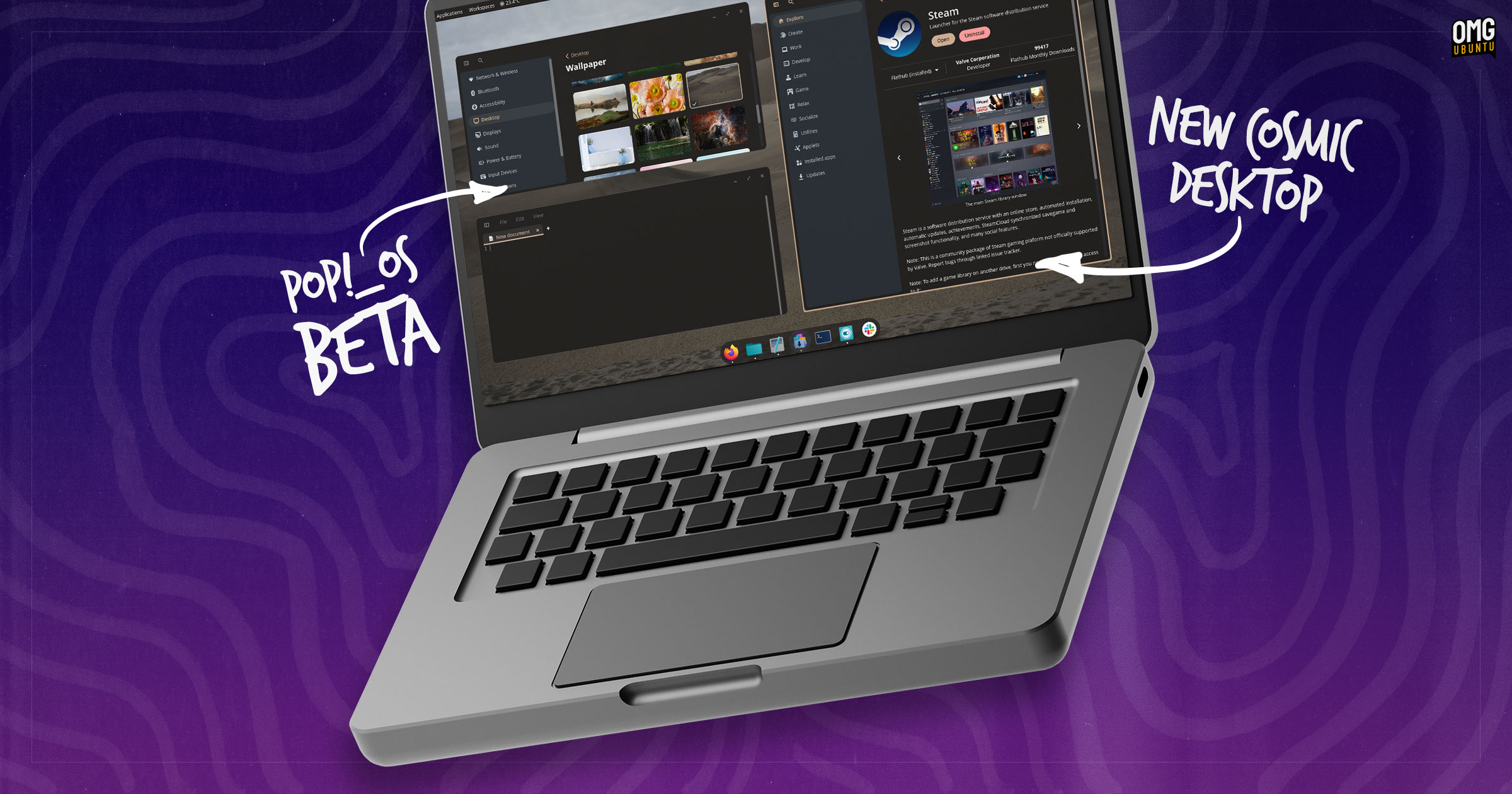

Is COSMIC Ready for Takeoff? Pop!_OS 24.04 Beta Arrives with a Rust-Based Desktop
Are you tired of desktop environments that feel rigid and inflexible? System76 aims to change that with its new COSMIC desktop environment. The first public beta of Pop!_OS 24.04 LTS, featuring COSMIC as the default, has just been released, marking a significant step towards a more customizable and powerful Linux experience. This article dives into the details of this exciting release, exploring what COSMIC brings to the table and what users can expect from the beta.
The Dawn of COSMIC: A New Desktop Environment
System76’s COSMIC desktop environment has been a long time coming, first announced in 2021. Built from the ground up using the Rust programming language, COSMIC promises to deliver a more secure and performant experience. The use of Rust is a notable departure from the more traditional C and C++ languages used in other desktop environments like GNOME and KDE, offering memory safety and concurrency advantages. Let’s take a deeper look at what makes COSMIC unique.
Rust-Based Foundation: Security and Performance
Rust’s memory safety features help prevent common programming errors such as buffer overflows and dangling pointers, which can lead to crashes and security vulnerabilities. This is a major benefit for a desktop environment, as it helps ensure stability and protects against malicious attacks. Furthermore, Rust’s efficient memory management and concurrency capabilities contribute to a smoother and more responsive user experience.
- Memory Safety: Prevents memory-related errors.
- Concurrency: Enables efficient multitasking.
- Performance: Optimizes resource utilization.
Wayland Native with X11 Support
COSMIC is built to be Wayland native, leveraging the modern display server protocol for improved performance and security. While Wayland is the future of Linux desktop displays, many applications still rely on the older X11 protocol. COSMIC handles this by utilizing Xwayland, allowing users to run X11 applications seamlessly within the Wayland environment. This ensures compatibility with a wide range of software while taking advantage of Wayland’s benefits.
libcosmic: A Custom GUI Toolkit
To further enhance the user experience and provide a consistent look and feel, COSMIC utilizes a custom GUI/app toolkit framework called libcosmic, based on Iced and Elm. This allows developers to create applications that are specifically designed for COSMIC, taking full advantage of its features and capabilities. However, COSMIC also supports GTK, Qt, and other toolkits, allowing users to run applications built with different frameworks side-by-side. This flexibility ensures that users are not limited to a specific set of applications.
What’s New in Pop!_OS 24.04 with COSMIC?
Pop!_OS 24.04 is based on Ubuntu 24.04 LTS, inheriting the stability and wide software availability of the Ubuntu ecosystem. However, it distinguishes itself with the inclusion of COSMIC and a set of updated components. Key updates include:
- Linux Kernel 6.16: Provides improved hardware support and performance enhancements.
- Mesa 25.1.5: Offers updated graphics drivers for better gaming and multimedia experiences.
- NVIDIA 580 Drivers: Ensures compatibility and optimal performance with NVIDIA graphics cards.
For users familiar with Pop!_OS 22.04 and its GNOME Shell-based interface, the transition to COSMIC should feel relatively smooth. The default layout retains familiar elements such as the panel, dock, workspaces, launcher, and app library. However, COSMIC provides a much greater degree of configurability, allowing users to customize the desktop to their liking.
A Configurable Desktop: Tailoring COSMIC to Your Needs
One of the core philosophies behind COSMIC is configurability. System76 emphasizes user empowerment, allowing individuals to create a desktop environment that perfectly suits their workflow and preferences. Almost every aspect of the desktop can be tweaked, repositioned, or hidden, from the panels and docks to the applets and window tiling options.
- Repositionable Elements: Move panels, docks, and applets to create custom layouts.
- Customizable Appearance: Adjust color schemes, icons, fonts, and spacing.
- Theming Options: Create a unique look and feel that reflects your personal style.
COSMIC aims to break free from the “one-size-fits-all” approach of traditional desktop environments. Whether you prefer a layout similar to GNOME Shell, macOS, or Windows 11, COSMIC provides the tools to achieve it.
COSMIC’s Core Apps: A Solid Foundation
The Pop!_OS 24.04 beta includes a suite of first-party applications built with the native COSMIC toolkit. These applications are designed to provide a cohesive and performant user experience. Here’s a quick look at some of the key apps:
- COSMIC Files: A file manager with column and grid views, network mount support, path auto-completion, file previewing, archive handling, and more.
- COSMIC Terminal: A GPU-rendered terminal with per-profile color schemes, vertical and horizontal splits, containers, and ligatures support.
- COSMIC Player: A media player with VAAPI decoding and Vulkan rendering, support for audio file album art, subtitles in video, and a tree view for browsing folders.
- COSMIC Edit: A text editor with Git integration, a ‘revert all changes’ feature, Vim keybindings, tree view, themes, and indentation options.
Software Management with COSMIC Store
Software installation and management are handled through the COSMIC Store, a centralized hub for applications from various sources. The COSMIC Store provides access to the Ubuntu 24.04 LTS and Pop!_OS APT repositories, as well as applications from Flathub and a dedicated COSMIC Flatpak remote. This makes it easy to find and install the software you need, regardless of its origin.
Beta Considerations and How to Get Involved
It’s important to remember that Pop!_OS 24.04 with COSMIC is still in beta. While System76 considers COSMIC to be “largely complete,” there are bound to be bugs and rough edges. Building a desktop environment from scratch is a monumental task, and it’s unrealistic to expect COSMIC to be perfect right out of the gate.
Known Limitations:
- Dragging files from Wayland apps to X11 apps may not be supported.
- Some games may launch partially off-screen.
- Display toggle hotkeys may not be fully functional.
How to Get Involved:
- Download and Test: Download the Pop!_OS 24.04 beta ISO from the System76 website and try it out on your system.
- Report Bugs: If you encounter any issues, report them to System76 so they can be addressed before the final release.
- Share Your Feedback: Share your experiences and thoughts on the new COSMIC desktop in the comments sections of articles or on the System76 forums.
- Contribute to Development: The COSMIC Beta is also available for testing on other Linux distributions, including Fedora, CachyOS and Arch Linux.
Existing Pop!_OS users can upgrade to 24.04 LTS from 22.04, but System76 advises caution due to the beta nature of the release. A release candidate will follow after a period of beta testing, with a final, stable release coming after that.
Conclusion: A Promising Step Forward
The release of the Pop!_OS 24.04 beta with the COSMIC desktop environment marks a significant milestone for System76 and the Linux community as a whole. COSMIC’s Rust-based foundation, Wayland native architecture, and focus on configurability make it a promising alternative to existing desktop environments. While the beta is not without its limitations, it offers a glimpse into the future of Linux desktops.
The COSMIC desktop environment has the potential to “propel the Linux desktop to new heights of user empowerment.” What are your thoughts on COSMIC? Share your comments and experiences below!
Sources & Further Reading:
Original article at www.omgubuntu.co.uk


