
Is Microsoft 365 Really Free for College Students? Unlocking the Deal
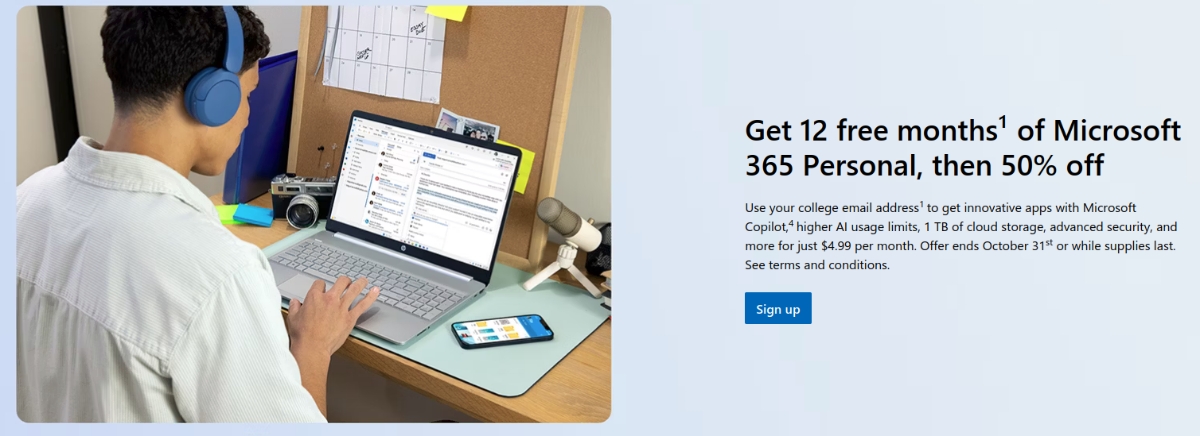
Are you a college student constantly battling deadlines and budget constraints? Imagine getting access to powerful software like Word, Excel, and PowerPoint without spending a dime. Well, for students in the U.S., this isn’t just a dream! Microsoft is offering a free Microsoft 365 subscription to eligible college students, but there are a few things you need to know. This article dives deep into this offer, what it includes, the eligibility requirements, and potential drawbacks, ensuring you can make the most of this opportunity.
Understanding the Microsoft 365 Student Offer
Microsoft’s initiative to provide free Microsoft 365 Personal subscriptions to college students in the United States is significant. It’s more than just a generous act; it’s a strategic investment in the future workforce, equipping students with the tools they’ll likely use throughout their careers. But what exactly does this offer entail, and how does it compare to other Microsoft 365 options?
What’s Included in the Free Microsoft 365 Personal Subscription?
This isn’t the basic, web-only version of Microsoft 365 that’s free for everyone. The free student subscription provides access to the full desktop versions of key applications:
- Microsoft Word: The industry-standard word processor.
- Microsoft Excel: Powerful spreadsheet software for data analysis and management.
- Microsoft PowerPoint: Create compelling presentations with ease.
- Microsoft OneNote: A digital notebook for organizing notes and ideas.
- Microsoft Outlook: Manage your email, calendar, and contacts in one place.
These apps are accessible across multiple platforms, including:
- PC: Windows desktop environment.
- Mac: Apple’s macOS operating system.
- iOS: iPhones and iPads.
- Android: Smartphones and tablets running Android.
Crucially, this subscription includes 1TB of OneDrive storage. This is a massive amount of cloud storage, perfect for backing up important documents, presentations, and other files. It also enables seamless collaboration with others.
The Power of Microsoft Copilot: Included for Free
A significant perk included in this free subscription is access to Microsoft Copilot in the desktop applications of Word, Excel, PowerPoint, and Designer. Copilot is an AI-powered assistant designed to boost productivity and creativity. For example, Copilot in Word can help refine writing, summarize documents, and even generate content ideas. In Excel, it can assist with data analysis, formula creation, and visualization.
However, it’s crucial to acknowledge Microsoft’s warning regarding the accuracy of Copilot in Excel. Like all AI tools, Copilot is not infallible, and users should verify its outputs before relying on them for critical decisions. Remember that Copilot in Excel requires AutoSave to be enabled.
Microsoft 365 Personal vs. Microsoft 365 Online
It’s important to distinguish between Microsoft 365 Personal (the free subscription) and Microsoft 365 Online. Microsoft 365 Online offers basic versions of Word, Excel, PowerPoint, and other apps through a web browser. It’s free for anyone to use, but the functionality is limited compared to the desktop versions. The free Microsoft 365 Personal subscription for students provides access to the full, feature-rich desktop apps, offering a significantly more powerful and versatile experience.
| Feature | Microsoft 365 Personal (Free Student Subscription) | Microsoft 365 Online (Free for Everyone) |
|---|---|---|
| App Access | Full desktop versions | Limited web versions |
| Platform Access | PC, Mac, iOS, Android | Web browser only |
| OneDrive Storage | 1TB | Limited (typically 5GB) |
| Offline Access | Yes | No (requires internet connection) |
| Advanced Features | Yes | Limited |
Why is Microsoft Offering Free Microsoft 365 to Students?
Microsoft’s decision to offer free Microsoft 365 Personal subscriptions to U.S. college students aligns with the U.S. Government’s drive to enhance AI education nationwide. By providing free access to its productivity suite, complete with AI-powered tools like Copilot, Microsoft aims to empower students to develop essential skills for the future workforce. This is a strategic move to foster AI literacy and prepare students for a technology-driven job market.
How to Claim Your Free Subscription: A Step-by-Step Guide
Claiming your free year of Microsoft 365 Personal requires a few steps:
- Visit the official Microsoft offer page.
- Verify your student status: You’ll need a valid .edu email address from your college or university.
- Provide a payment method: While the subscription is free for the first year, you’ll need to provide a credit card or other payment information. This is to ensure a seamless transition to a paid subscription if you choose to continue after the free year.
- Follow the on-screen instructions: Microsoft will guide you through the process of downloading and installing the apps.
Important Considerations:
- Offer Deadline: This offer ends on October 31st (year not specified), or until supplies last. Act fast to avoid missing out.
- Cancellation Reminder: Set a reminder to cancel your subscription before the 12-month period ends if you don’t want to be charged. Otherwise, you’ll be billed monthly at the regular price.
- Discounted Renewal: If you choose to continue after the free year, you can do so at a 50% discount, paying $4.99 per month.
Privacy Concerns and Alternatives: Exploring LibreOffice
While Microsoft 365 offers a compelling suite of tools, privacy concerns are a valid consideration. Microsoft collects data about how users interact with its services, which may not sit well with everyone.
For students who prioritize privacy, LibreOffice is an excellent alternative. It’s a completely free, open-source office suite that supports Office document formats and is available across Windows, macOS, and Linux. While it lacks the online features of Microsoft 365, LibreOffice offers robust functionality for word processing, spreadsheets, presentations, and more.
| Feature | Microsoft 365 | LibreOffice |
|---|---|---|
| Cost | Free for 1 year (students), then paid | Free and open-source |
| Platform | Windows, macOS, iOS, Android, Web | Windows, macOS, Linux |
| Privacy | Collects user data | Minimal data collection |
| Collaboration | Strong online collaboration features | Limited online collaboration features |
| Cloud Storage | Integrated with OneDrive | Requires third-party cloud storage solutions |
| AI Assistance | Microsoft Copilot integrated | No built-in AI assistant |
Potential Downsides: AutoSave, Privacy, and Windows 11 Companion Apps
While the free Microsoft 365 subscription is a fantastic deal, there are a few potential downsides to be aware of:
- AutoSave in OneDrive: Word will automatically save documents to OneDrive, which might be undesirable for those concerned about data control. You can disable this feature, but it requires manual adjustment.
- Privacy Concerns: As mentioned earlier, Microsoft collects user data, which may raise privacy concerns.
- Windows 11 Companion Apps: If you have Microsoft 365 desktop apps installed, Windows 11 may automatically install two companion apps. The nature and purpose of these apps should be carefully considered, as they might introduce unwanted bloatware or track usage data.
Conclusion: Is the Free Microsoft 365 Offer Worth It?
The free Microsoft 365 Personal subscription for U.S. college students is an incredible opportunity to access powerful productivity tools at no cost. With Word, Excel, PowerPoint, OneNote, Outlook, 1TB of OneDrive storage, and Microsoft Copilot, students can significantly enhance their academic work and prepare for future careers. However, it’s essential to be aware of the potential downsides, such as AutoSave behavior, privacy considerations, and the automatic installation of companion apps in Windows 11. Remember to set a reminder to cancel the subscription before the free year ends if you don’t want to be charged, and explore alternatives like LibreOffice if privacy is a major concern.
What do you think about this offer? Are you planning to claim your free Microsoft 365 subscription? Comment below!
Sources & Further Reading:
Original article at www.ghacks.net


