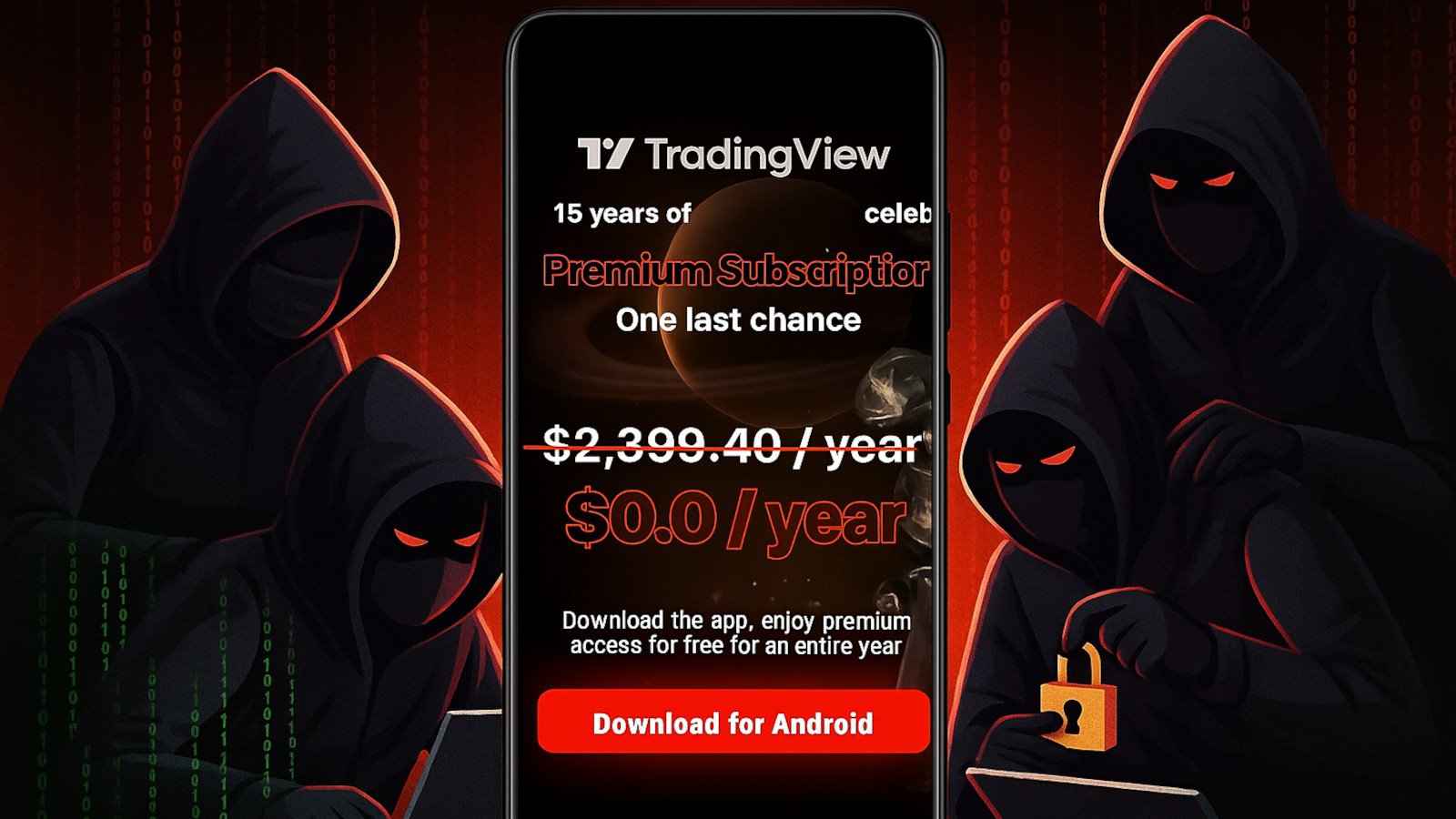

New Android Malware Campaign Targets Traders
Security researchers have identified a new wave of Brokewell Android malware being distributed through fake TradingView advertisement campaigns. The malware, which first appeared in early 2025, has evolved significantly and continues to pose a serious threat to Android users in 2026.
How the Malware Spreads
Attackers are purchasing malicious ads that appear within search results for TradingView, a popular financial charting platform used by traders worldwide. When users click on these ads, they are redirected to convincing phishing websites that mimic TradingView’s official download page. The fake pages prompt users to download what appears to be a TradingView APK but instead installs the Brokewell malware.
The campaign specifically targets mobile traders who search for TradingView on their Android devices. The malicious ads are geographically targeted, focusing on regions with high cryptocurrency and stock trading activity including North America, Europe, and Southeast Asia.
What Brokewell Malware Does
Once installed, Brokewell operates as a sophisticated banking trojan with the following capabilities:
- Credential theft — It captures login credentials for financial apps, crypto wallets, and trading platforms through overlay attacks.
- Two-factor authentication bypass — The malware can intercept SMS messages and push notifications containing 2FA codes.
- Screen recording — It records on-screen activity to capture PINs, patterns, and passwords entered by the user.
- Remote access — Attackers can remotely control the infected device, navigating through apps and initiating unauthorized transactions.
- Data exfiltration — Contact lists, messages, photos, and documents are harvested and sent to command-and-control servers.
Why This Campaign Is Dangerous
Brokewell’s use of fake ads on legitimate search platforms makes it particularly dangerous. Unlike sideloaded malware that requires users to enable installation from unknown sources, this campaign tricks users into willingly installing the malicious APK. The malware also employs advanced obfuscation techniques to evade detection by Google Play Protect and most mobile antivirus solutions.
How to Protect Yourself
To avoid falling victim to this campaign, follow these security practices:
- Only download from official sources — Always install TradingView and other apps directly from the Google Play Store or the official TradingView website. Avoid third-party APK download sites.
- Verify URLs before clicking — Check the URL of any download page carefully. Fake pages often use lookalike domains like “tradingview-download[.]com” or “trading-view[.]app.”
- Use an ad blocker — Browser-based ad blockers can filter out malicious ads before they appear in search results.
- Enable Google Play Protect — Ensure Play Protect is enabled and running regular device scans.
- Check app permissions — If an app requests accessibility service permissions, SMS access, or overlay permissions without a clear reason, deny the request immediately.
What to Do If Infected
If you suspect Brokewell malware on your Android device, take these steps immediately:
- Boot into Safe Mode to prevent the malware from running.
- Uninstall any suspicious apps, especially ones you don’t remember installing.
- Change passwords for all financial accounts and crypto wallets from a clean device.
- Enable two-factor authentication through a hardware key or authenticator app instead of SMS.
- Run a full factory reset if the malware cannot be removed.
Staying Safe in 2026
As mobile malware campaigns become more sophisticated, Android users must remain vigilant. The Brokewell campaign demonstrates that even searching for legitimate financial tools can lead to malicious downloads. Always verify the source of any APK file before installation, and never grant unnecessary permissions to apps.


